How to Wow Customers With Time-Lapse Videos on Social Media

How to Wow Customers With Time-Lapse Videos on Social Media

People love time-lapse videos. Whether they're made from lots of photos stitched together or a simple sped-up recording, the power to capture the story of a scene that lasted hours, days or even years in just a few minutes or seconds, is something that really resonates with audiences.

And with mobile apps that make generating time lapse videos as easy as a few taps of the finger, there's never been a better time to get involved. What's more, time lapse videos make for great content on social media - digestible in moments and very shareable - as you'll see in the examples below.

Read More

How to Upload to Instagram from PC or Mac | DSLR to Instagram via Desktop Computer

How to Upload to Instagram from  PC or Mac | DSLR to Instagram via Desktop Computer

As someone who is often juggling several social media marketing projects at the same time, I am always looking for ways to make the process of posting and re-purposing content to several outlets as quick and pain-free as possible....

Read More

How to Upload Photos to Snapchat From Camera Roll | LaterPic (LaterSnap) App

How to Upload Photos to Snapchat From Camera Roll | LaterPic (LaterSnap)  App

At the time of writing, one of Snapchat's greatest frustrations is the inability to lift photos or videos from your Camera Roll, send them to the app and post them to your contacts. Now a new app changes that, and even adds more image editing features, too. Let's take a closer look...

Read More

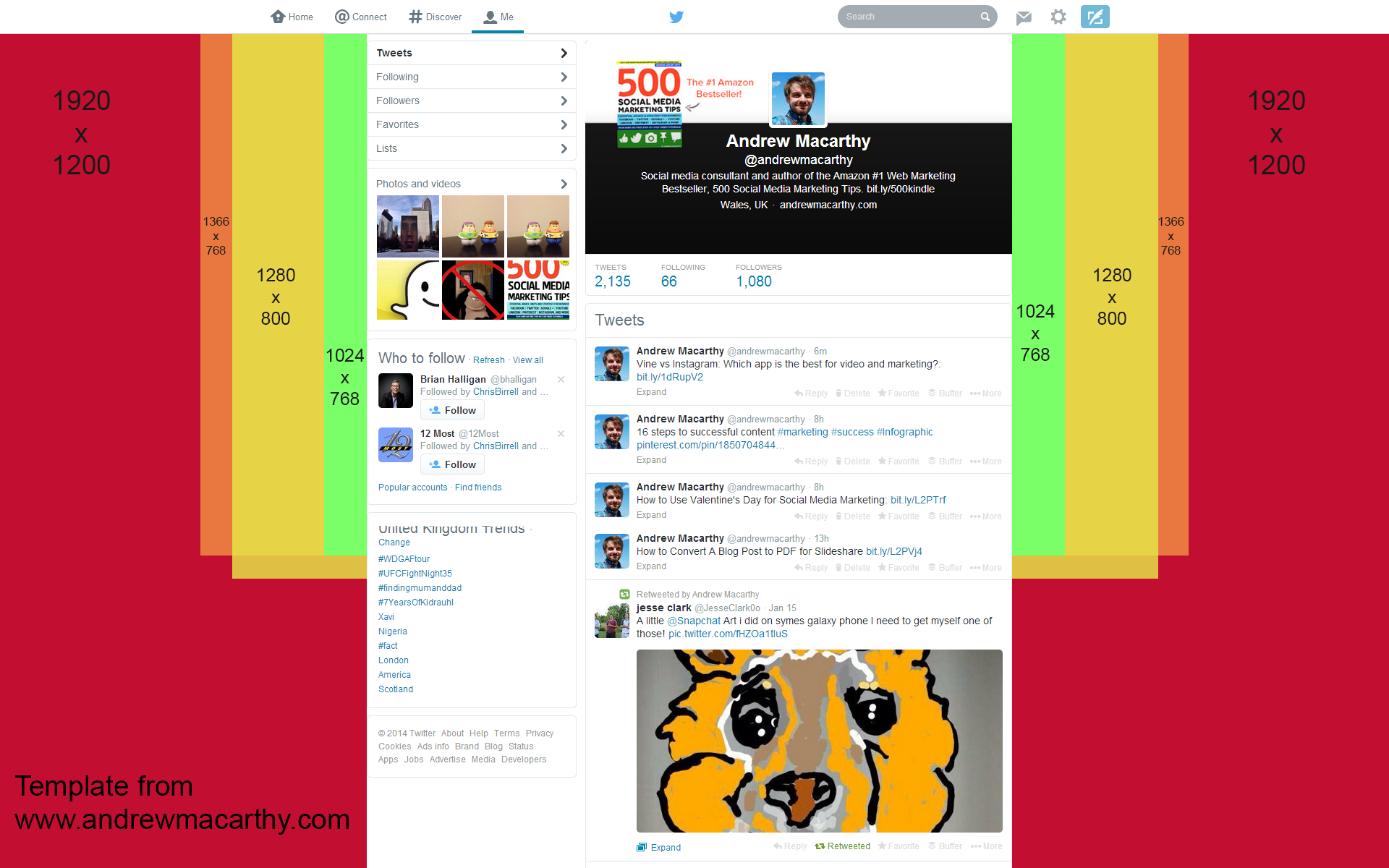
Twitter Background Template 2014, 2015 PSD | 1920 x 1200 Photoshop Download

Twitter Background Template 2014, 2015 PSD | 1920 x 1200 Photoshop Download

In January 2014, Twitter refreshed the look of its desktop site, with three noticeable changes: a wider news feed, a larger header image, and bigger and more colourful font to display a users' tweet and followers count. A new design means a new template is needed in order to help keep your Twitter background branding optimised, so let's get right to it.

Read More

How to Get A Custom Google+ URL for Page or Profile

 
how-to-get-a-custom-google-plus-url-page-profile.jpg

In October 2013, Google+ finally started to roll out the option for users to apply a custom URL to their profiles and pages. While the address you end up with isn't completely  your choice, it is  a whole lot better than previous, i.e. something very long and complicated!

Google+ custom URL requirements

Google isn't handing custom URLs out to any old Tom, Dick, and Harry. You'll need to meet the following requirements until the offer is made to you. Your account:

  • Must have 10 or more followers
  • Must be 30 days old or more
  • Must feature a profile photo

Getting your Google+ custom URL

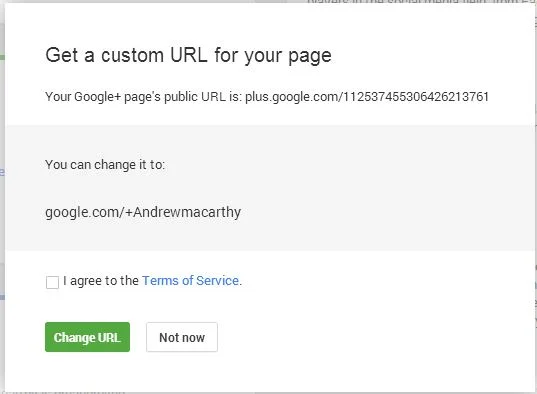
If you meet the above criteria, you'll see a notification at the top of your Google+ page or Profile. Click the "Get a custom URL button" or from the "About" tab on your Profile, click the "Get" link located under your Google+ URL.

custom-google-plus-url-2.JPG

You'll see the URL(s) you've been approved for; just choose the one you like most, agree to the terms, and click "Change URL." Once you change it, it's changed for good and you won't be able to make or request any amendments other than capitalization or accents/diacritics.

And that's all there is to it!