4 Ways to Get More Repins on Pinterest | 60 Second Social Media Strategy

4 Ways to Get More Repins on Pinterest | 60 Second Social Media Strategy

4 Ways to Get More Repins on Pinterest | 60 Second Social Media Strategy

Part of what people like so much about my book, 500 Social Media Tips, is the way it allows readers to spend very little time with it, but still come away having learned something valuable. As one reviewer on Amazon put it, it's perfect for "A.D.D. biz owners!". 

With that idea in mind, it's something I'd like to replicate more in video form. So, here's introducing 60 Second Social Media Strategy. My aim is to create short-form video tutorials - no longer than a minute each - that provide lots of value to those who watch. Hopefully their brevity will make them more watchable and super shareable on social media, too.

Here's the first one - 4 Ways to Get More Repins on Pinterest...

What do you think? I totally messed up with the "3 ways..." slide - props if you noticed that! I added an extra slide in at the last minute to amend the timing, and forgot to make the edit.

Leave a comment below or send me a message on Facebook or Twitter to let me know if this is something you enjoyed, and would like to see more of.

How to Make A YouTube Video Intro for Free | Branded YouTube Video Intro Tutorial

How to Make A YouTube Video Intro for Free | Branded YouTube Video Intro Tutorial

Do you want to make a professional-looking YouTube branded video intro for free? I'm going to show you how! In April 2014, YouTube allowed users to upload a three-second branding intro video that can be applied to play at the beginning of selected or all videos. They're a great way to build brand familiarity and keep your viewers hooked, so let's take a look at how you can make one...

Read More

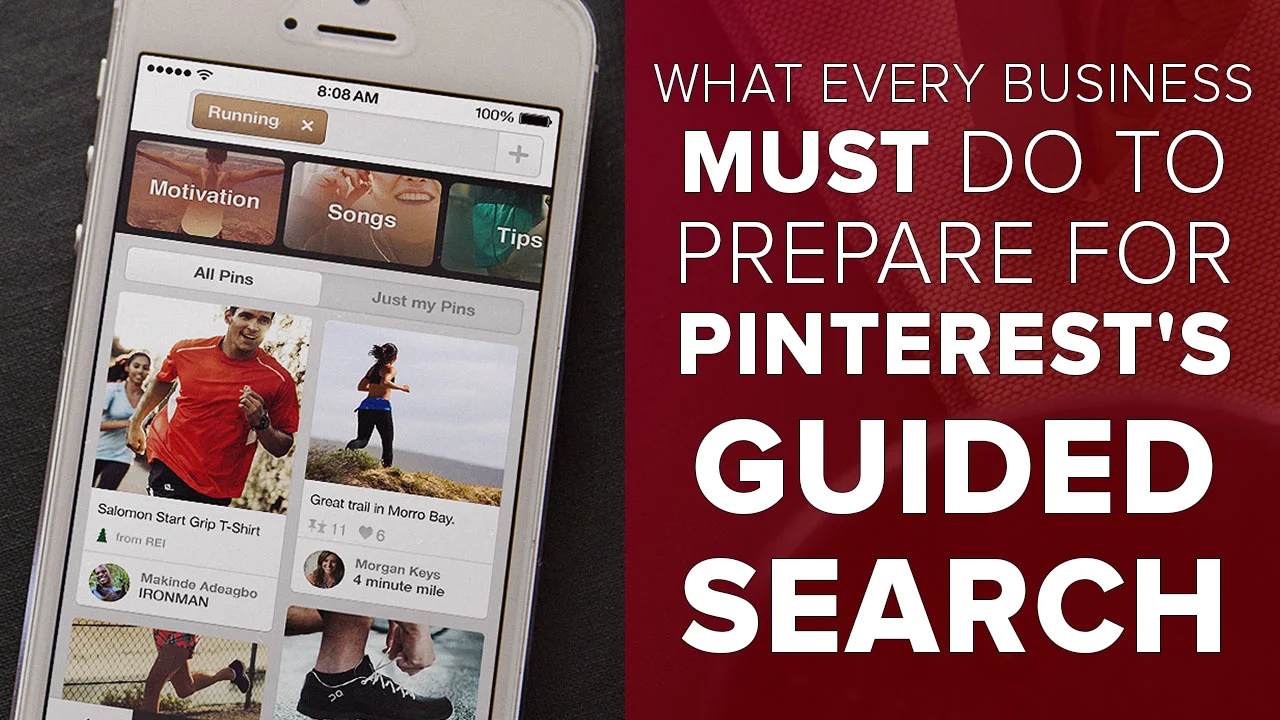
What Every Business MUST Do to Prepare for Pinterest's Guided Search

What Every Business MUST Do to Prepare for Pinterest's Guided Search

What Every Business MUST Do to Prepare for Pinterest's Guided Search

What is Pinterest Guided Search?

Pinterest Guided Search was rolled out to the site in April 2014 (mobile app first, desktop soon after) as a way to shake-up how search engines work. Pinterest says Guided Search is "made for exploring, whether you know exactly what you want, or you’re just starting to look around. "  By offering broad suggestions as you search - and letting you add your own into the mix - the hope is that users will find what they are looking for more easily, whether that thing was in their mind from the beginning or whether suggestions inspired them to a choice along the way.

How does Pinterest Guided Search work?

Pinterest's Guided Search Example

Pinterest's Guided Search Example

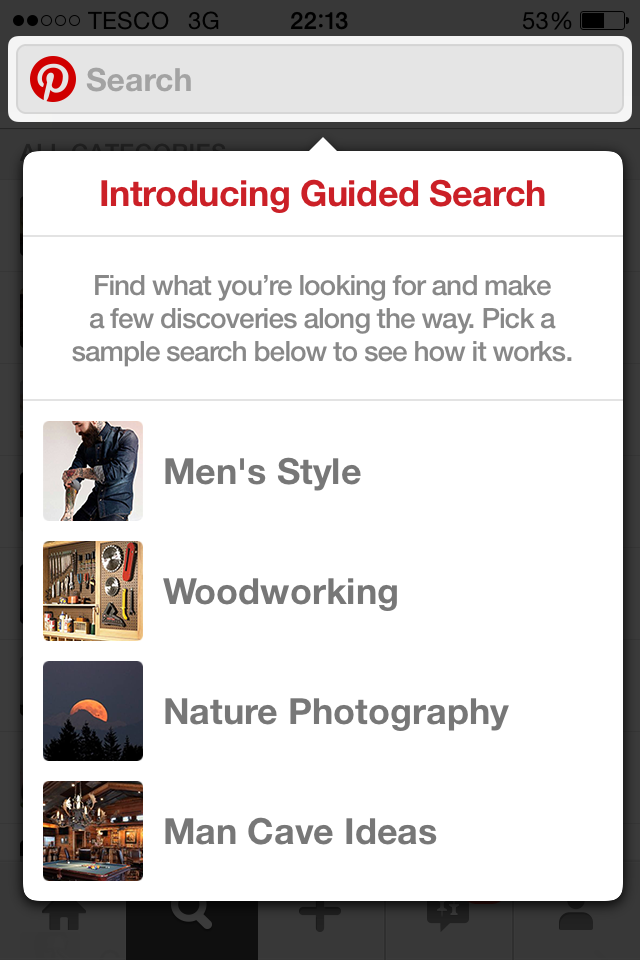
Say your initial Pinterest search was for one of the things above. In this case, I chose Mens Style.

Pinterest's Guided Search Example

Pinterest's Guided Search Example

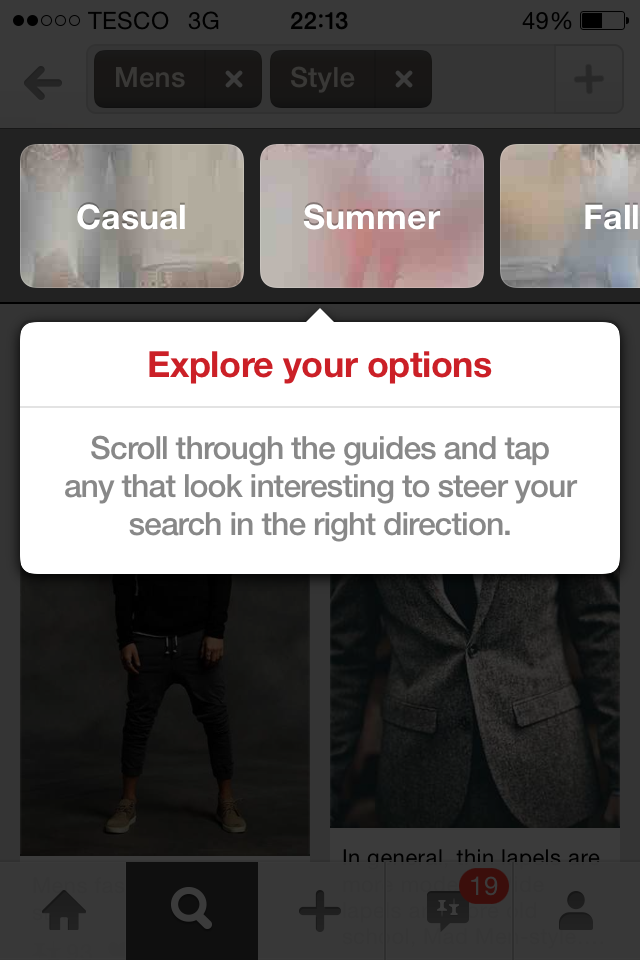
Upon the results being returned, Pinterest automatically suggests relevant suggestions to help me narrow my search down, e.g. clothes for Summer or Fall.

Pinterest's Guided Search Example

Pinterest's Guided Search Example

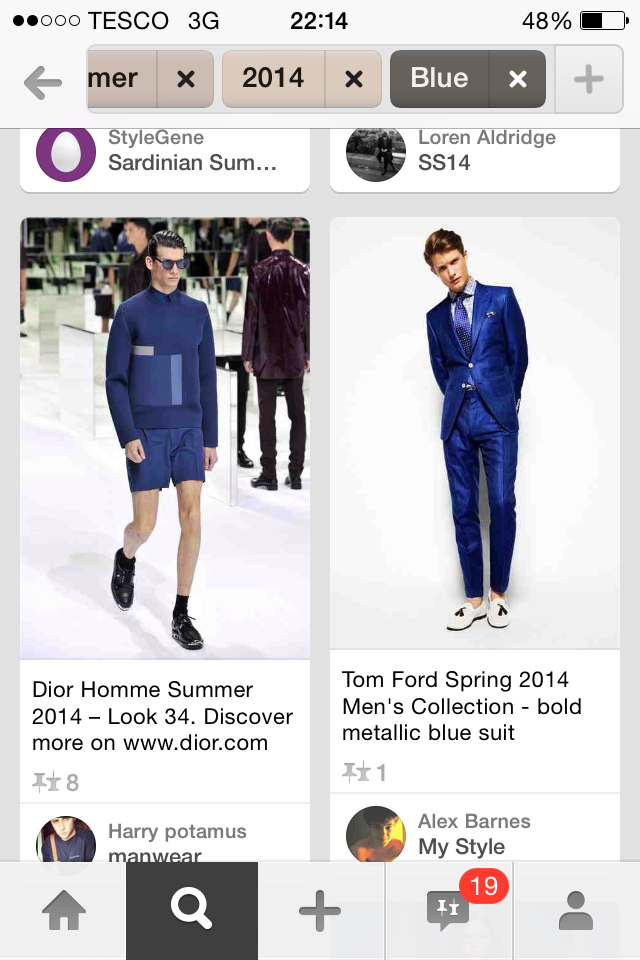
By tapping the "+" button, you are able to add in your own suggestions to help narrow your search results down as you wish, e.g. "blue" to filter the clothes by colour.

What does Pinterest Guided Search mean for my business?

First off, Pinterest has said that Guided Search will not affect search rankings, so your current pins are unaffected. However, what its introduction does do is give brands an even bigger incentive to make sure that their pins' descriptions are optimised for SEO. This means including specific, relevant keywords to help highlight the most distinctive elements of your pins in order to give them the best chance of being discovered.

Conclusion

Will the introduction of Guided Search spark a change in the way you publish content on Pinterest? Do you welcome the new feature? Let me know in the comments below!

How NOT to Tweet A Customer Who's Had A Car Accident (A Lesson in Tact and Timing)

There's no questioning the power of Twitter as a tool for conducting fast and effective customer service. It's a topic I've touched on in the past, most recently with examples of how the bakery Greggs uses Twitter to deal expertly with disgruntled patrons, general queries, and all manner of miscellaneous mentions of its brand.  

However, for every company that is handling customer service on Twitter like a baws, there's another that isn't quite on point; a situation made worse when its intentions were genuine and it obviously didn't mean to cause any harm. Case in point is the following example:

A friend, Pippa, was recently involved in a bit of a nasty car accident. Luckily, no one was seriously hurt. Here's the tweet she sent some time afterwards, complimenting Volkswagen more than anything...

That tweet was followed by another later on the same day. Sinclair Volkswagen, a local car dealer (presumably spotting a nearby mention of the brand) then replied...

The "very grateful to be waking up this morning" portion of Pippa's tweet should have been the first signal to Sinclair Volkswagen that her hunt for a new car wasn't being undertaken in the most positive or circumstances, and that some tact might be necessary in handling any interaction. If that didn't work (and it didn't), her reply to its friendly (and kind of promotional) approach - the first of any contact it had made - definitely cleared that up.

I must clarify that I'm positive Sinclair Volkswagen did not mean to cause any offence with its tweet and is no way a reflection of it as a brand as a whole, and I'm sure a simple and sincere apology to Pippa's reply to them would be more than enough to settle the matter. However, this example does demonstrate - as we see over and over again - how easy it for brands to cause upset on social media, especially if the necessary context is not sought beforehand, or if an eagerness to interact with customers is detrimental to the quality of the message sent.

Perhaps it's the inherent speed of communication on social media is also to blame; it's conditioned us all to reply to messages (both in our personal and professional circles) as soon as humanly possible, and to expect the same attention from others when we message them. 

Many marketers, including myself, advise that brands shouldn't leave customers hanging on social media while they wait for a response, or to pro-actively find them, but the example above reminds us that it always pays to take a step back to evaluate the situation in the first instance. No matter how well-intentioned a speedy response, one angry customer can cause an unexpected wave of negative publicity that no company wants to have to deal with.

Have you ever "tweeted before you think" or are you always careful to understand a customer's situation before you reply? Leave a comment to let me know.


Andrew Macarthy is a social media consultant and the author of the #1 Amazon Web Marketing Bestseller, 500 Social Media Marketing Tips.

Buy 500 Social Media Marketing Tips
Amazon US: http://www.amazon.com/dp/B007L50HE6
Amazon UK: http://www.amazon.co.uk/dp/B007L50HE6

Follow Me:
http://www.facebook.com/500socialmediatips/
http://www.pinterest.com/andrewmacarthy
http://www.twitter.com/andrewmacarthy
http://www.youtube.com/5
00socialmediatips

Snapchat Contest Ideas: GrubHub's "Spot the Bacon"

Here's a quick and inventive idea for you to run a contest on Snapchat, courtesy of GrubHub. Take a look at its "Spot the Bacon" Snapchat story:

It offered 10 fans the chance to win $50 of GrubHub vouchers by challenging them to spot and screenshot the word "bacon" in its story, then e-mail their pic to be entered. A selection of different t-shirts appear in quick succession for users to screen grab, and the effect is easily created by stitching together several short snaps to create a Snapchat story.

What do you think? Will you be trying this tactic out with your own Snapchat fans?


Andrew Macarthy is the author of the #1 Amazon Web Marketing Bestseller, 500 Social Media Marketing Tips, available for Kindle and in paperback.

Buy 500 Social Media Marketing Tips
Amazon US: http://www.amazon.com/dp/B007L50HE6
Amazon UK: http://www.amazon.co.uk/dp/B007L50HE6

Follow Me
http://www.facebook.com/500socialmediatips/
http://www.pinterest.com/andrewmacarthy
http://www.twitter.com/andrewmacarthy

http://www.youtube.com/500socialmediatips