How to Edit Facebook Video Thumbnails | Change Thumbnail of Facebook Video

 
how-to-edit-change-facebook-video-thumbnail.jpg

When you upload a video to Facebook, after processing, a notification tells you that it is ready to view and says you can also change the video thumbnail. If you take notice of this straight away, you can edit the thumbnail in a pop-up window. If however, you want to edit the thumbnail after that point, the process isn't so obvious. Let's take a look... 

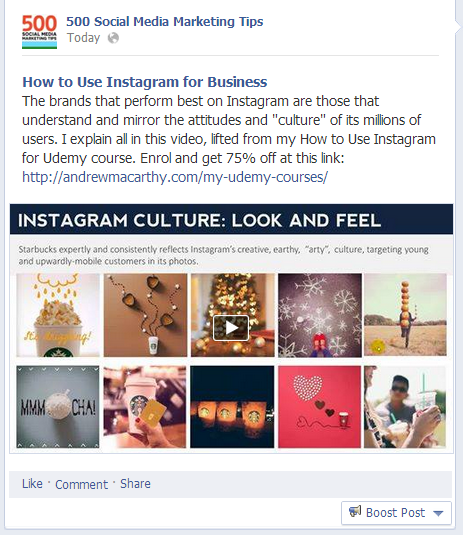
1. Your video will look like this on your Facebook Page or Timeline. Click on it to open it up in the full viewer.
how-to-change-choose-edit-a-facebook-video-thumbnail-3.PNG

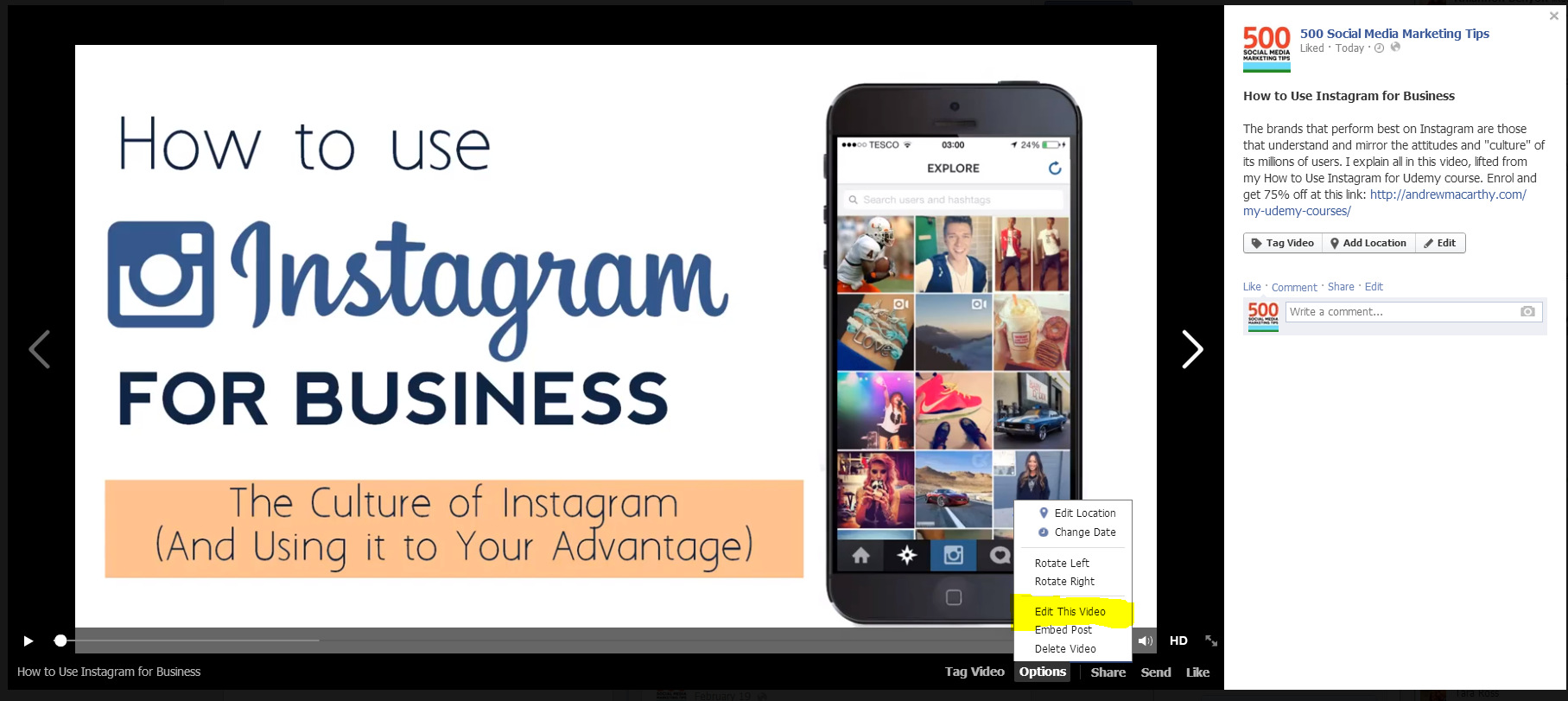
2. In the pop-up window, click Options at the bottom, and choose Edit This Video.
how-to-change-choose-edit-a-facebook-video-thumbnail-2.PNG

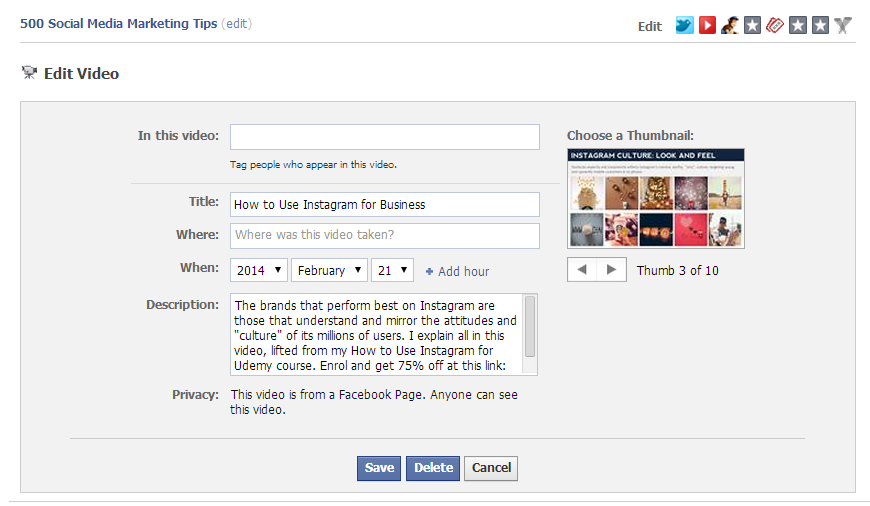
3. On the page that opens, select a thumbnail by clicking the left and right arrows underneath. You can't upload a custom image, but you can choose the best option from those available. Click Save to finish.
how-to-change-choose-edit-a-facebook-video-thumbnail-3.PNG

And that's all there is to it! If this post helped you out, please share it with your friends!


portrait-blog.jpg

Andrew Macarthy is the author of the #1 Amazon Web Marketing Bestseller, 500 Social Media Marketing Tips, available for Kindle and in paperback.

Buy 500 Social Media Marketing Tips
Amazon US: http://www.amazon.com/dp/B007L50HE6
Amazon UK: http://www.amazon.co.uk/dp/B007L50HE6

Follow Me
http://www.facebook.com/500socialmediatips/
http://www.pinterest.com/andrewmacarthy
http://www.twitter.com/andrewmacarthy

http://www.youtube.com/500socialmediatips

How to See Which Facebook Pages Have Liked Your Business Page

how-to-tell-see-which-pages-have-liked-your-business-page.jpg

Do you want to find out which other businesses have liked your Facebook Page? Discovering this is a good way to check out if the competition is keeping tabs on you, and often provides a good list of related company's that you might want to reach out to in order to join forces with to work together in some capacity. It's really easy to do, so let's take a look:

1. Open up the Admin Panel on your Facebook Page, and look for the "See Likes" link below the list of your most recent posts. Click it. 

Note: Sometimes the "Get More Likes" box doesn't show up for pages that have a huge number of likes, so go to this URL instead and replace the "PAGE_ID_HERE" with your own page's ID: https://www.facebook.com/browse/page_fans/?page_id=PAGE_ID_HERE (Thanks, Avtar Ram Singh!)

how-to-see-facebook-page-likes-1.PNG

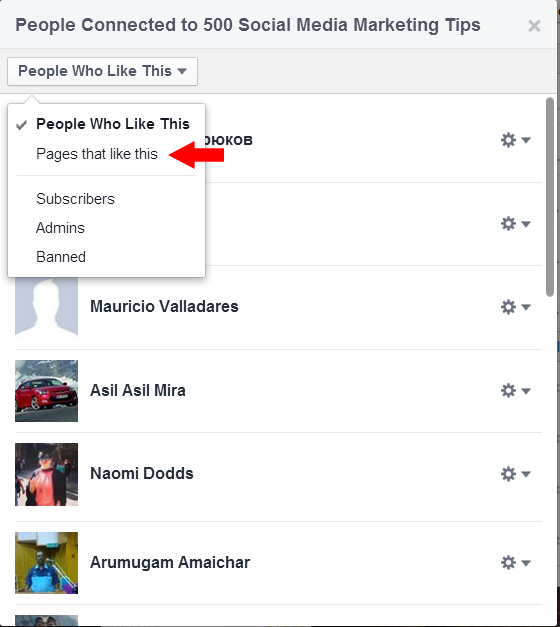
2. In the window that pops up, switch from People Who Like This to Pages that like this in the drop-down menu.

how-to-see-facebook-page-likes-2.png

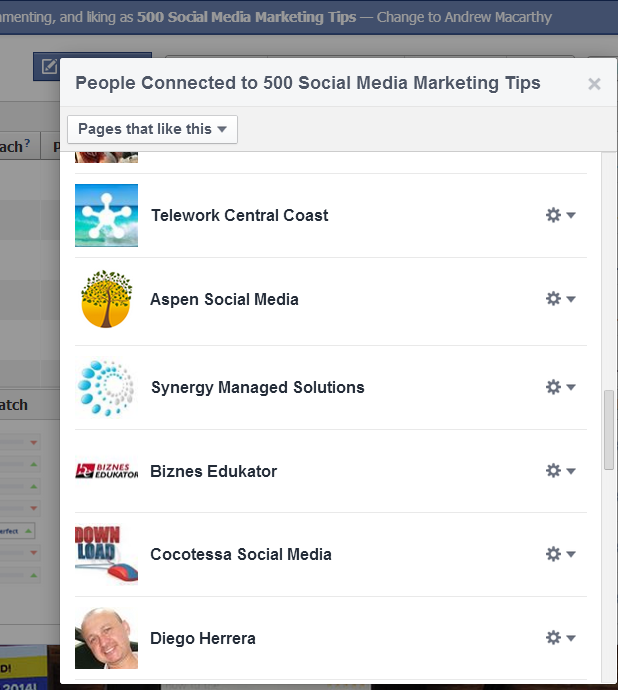
3. Here's a list of all the Pages that have liked you. Scroll down and keep clicking 'Show more' to view them all.

how-to-see-facebook-page-likes-3.PNG

Conclusion

That's all there is to it! Do you use this feature to benefit your marketing and business strategy? Let me know in the comments below.


5 Examples of Bad Facebook Ads from Big Brands (And How You Can Avoid the Same Mistakes)

5 Examples of Bad Facebook Ads from Big Brands (And How You Can Avoid the Same Mistakes)

With organic reach on Facebook at an all-time low and recent changes to make its advertising platform more user-friendly than ever, there's no better time to start experimenting to see what a few ad dollars could do for your business on the site.

On desktop displays, News Feed ads are the most prominent and probably your best chance for success. Just make sure you learn from some of the poor choices made in the following examples from big brands...

Read More

How to Handle Customer Complaints on Twitter Like A Pro (Greggs the Baker Case Study)

How to Handle Customer Complaints on Twitter Like A Pro (Greggs the Baker Case Study)

Greggs the baker or just "Greggs" as it is more commonly known, is the UK's biggest bakery chain, with hundreds of stores up and down the country. To help manage some of the ton of feedback they receive, Greggs mans its Twitter feed 7 days a week, and the way it handles customer complaints and queries on the platform is something a lot of other brands - big or small - could learn from, to help keep existing customers happy and help spread good experiences with them. Let's take a look at 6 ways that Greggs is killing it on Twitter...

Read More

How Burberry Uses Animated GIFs on Pinterest to Drive Web Traffic and Sales

How Burberry Uses Animated GIFs on Pinterest to Drive Web Traffic and Sales

Pinterest has supported animated GIFs for a while now, but not many brands are really taking advantage of them as they could. One company who that cannot be applied to is Burberry. It has used animated GIFs in its online marketing for years, and its targets now include Pinterest.

Let's take a look at how Burberry uses the dynamism of animated GIFs to drive web traffic and sell products via Pinterest...

Read More