A Subtle Way to Make Your Facebook Images Pop on the News Feed

A Subtle Way to Make Your Facebook Images Pop on the News Feed

Every good marketer knows that the way Facebook users scan their News Feeds doesn't leave a lot of time to catch the eye - and further interest - of a potential customer. Posting compelling images is an essential part of the strategy, but here's one subtle tip to help your images stand out even more. 

Read More

Facebook Cover Photo Template Updated November 2013

Facebook Cover Photo Template Updated November 2013

Following the recent roll out of new versions of the Facebook app for iOS and Android, I re-visited my social media templates to see what changes might need to be made. It turned out that the Facebook Cover Photo Template for Desktops and Mobiles definitely needed editing, and so I set to work. The finished result has been available on my Social Media Templates page for a good while now, but here are an overview of the amendments made.

Read More

Facebook Profile Photo Tip for Individuals With Followers and Pages


If you are the figurehead of a company on Facebook with both a business Page and a personal profile on which your customers use to keep up to date with your goings-on, it can, at a glance of the News Feed, be a bit confusing at from which destination any given status update is coming from.

 Of course, if somebody has chosen to follow you both personally and professionally, they might not really mind, but since the types of updates you share on your Page versus your individual profile might differ in style and content, it never hurts to differentiate the two. For people who come across you in search results, it'll give them an instant reference point too.

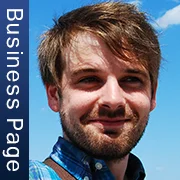
One quick and easy way to do this is with a slightly different profile for each, as in the examples below.

Business Page

facebook-business-page-profile-photo.jpg

Personal Profile

facebook-business-page-personal-photo.jpg

In my examples, I have used exactly the same photo for both the business Page and personal profile, but identified each with a bar along the left-hand side of each, and contrasting colours to further highlight the difference. You could use two completely different photos and ditch the label, but me, I happen to like the continuity.


portrait-blog.jpg

3 Reasons Why Training Facebook Fans to "Get Notifications" and "All Updates" is Ineffective and Potentially Damaging


Late last night, I spotted a message from one of the industry's biggest social media marketers, Mari Smith, in my email inbox. In it, was a link to lengthy post that she had written on Facebook about how the site's EdgeRank algorithm measures a Page's content, and decides whether or not fans will see it. There was some useful insight there, but what intrigued me most was an emphasised pointer from Mari which reads:

 "IMPORTANT TIP: Train your fans to 1) select Get Notifications, 2) select Show in News Feed, and 3) select All Updates. [SEE SCREENSHOT in the comments below]."

And here is that screenshot:

The result of a fan following this request is that they will receive a notification every time you post on your Page and  that all of your Page's posts will appear in their News Feed.

Although I've been aware of this strategy for a long time, I have not used it myself, nor have I recommended it to the readers of my book, or any of my clients. I replied to Mari's post, thanking her for the EdgeRank information, but questioning the usefulness of asking fans to "Get Notifications., and requesting some clarification behind her enthusiasm for it. My comment has no reply to date (not truly unsurprising given the amount of replies that each of her posts generates). I'm a bit sad about that ,as I am a big fan of Mari, and enjoy discussing all manner of social media marketing issues.

Edit: Mari came across my blog post and was kind enough to reply. See the comments for her response.

From my own point of view, there are several reasons why I don't recommend Page owners asking their fans to "Get Notifications" and "All updates", including: 

1. It's pushy and can breed resentment 

 I see social media marketing as a way for brands to build strong and long-lasting relationships with their customers with a "slow and steady wins the race" filled with great content, enthusiasm, and selflessness. That said, however big your audience on Facebook, only a very small fraction will care to be notified of and exposed to every update that your Page makes.

Facebook users visit the site primarily to stay in touch with their friends and family. If they listened to the dozens of Pages who told them to "Get Notifications," their News Feed and notifications would soon be over-run, and they will quickly see certain Pages as becoming spammy, no matter how honest the Page's intentions. If they then go on to resent a Page's activity and start to hide or ignore it when it appears, then that cannot be a good thing.

2. Most fans will ignore it

Without paid promotion, the average Facebook post naturally reaches the News Feed of only a moderate percentage of your total fans at any one time - let's say 10-20%. We can knock off a good few percentage points for people who won't be online to see your post when it is published, and several more for people who will simply ignore it. We're then left with two types of people: those who will read the status but ignore the request, and the remainder who will read the status and take action. Considering how much time and money marketers spend on getting even a small percentage of an audience to perform an action (like entering their email address or clicking a link), the chances of a time-pressed Facebook fan clicking through to your Page and switching on "Get Notifications" and "All updates" is incredibly slim. Better would be to encourage real engagement through posting irresistible and imaginative content.

3. It makes no sense to mobile users

The latest figures show that there are a staggering 469 million daily active mobile users of Facebook worldwide. That number is approaching half of the 1.2 billion total Facebook members. If your "Get Notifications" request reaches the display of a fan of your Page viewing on their mobile device, even if they did want to opt in, they can't. The instructions work only for Facebook users on desktops, so all a mobile user sees a useless message spamming their News Feed. Will said fan remember your prompt and carry it out when they next sit down in front of their home computer? Very unlikely.

Conclusion

Don't get me wrong, I am all for discovering ways that Facebook Page owners can use to extend the reach of their content, but I am a strong advocate of generating this reach - in the main - as organically as possible. If someone is a dedicated and engaged fan of a brand on Facebook, chances are that they will see plenty of that brand's content in their News Feed naturally. And if they want to check to see if they have missed anything, they will either make the effort to visit the Page manually or  discover for themselves a way - like turning on "Get Notifications"  and "All updates" - to make sure they never miss that Page's content.

I am also not saying that Mari's "train your fans to Get Notifications" advice should never  be used by Page owners, but I do  feel that encouraging the strategy enthusiastically without balancing it out with some of the potential pitfalls like those I have listed above, could be seen as somewhat frivolous considering her position and influence within the social media marketing field.

  Are you a fan of using the "Get Notifications" strategy?  What are your experiences, good or bad, when using it as a way to increase reach? Let me know in the comments below!


portrait-blog.jpg

Andrew Macarthy is the author of the #1 Amazon Web Marketing Bestseller, 500 Social Media Marketing Tips, available for Kindle and in paperback. 

Buy 500 Social Media Marketing Tips 

AmazonUS: http://www.amazon.com/dp/B007L50HE6
Amazon UK: http://www.amazon.co.uk/dp/B007L50HE6

Follow Me:
http://www.facebook.com/500socialmediatips/
http://www.pinterest.com/andrewmacarthy
http://www.twitter.com/500socialmedia

http://www.youtube.com/500socialmediatips

The Facebook Passion Page Project Part 2: The Big Reveal


Welcome to Part 2 of the Facebook Passion Page Project, in which I take you along with me on a ride in an attempt to build and monetise a successful Facebook Page. If you missed Part 1, do check it out here, as you'll learn about my reasoning for starting a Passion Page, and how they can be useful for any business or marketer. Now, though, it's time for the big reveal!

Exercise Motivation Quotes 

exercise-motivation-quotes.JPG

My Passion Page is Exercise Motivation Quotes . I deliberately kept the subject matter completely separate from my social media marketing "niche" so that there would be no audience crossover and so I could judge the progress (or lack thereof) of the Page as fairly as possible.

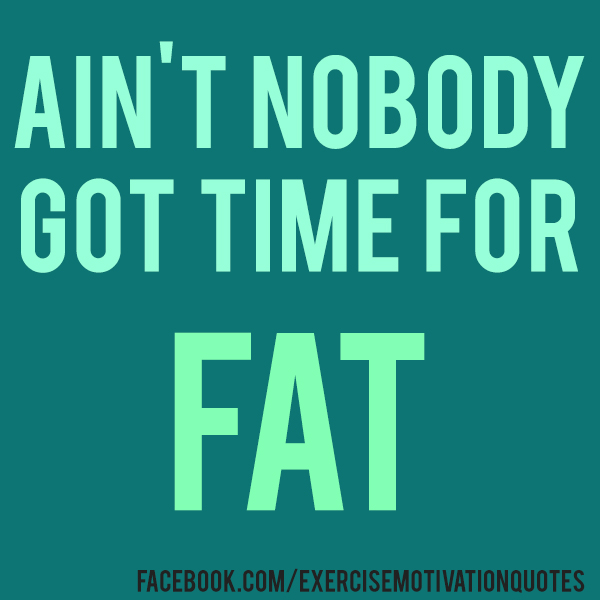
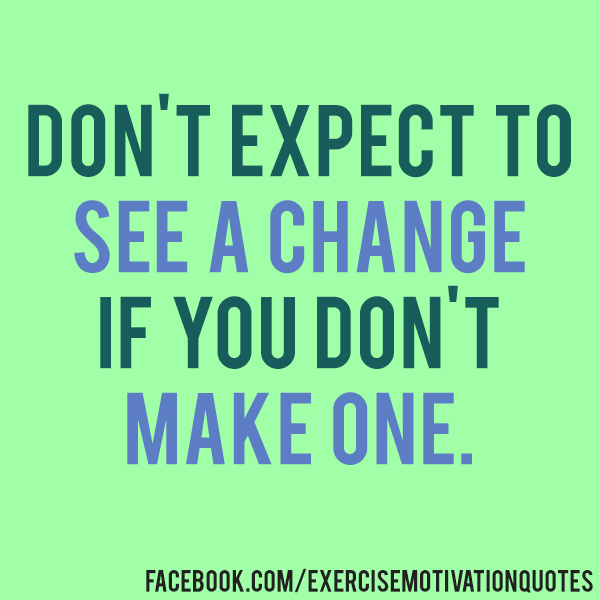
The Exercise Motivation Quotes Page was launched on June 14th, 2013, and the idea behind it is simple: to post images overlaid with quotes to help fans motivate themselves to start, or continue, to exercise and be healthy. 

As you can see from the Page's first ever cover photo above, the branding is targeted towards women, as my research ahead of the project revealed females to be the most likely to post and share this type of content. 

Content Strategy

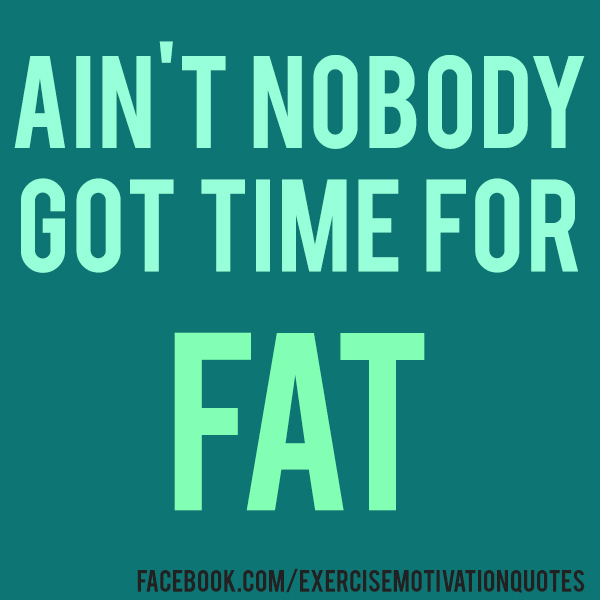
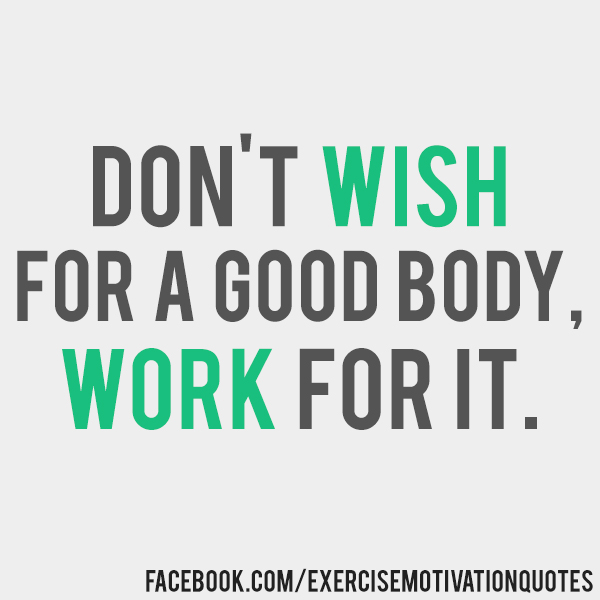
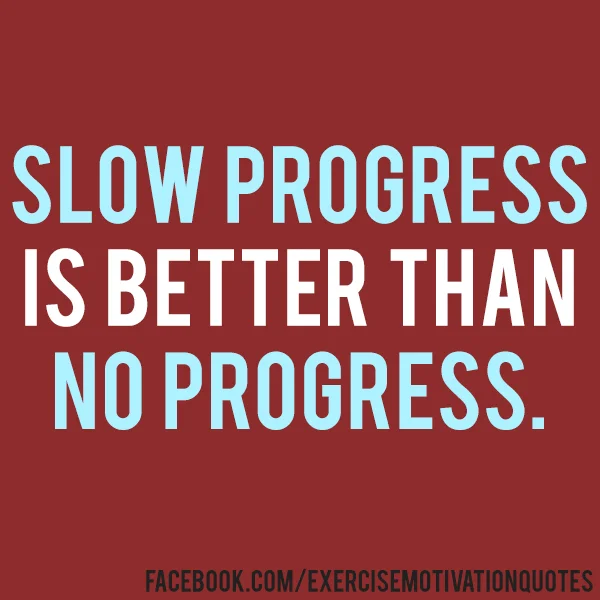
Any search for "exercise motivation quotes" or "fitspiration quotes" will return countless images that receive a lot of engagement on social media from people who want encouragement to keep fit. If I wanted a slice of this market for myself, I needed to create original content... preferably quickly, cheaply, and easily! I settled on the kind of stuff you can see above; knocked up in Photoshop in a matter of minutes, visually appealing, and very shareable. Each post contains a written quote, and is branded with the Page's Facebook URL.

At present, I post twice a day - once in the morning and once in the early evening, both times that people are likely to be thinking about exercise. 

Launch strategy

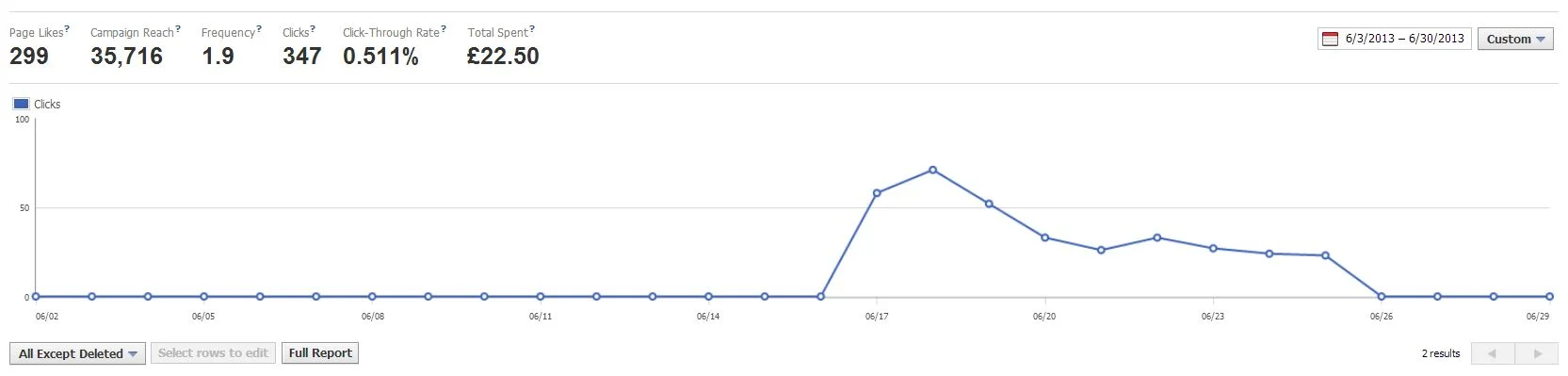
Other than a plan to post consistently, Exercise Motivation Quotes' launch strategy involved nothing other than purchasing just one cheap Facebook ad, encouraging women who list their interests as exercise to like the Page. 

fbad2.JPG

In around 10 days, I had spent just £22.50 ($36.50) and attracted 299 likes, enough to give the Page the kick start it needed. I have not spent any more money on promotion since.

Page growth and current statistics
Page Likes
June 14th 2013: Page launched
October 3, 2013: 3,386 fans.

     Post Reach
    Average post reach: 4,216.
    Average engagement rate: 7-9%

    Spend
    Ads: $36.50

    Earnings
    $0.00

    Profit
    -$36.50

    Coming up... 

    In the next part of this series, I'll talk about my initial steps into monetising Exercise Motivation Quotes. Will I lift the page out of the red and turn a profit for the first time? Make sure you subscribe via RSS or follow me on social media to be notified when the next blog goes live! 


    portrait-blog.jpg

    Andrew Macarthy is the author of the #1 Amazon Web Marketing Bestseller, 500 Social Media Marketing Tips, available for Kindle and in paperback. 

    Buy 500 Social Media Marketing Tips

    Amazon US: http://www.amazon.com/dp/B007L50HE6
    Amazon UK: http://www.amazon.co.uk/dp/B007L50HE6

    Follow Me:
    http://www.facebook.com/500socialmediatips/
    http://www.pinterest.com/andrewmacarthy
    http://www.twitter.com/500socialmedia

    http://www.youtube.com/500socialmediatips