9 Steps to A Successful Holiday Season Social Media Campaign

9 Steps to Have A Successful Holiday Season Social Media Campaign

9 Steps to Have A Successful Holiday Season Social Media Campaign

For many brands, the holiday season delivers an important boost in trade, so making the most of the busy few weeks in the run up to The Big Day is crucial. In this blog post, I'll share with you 9 steps to ensure that your Christmas marketing on social media is a success.

1. Establish a theme

Like all good marketing plans, you first need to define an over-arching theme. Whatever the content - text, images, GIFs, or videos, etc. - it should all point back to your chosen subject.

Currys PC World's holiday marketing theme is tied to its #sparetheact hashtag, encouraging people to spell out to their loved ones the gift they'd really to receive, thus avoiding the need to feign gratitude upon opening it Christmas Day.


Currys PC World's campaign clearly targets the many people who find it difficult to let loved ones know what they really want for Christmas, and gives them a fun and humorous outlet to deliver the message.

Real messages have been displayed in public places, like at bus stops, providing photo opportunities for sharing on social media. If you knew the person mentioned in the message (or even if you didn't), it would be tempting to share online in order to make sure the hint is well and truly received.

2. Choose your platforms and content types

Build cheer! Craft your own Christmas Tree with Rust-Oleum and PVC Pipe. Get the how-to on our blog! http://thd.co/1lsVHfr

Posted by The Home Depot on Tuesday, December 1, 2015

A brand like Currys PC World has the money and resources to target multiple social channels with full gusto, but if you can't match that kind of effort, don't worry. With the Christmas period being so busy on social media, decide upon which social network(s) your efforts will most resonate and concentrate on maximizing your impact there.

In addition, consider the type of holiday-themed content you want to produce. Do your fans respond best to images, or have you had more success with video? Will data-filled infographics draw attention, or are your fans engaged by quick video tips and tricks? Fitting with its "build it yourself" mantra, Home Depot has a big focus on sharing holiday-themed DIY tutorials.

3. Provide great customer service

For all kinds of reasons, the holiday season can be a stressful time for people, especially if they are researching and buying gifts online. You can help to ease the stress just a little and inject a bit of Christmas cheer by delivering stellar customer service. If there has to be one time of year where you do not want to disappoint over any other, this is it. So, keep a close eye on notifications and messages and be sure to handle issues as swiftly and efficiently as possible. 

4. Customise your branding

One of the easiest ways to get your audience into the spirit of the holidays is to give your social profiles a Christmassy makeover - after all, your cover photo and profile photos are two of the most visual and prominent online marketing beacons.  
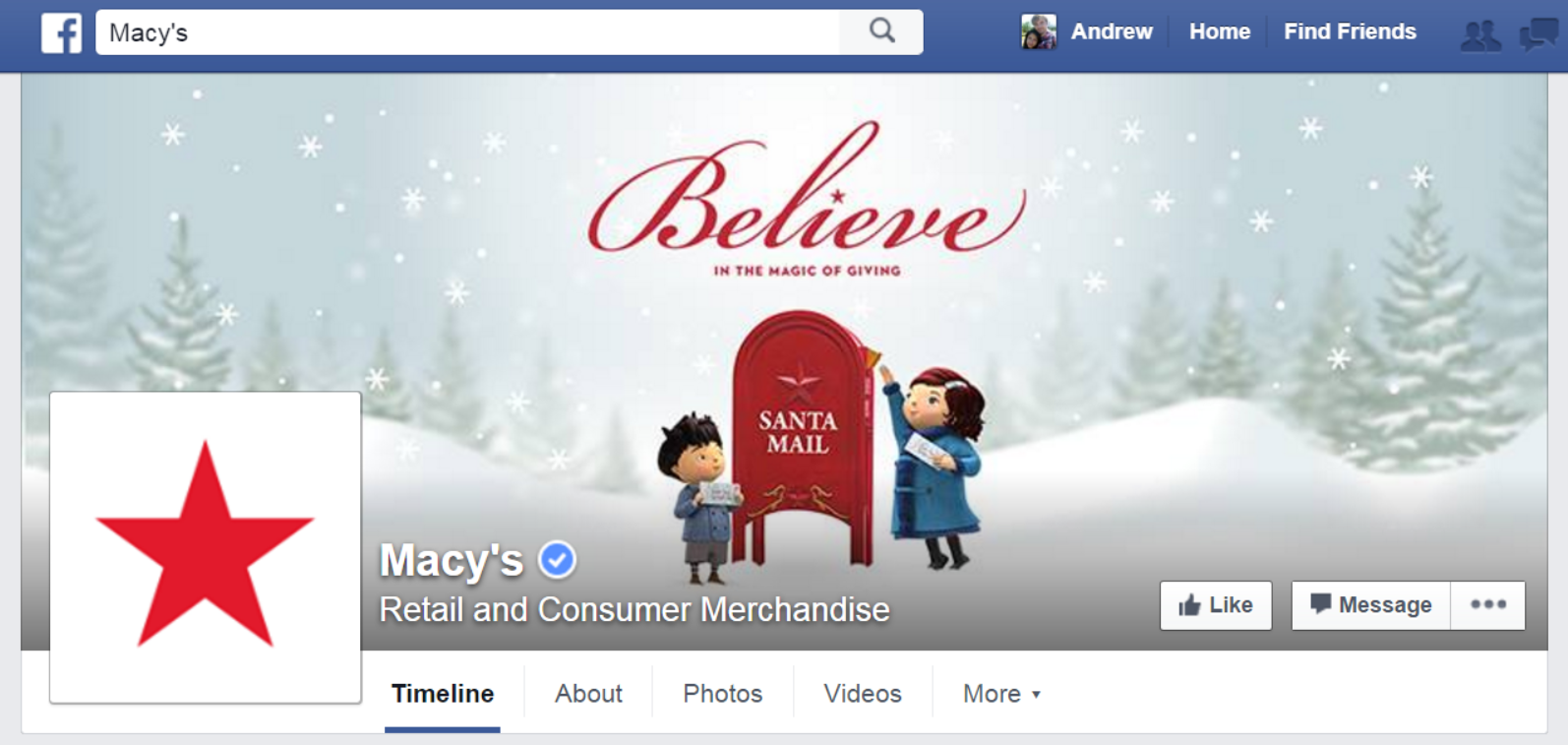
Macy's Facebook cover photo has been decked out with a Christmas theme and the slog "Believe in the magic of Christmas." And people have responded to this simple, yet effective change:

With thousands of likes and hundreds of shares, Macy's Christmas cover photo has had the intended effect.

5. Run a Christmas Offer

Christmas is traditionally one of the busiest times of the year for businesses - and a period when people are more open to spending - so make the most of it by inventing an offer and promoting it on social media.

6. Show your charitable side

As much as Christmas has become synonymous with rampant consumerism, it is important to show your fans and customers that you remember the season is about giving as well as receiving. The simplest gestures can go far to show your brand's human side, which will resonate positively with your audience.

Spread the warmth of the season. Purchase a pair of holiday socks and we’ll donate a pair to someone in need #SocksForAll #GapLove

Posted by Gap on Tuesday, November 24, 2015

This year, Gap is doing its bit to spread some Christmas joy by donating a pair of socks to someone in need for every pair a customer purchases.
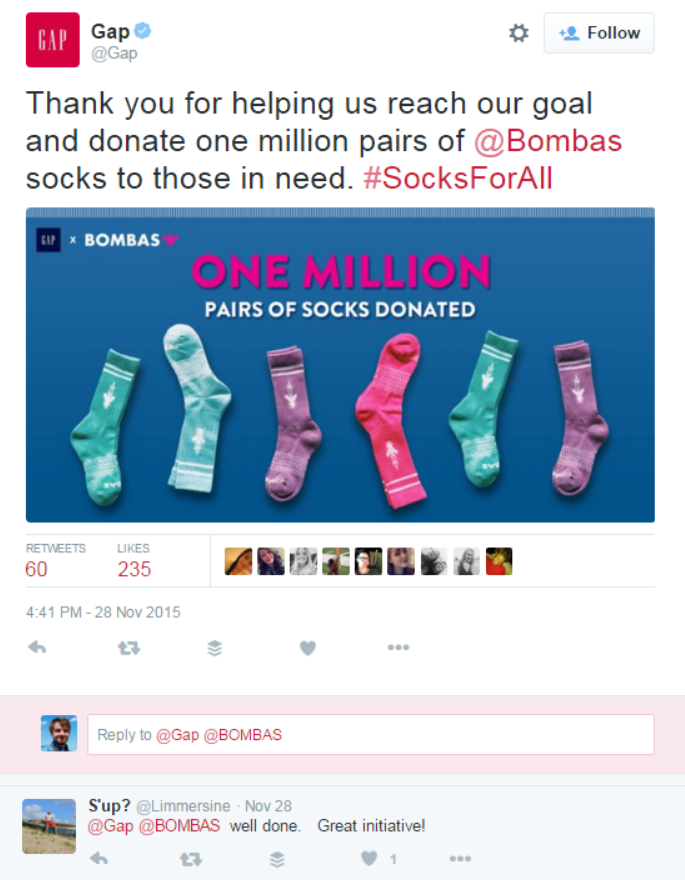
Of course, it's something they are keen to tell their fans about, celebrating its success and making its fans a part of the campaign.

7. Host a giveaway

As well as showing your giving side through charitable ventures, a competition or sweepstakes is a great way to build buzz around your holiday campaign, and to take part in the giving side of Christmas.

N a clever way to host a giveaway and promote its website, and the products offered by its partners and affiliates.

8. Promote content with social media ads

Fighting for the attention of users on social media using only organic reach is difficult enough at the best of times, but on Black Friday and into the holiday season, competition will increase significantly. So, if you already run ads, don't forget to optimise them for users looking for Black Friday deals - use relevant keywords, hone in on your targeting, and run ads at the time of day when most of your fans will be online to see - and act - upon them.  In anticipation of the stronger competition that you will face, perhaps also consider upping your ad spend or bids for a short period of time. If you've never run social ads before, now is a better time than any to start.
12312198_10207967671490527_1119037942_n.jpg

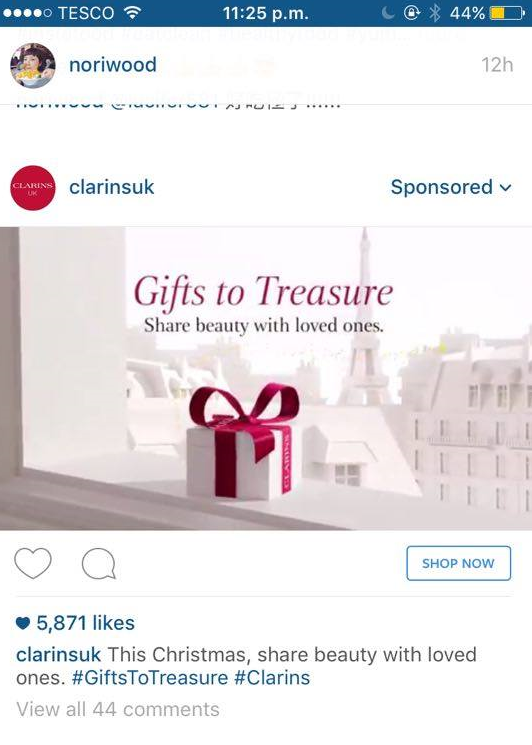
Clarins UK has used Instagram Ads to promote its range of Christmas gifts this year, complete with a dedicated campaign hashtag and a "Shop Now" call-to-action button.

9, B2B company? 

If you're a company that doesn't deal directly with the public, there are other ways that you can take advantage of the holiday season buzz on social media. Ideas include a "wrap-up of the year" blog post to reflect on the last twelve months - your progress and success, lessons learned, plans for the year ahead.; a peek behind the scenes at how your workforce celebrates the holidays; a personal story about what Christmas means to you, et.

Over to you

Are you planning a Christmas campaign on social media, or has it already begun? What kind of strategies will you be using? Let me know in the comments below!


The Ultimate Guide to Boosting Posts on Facebook: Strategy, Targeting, and Budgeting

The Ultimate Guide to Boosting Posts on Facebook: Strategy, Targeting, and Budgeting

The Ultimate Guide to Boosting Posts on Facebook: Strategy, Targeting, and Budgeting

Do you use the Boost feature on Facebook? Would you like to optimise your strategy - to reach more fans, drive engagement, and get the most value for money? In this post I'll explain everything you need to make the most of boosted posts for your business.

What are Facebook boosted posts?

boost1.png

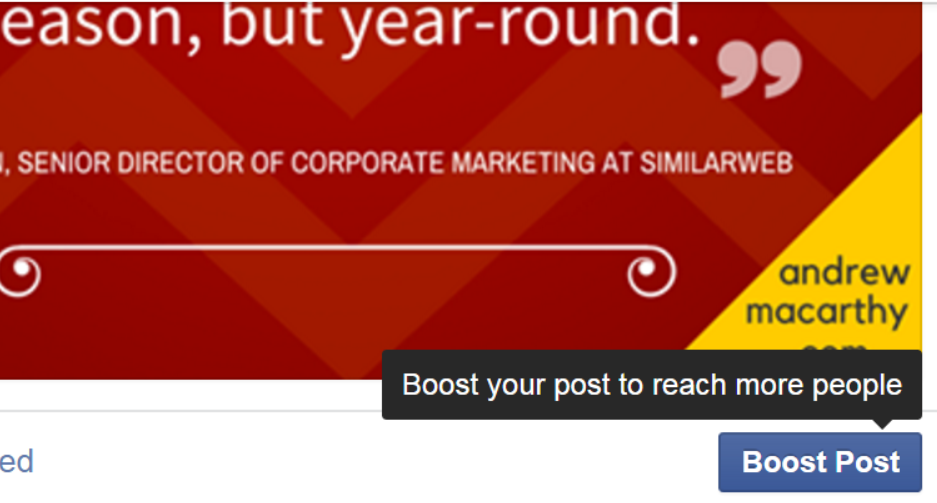
If you've been managing a Facebook Page for any length of time, I'm sure you've seen the prompts from Facebook to boost a post on your Page. You may have already done so and know what they're all about, but here's a very quick summary: 

Boosted posts are a quick and easy way to pay Facebook  to show your content to more people; a way to increase the likelihood that your target audience will see your posts in their News Feeds - all important in a world of ever-decreasing organic, non-paid reach. In essence, they're the simplest form of Facebook ads.

Why bother using boosted posts?

Tweet: Why use Facebook Boost: The quickest and easiest way to share your best content with more of your most engaged fans. #facebook #sociamedia

Boosting a post takes seconds to do, compared to potentially a lot longer through the main Facebook Ads tool or Power Editor. Though the aforementioned tools give you much more scope for ad customisation and targeting (and I would certainly advocate their use, too), boosting posts is the quickest and easiest way to share your best content with more of your most engaged fans. Most types of Page posts can be boosted, including status updates, photos, videos and offers. Posts you boost will appear higher in News Feed to help more people see them, and all boosted posts are labeled Sponsored.

Which posts should I boost?

Boost only your best content: Boosting a post should be used to compound the success any initial, organic engagement - to show it to more people who want to see it, will comment, like and share, and will not hide or mark it as spam - so it only makes sense to give a leg-up to the stuff that more people are likely to engage with. When deciding upon which specific posts to boost, make sure that, in spending money, that the effort aligns with your current marketing goals. 

Note: Never use the Boost option as a way to try and "save" a post that you thought would be received more favourably than it has been. In most cases, it's best to take the hit on the chin and try something else, rather than throwing money at it at the risk of waste.

Before you hit that Boost button, give your post at least a few hours to gain natural, organic reach. Not only will this time allow you to gauge whether a post is being received well by your audience (and, therefore, be a good candidate for promotion), but you'll also save money - why pay for reach and engagement that was coming to you for free in the first place?

Which Targeting Should I Use?

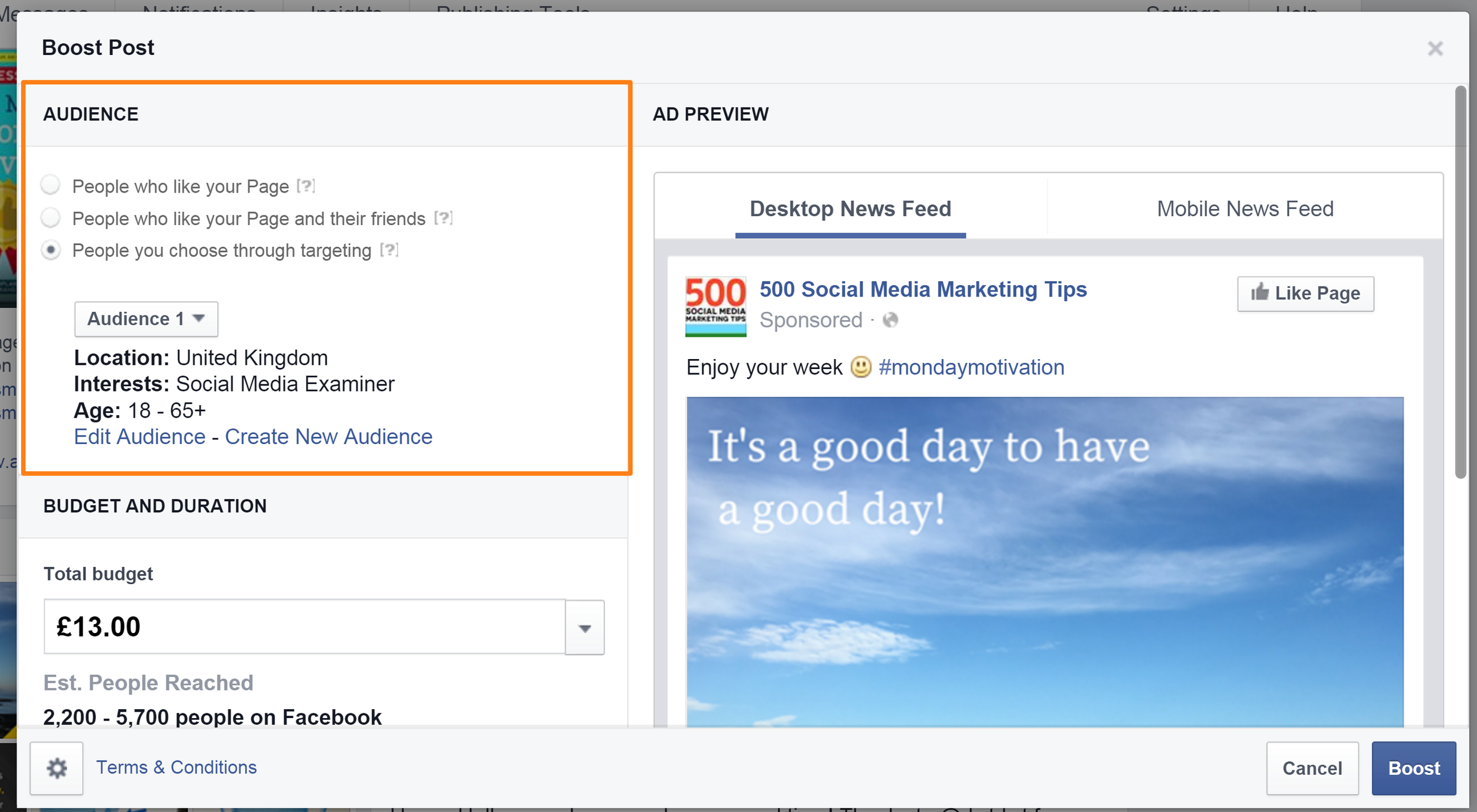
With boosted posts, you have three basic targeting options available: 

  • People who like your Page
  • People who like your Page and their friends or
  • People you choose through targeting (based on location, interests, age and gender).

Specific targeting is important for two reasons: it will ensure that your ad spend isn't wasted (by targeting people who aren't interested), and reduce the chances of your content being marked as spam by those same uninterested people..

Generally speaking, People who like your Page is the safest option, because you know that fans of your Page will most likely be interested in, and engage with your boosted offering. Of course, this assumes that your fan page audience base is high quality and genuinely interested, i.e. not made up of fake or low quality "likes" accrued from prior advertising campaigns.

A portion of your fans' friends (if you select this option) might be interested, but there's no telling if Facebook will show the ad to the friends you want it to; just too much ambiguity in this option for my liking.

As for targeting based on location, interests, age and gender, this works best when you have a good idea about who your audience is. There are several ways to do this, but the easiest is through Facebook Insights' "People" report, found via the Insights link at the top of your Page:

The People report shows you a breakdown of your audience, based on gender, age, and location. Notice the "Your Fans", "People Reached", and "People Engaged" tabs. Be sure to take look at each of these - especially "People Engaged" to determine which of your audience, through targeting, is most likely to act upon your boosted post.

How much should I spend on Boosted Posts?

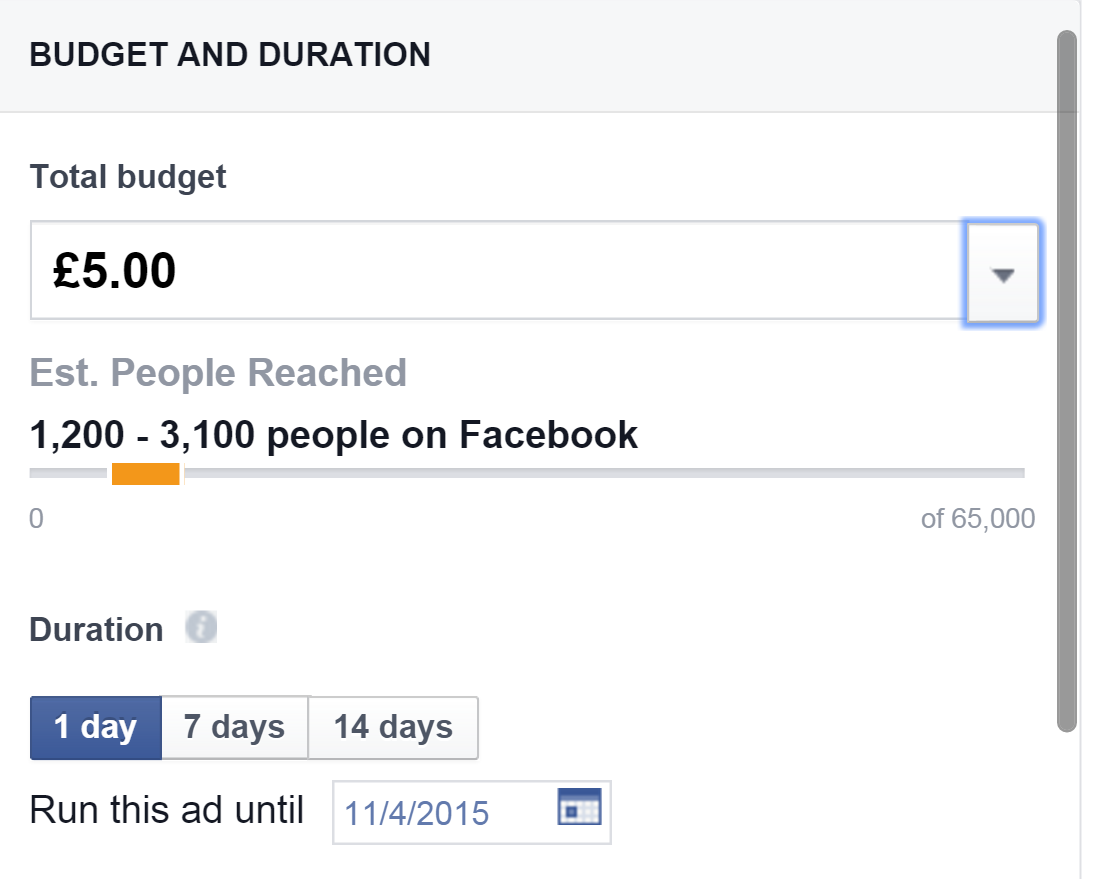
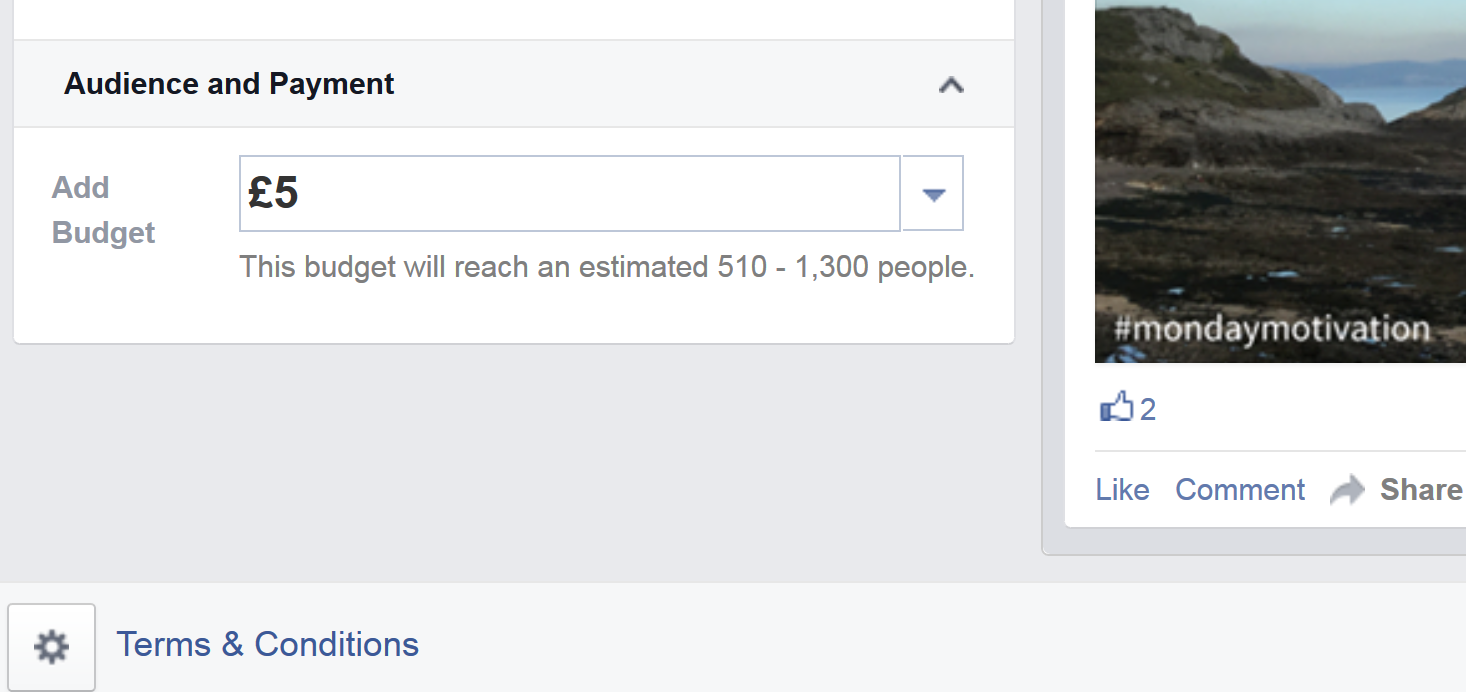
When boosting a post, Facebook gives you a choice of preset budgets, or you can enter your own. Once you've chosen your budget, you can look at Est. People Reached to get an idea of how many people your boosted post can reach with the budget and targeting options you've chosen. In general, the higher your budget, the lower the cost per reached individual will be. In the example above, reaching a budget of £5.00 gives an Estimated Reach of 1,200 - 3,100 people (median of 3.8p per reached individual). Meanwhile, a budget of £20.00 provides an Estimated Reach of 2,900 - 7,800 people (median of 2.45p per reached individual) - over a penny less per individual reached.

As we'll discuss shortly, you can add to your budget at any time (you can't reduce it, only pause the promotion), so if you're not comfortable with starting with a higher budget but open to increasing it, start low at £5/$5.

When to stop a boosted post early or increase its budget

The above figures assume you will boost a post and leave it to run to its end unattended, therefore saving a little more if your initial stake is higher. However, there's no guarantee that your boosted post will reach the maximum estimate shown or that people will respond to it in the way that you hope, so always keep an eye on its performance to gauge whether you are getting value for money.

If a boosted post is not doing as well as you hoped, you should stop it, but if it is exceeding expectations, be prepared to increase the budget to reach more people. One way to decide which route to take is to compare a boosted post's engagement performance against the average for a post on your Page - ideally during the first handful of hours of the campaign starting. Here's how:

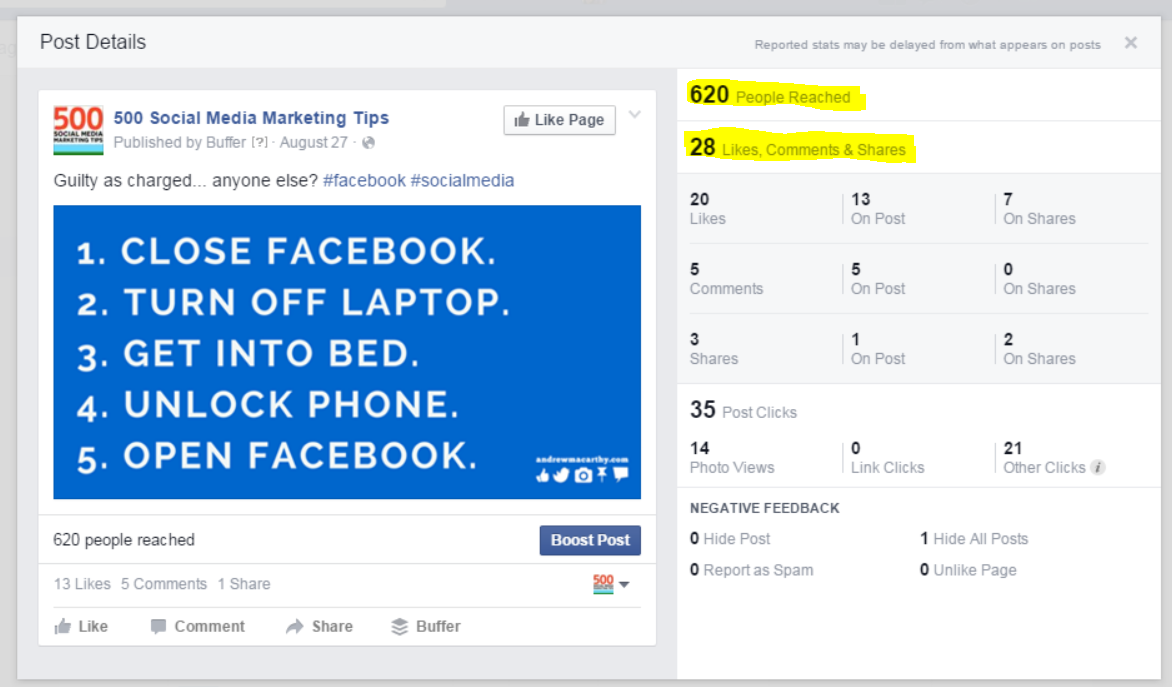
Take a look at the performance of a typical post on your Page. Take the total people reached, then work out the likes, comments, and shares as a percentage of this. For example, in  the post above my total people reached for this post was 628. The number of likes, comments and shares was 28. So, the percentage of likes, comments and shares is found by calculating 28 / 620 x 100, equalling 4.45%. 

Using this as a benchmark for my boosted posts, I could watch the performance of one within the first few hours and use the same tactic to calculate how it is doing. If total engagement is much less than 4.45%, then I would probably cut my losses and stop the promotion. If engagement was around the same as the benchmark figure, I would leave the post alone. If the engagement figure was higher, I would know people are really responding well and consider increasing my budget. 

How to maximise the engagement of boosted posts

Once a post has been boosted, its performance is at the mercy of Facebook's algorithm, but there are a few things you can do to maximise its impact. Let's assume that your boosted post features a Facebook-exclusive 10% off code for a purchase at your online store. You could:

  • Alert your email list: Your subscribers are some of the people most interested in your brand. Fire them off an email with a direct link to your boosted post, and encourage them to engage.
  • Blog about it: Publish a post centered around your promotion/boosted post and spotlight it in front of the people who visit your blog. Use the Embed feature (via the drop-down arrow on the post) to place it right within the article.
  •  Share on other social media: Direct link to your promotion on other social profiles, including Twitter and Pinterest.

Will Boosting posts damage my organic reach?

Facebook addressed this question during a Q&A session earlier on in 2015, and the answer is that yes, in a roundabout way, it can. Specifically, a drop in organic reach can be the result of poorly targeted boosted posts. If your ad reaches the wrong people they will be more likely to hide the content (or worse, choose to hide all future content from you), or to mark it as spam.

Writing about the topic on Quora, Zachary Chastain, Head of Community Engagement @ Thought Labs, explained:

"If you cause a spike in negative feedback, Facebook will feature your [organic] posts less often in the News Feed. This could lead to a vicious cycle of promoting for more reach, but targeting poorly and getting less organic reach over time."

The solution is - as limited as boosted posts targeting can be - to target carefully and correctly, so that your ad reaches only the people who are most likely to be interested, and to engage.

Over to you

How have your boosted posts performed? Will you be giving any of the above strategies a go for your business? Let me know in the comments below!


How to Make a DIY iPhone (Mobile Phone) Tripod Stand - in 30 Seconds!

Behind the scenes, I'm experimenting with  mobile video timelapses for future inclusion in my social media content strategy. For that, I need a steady platform to sit my phone on while I wait for a scene to unfold. Undoubtedly, I'll end up buying a proper tripod and stand in the near future, but I wanted to see how a quick DIY option would suffice in the meantime. So here's my DIY iPhone stand, and how you can create one too:

Read More

5 NEW Facebook Features Your Business Needs to Know About (October 2015)

It's been a busy summer for Facebook's development team, with plenty of interesting new tools and updates ready to use right now - or right on the horizon. In this blog post, I show you five of the updates that businesses can be taking advantage of. Let's go!

Read More

6 Easy Steps to Create An Awesome Animated Promo Video For Social Media (Using PowerPoint!)

Do you want to create a promotional video for social media, to be played on Facebook, Twitter, Instagram, and other sites?? Not confident or skilled in video-making and editing? Don't worry! I have you covered.

In this blog post, I'll show you, step-by-step how you to create an engaging promotional video for social media using only Microsoft PowerPoint (and a few other, free web tools). I'll be using my own video as an example - a promotion for my new book, Successful Social Media Customer Servicewith animated text and background music. In essence, it's simply a video recording of a PowerPoint presentation, but I think it does looks pretty pro! 

Read More