10 Amazing LinkedIn Statistics For 2013 [INFOGRAPHIC]

May 5th, 2013 marks the 10th anniversary of LinkedIn's official launch. Since then, the social network has grown to become the  place for professionals around the world to gather online. It's changed the face of business - and job hunting - forever. To celebrate this birthday milestone, check out this infographic that highlights 10 Amazing LinkedIn Statistics For 2013.

Has LinkedIn changed the way you and your company do business over the years? Let me know in the comments below, and don't forget to share and pin this infographic with your friends! 


ABOUT THE AUTHOR

Andrew Macarthy is the author of the #1 Amazon Bestseller, 500 Social Media Marketing Tips.

Buy 500 Social Media Marketing Tips (Kindle or Paperback)
Amazon US: http://www.amazon.com/dp/B007L50HE6
Amazon UK: http://www.amazon.co.uk/dp/B007L50HE6

Follow Me:
http://www.facebook.com/500socialmediatips/
https://pinterest.com/500socialmedia/
http://www.twitter.com/500socialmedia
http://www.youtube.com/500socialmediatips
Facebook Cover Photo 20% Text Rule FULLY Explained | May 2013

 
facebook-20-rule-explained-guidelines.jpg

Back in December 2012 and again in March 2013, Facebook changed and relaxed its rules on cover photos respectively. The newest rules read:

"Covers can't be deceptive, misleading, or infringe on anyone else's copyright. You may not encourage people to upload your cover to their personal timelines. Covers may not include images with more than 20% text."

This means that since March you have been able to include text like a call to action, contact details, and pricing and purchasing information about a product in your cover image - something that was not permitted before. The 20% rule also applies to ads, Offers, and sponsored stories that appear in the News Feed.

Despite the details given by Facebook, there is still a lot of confusion about exactly what kind of text the 20% rule applies to. Now, Facebook has quietly revised its guidelines again to make things much clearer. Here is a summary:

The Facebook 20% Text Rule Fully Explained

  • The 20% text policy does NOT apply to pictures of products that include text on the actual product. 
  • Photos of products in real situations or photos of products with a background ARE allowed. 
  • Images that are zoomed in on logos or images with text overlay are NOT allowed.
  • Images that are clearly edited to include text on the product as a loophole to the 20% text rule are NOT allowed.

Note: The 20% text rule limit only applies to cover photos and ads and sponsored stories that appear in the News Feed. Unpromoted photos you post to your Page's Timeline can feature as much text as you like.

Let's look at some examples... 

Example 1 - Adheres to 20% Text Guidelines

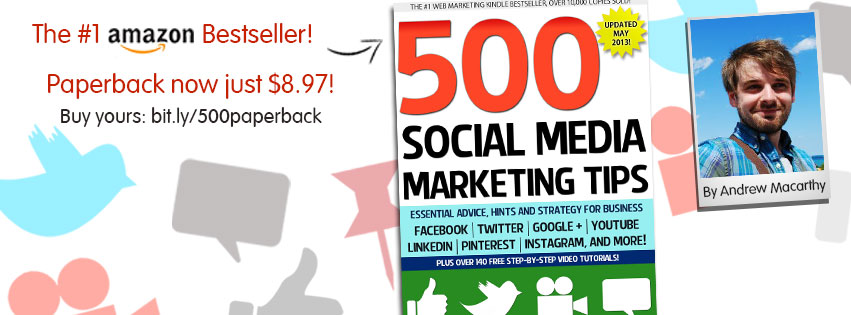
fb-cover-may-2013.jpg
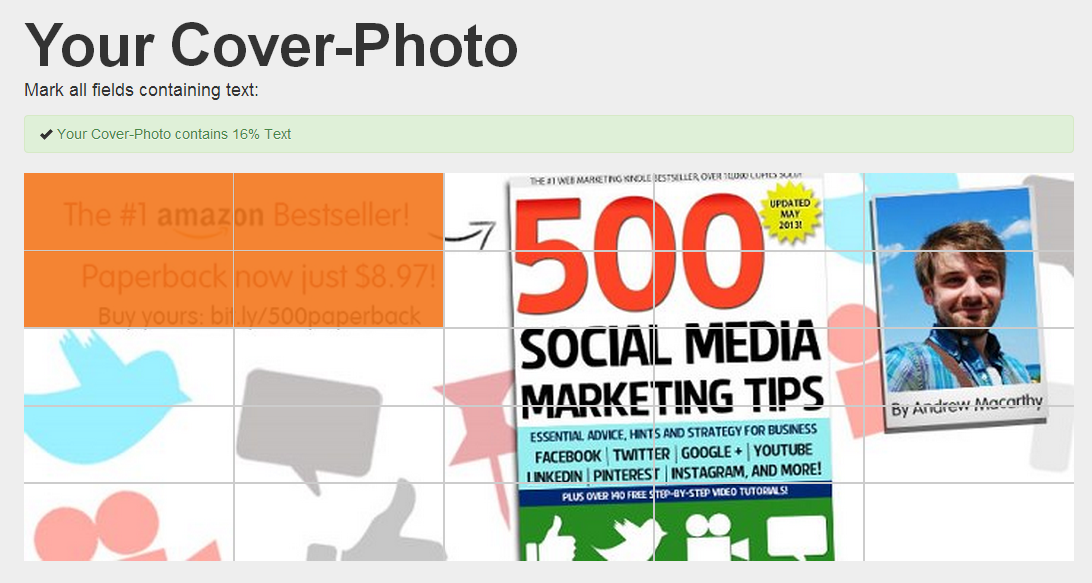
facebook-20-percent-text-rule-example-comply.PNG

Taking my current cover photo as an example and measuring the amount of text it contains with the Facebook Cover Photo Compliance Tool at http://coverphoto.paavo.ch, you can see that it currently contains about 16% text (or closer 20% if I was accurately able to highlight the area of text below my photo). While there is a lot of text on my book cover, the image complies with Facebook's guidelines because the 20% text policy does not apply to pictures of products that include text on the actual product.

Example 2 - Breaches 20% Text Guidelines

original.jpg
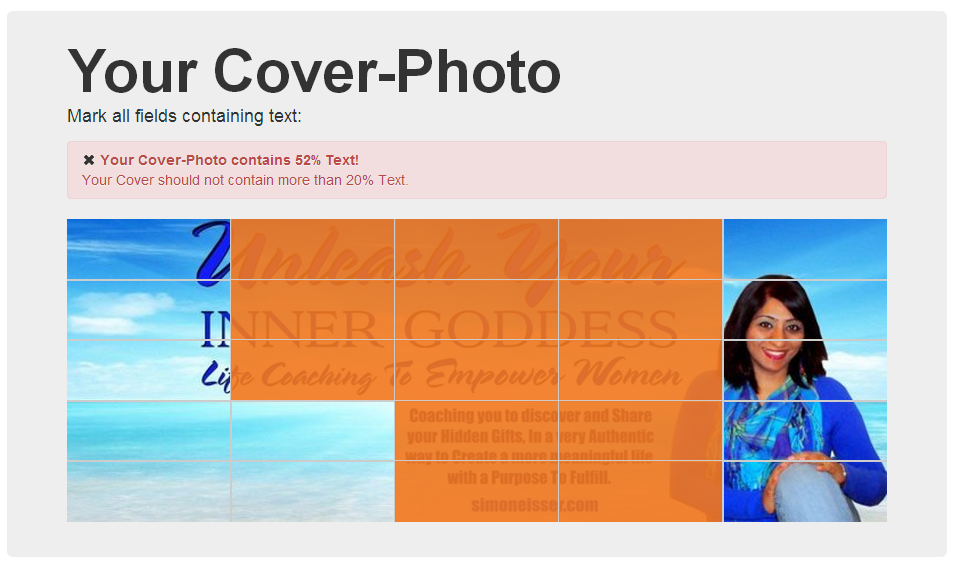
facebook-20-percent-text-rule-example-breach.PNG

While the online compliance tool only measures 5% blocks, it is clear that this cover photo is made up of more than 20% text. And as the text is not part of an actual product , it breaches Facebook's rules and would risk being removed without warning.

Further Examples (Promoted Post, Event Photos)

Here are some more examples - provided by Facebook itself - to help clarify its 20% text rule, this time focused on Promoted Posts and Event Images.  

Complies to 20% Text Rule

4% Text - Complies to Guidelines.

4% Text - Complies to Guidelines.

​12% Text - Complies to Guidelines.

​12% Text - Complies to Guidelines.

Breaches 20% Text Rule

60% Text - Breaches Guidelines.

60% Text - Breaches Guidelines.

​40% Text - Breaches Guidelines.

​40% Text - Breaches Guidelines.

Conclusion

Chances are that Facebook will revise its cover photo (and promotional image) guidelines again in the future, but I hope this summary has given you a much clearer understanding about where you stand with the current rules, and help prevent any of your images being removed or rejected. How does your current cover photo fare? Let me know in the comments below!  


ABOUT THE AUTHOR

Andrew Macarthy is the author of the #1 Amazon Bestseller, 500 Social Media Marketing Tips.

Buy 500 Social Media Marketing Tips (Kindle or Paperback)
Amazon US: http://www.amazon.com/dp/B007L50HE6
Amazon UK: http://www.amazon.co.uk/dp/B007L50HE6

Follow Me:
http://www.facebook.com/500socialmediatips/
https://pinterest.com/500socialmedia/
http://www.twitter.com/500socialmedia
http://www.youtube.com/500socialmediatips
 

How to Optimize Pinterest Board Names For SEO

 
how-to-optimise-board-names-on-pinterest.jpg

There are plenty of benefits in taking a few minutes to optimise your Pinterest board names, both in terms of the aesthetics of your profile and - more crucially - for search engine optimisation on the site.  

Use the tips detailed in the video above to help boost the visibility of your Pinterest boards to gain more viewers, likes, repins followers, and leads. And if you enjoy the video, don't forget to subscribe for regular social media tutorials!


ABOUT THE AUTHOR
Andrew Macarthy is the author of the #1 Amazon Bestseller, 500 Social Media Marketing Tips.

Buy 500 Social Media Marketing Tips (Kindle or Paperback)
Amazon US: http://www.amazon.com/dp/B007L50HE6
Amazon UK: http://www.amazon.co.uk/dp/B007L50HE6

Follow Me:
http://www.facebook.com/500socialmediatips/
https://pinterest.com/500socialmedia/
http://www.twitter.com/500socialmedia
http://www.youtube.com/500socialmediatips

 

Pinterest New Design Updates: Search, @Mentions, And More

 
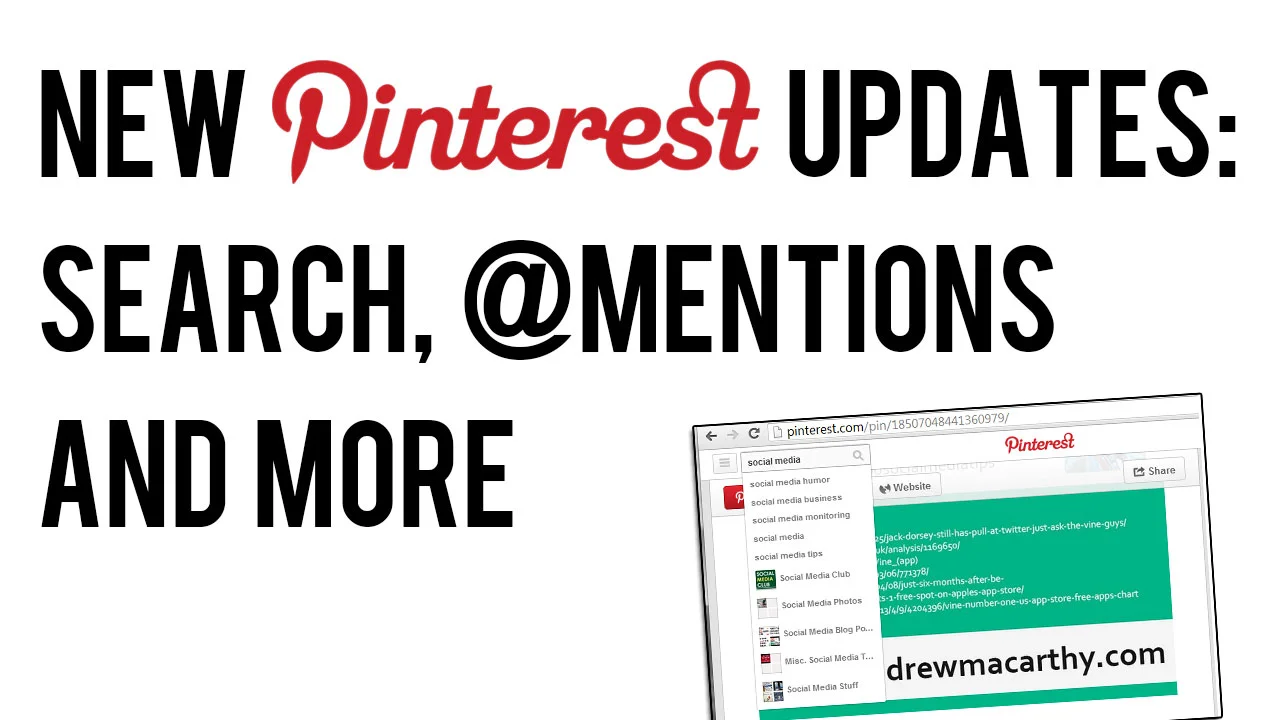
new-pinterest-updates-april-2013.jpg

Pinterest has rolled out a few tweaks and changes to the new look website it introduced a couple of months ago, including several re-introduced features following user demand. Here's an overview of what's new and what's changed: 

'Pinned By' Is Back

pinned-by.PNG

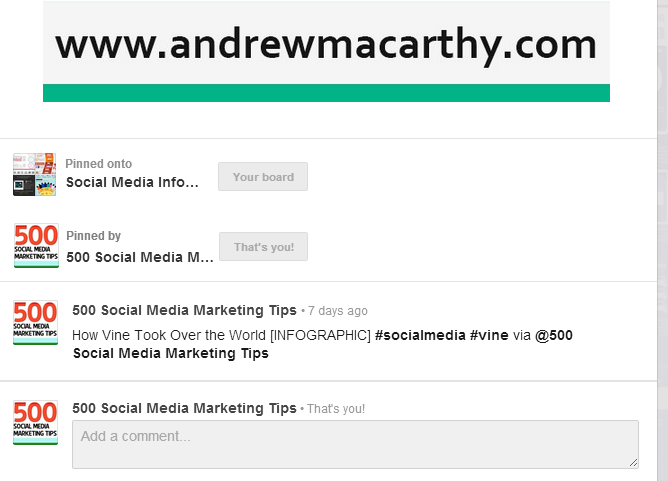
 'Pinned By', the feature that allows users to see who originally pinned an image is back. It's a great way of discovering new people to follow, and to credit them for content.

@Mentions Return

pinterest-mentions-comments.png

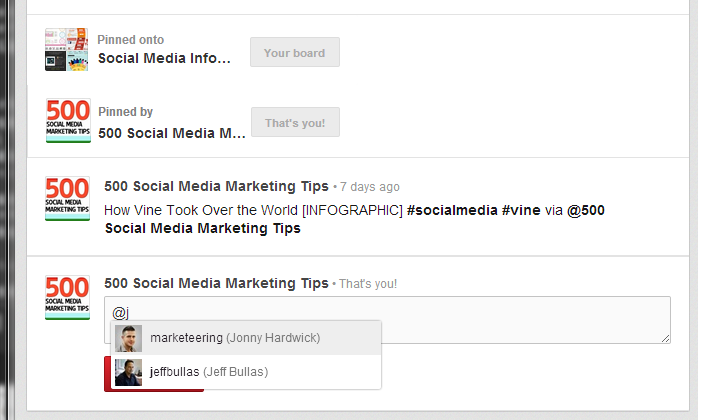
Another good way to find people to follow, and to tag them in posts was the @mention feature used in comments. You can see it in action in the image above. Also back, says Pinterest, is the ability to find friends from Twitter and Facebook that are already using the site.

Auto-Suggest Search

pinterest-search-auto-suggest.png

To help Pinterest users find pins and boards that they are interested in, the site's search function now supports an auto-suggest feature. Start typing a keyword or phrase in and a drop-down will appear with plenty of search terms or board suggestions.

Over to You

Are you in favour of the new features on Pinterest? Let me know in the comments below! 


ABOUT THE AUTHOR

Andrew Macarthy is the author of the #1 Amazon Bestseller, 500 Social Media Marketing Tips.

Buy 500 Social Media Marketing Tips (Kindle or Paperback)
Amazon US: http://www.amazon.com/dp/B007L50HE6
Amazon UK: http://www.amazon.co.uk/dp/B007L50HE6

Follow Me:
http://www.facebook.com/500socialmediatips/
https://pinterest.com/500socialmedia/
http://www.twitter.com/500socialmedia
http://www.youtube.com/500socialmediatips
Facebook Page Review: Glastonbury Drums

Glastonbury Drums

As part of my Free Facebook Page Review promotion over at the 500 Social Media Marketing Tips Facebook Page, I selected Glastonbury Drums as the second of three free reviews. Kyle Cullen offers drum lessons in Somerset, England, as well as online lessons via Skype. Here's my analysis of his current Facebook Page, along with tips and recommendations for how I think it could be improved. 

Page Name and URL

search.png

Kyle has got his Page name and URL spot on. He is the only result to appear in a search for 'drum lessons glastonbury', thanks to the name of his page, his vanity URL (http://www.facebook.com/GlastonburyDrums) and also having filled in his location information. Sweet!

cover.PNG

Cover Photo
Kyle's Facebook cover photo is 881 x 326 pixels; the recommended size is 850 x 351. While optimising the cover photo size in this instance doesn't make a hugedifference to the way it displays on Facebook, sticking to the recommended dimensions does mean that you know exactly how it will display when it is uploaded, and also enables the use of a template to build the cover photo precisely around the position of the profile photo, which overlaps it in the bottom left-hand corner.

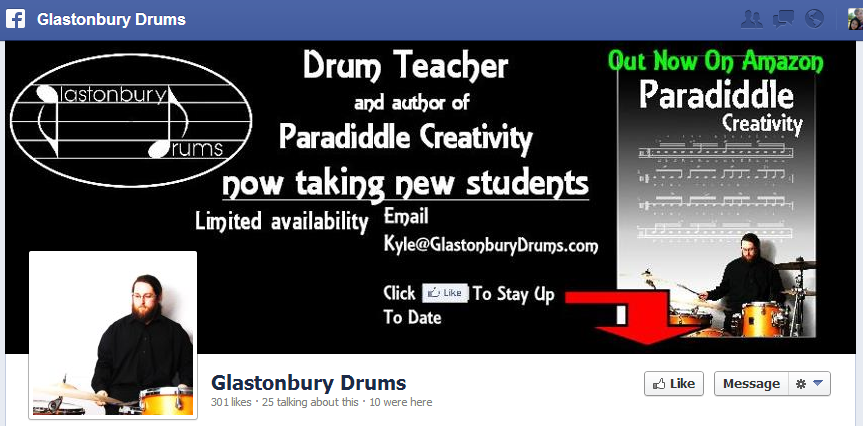
Design-wise, Kyle's cover photo isn't as engaging as it could be; I feel it's a bit dark and gloomy for something exciting as drum lessons, and the text makes it too busy to make a real impact.  Facebook's "no more than 20% text on the cover photo" rule is exceeded. A call to action asking people to like the page is sometimes a good idea, but the message 'to stay up to date' is vague, and I feel that if people want to 'like' a page, they will do so without prompting. My personal opinion is that cover photo design should have a "less is more" approach, with details such as e-mail address and telephone numbers - or any great amount of text - saved for the About section.

Profile Photo
As Kyle is the figurehead of his company, I feel that his profile photo should be used as an opportunity to connect with his audience, both on his Facebook Page and across the site in comments sections and posts. One of the best ways to do to this is to choose a head-and-shoulders photo. Kyle's current profile photo shows who he is and what he does, but he's too small and too far away for us to get a good look without clicking on the image to see it in full.   

coverpic-new.jpg

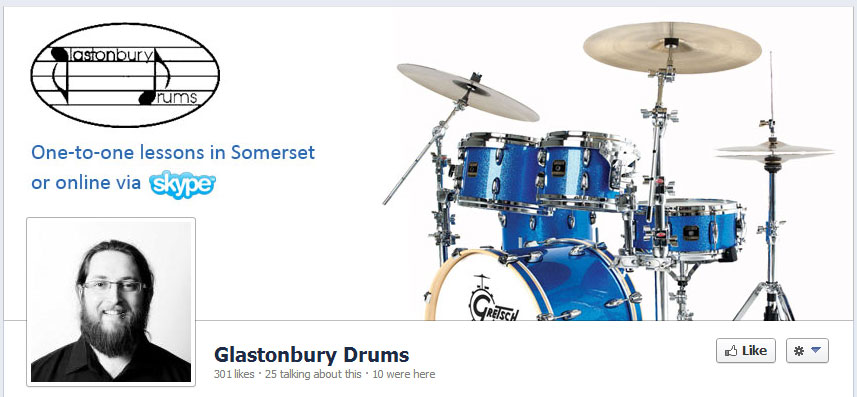
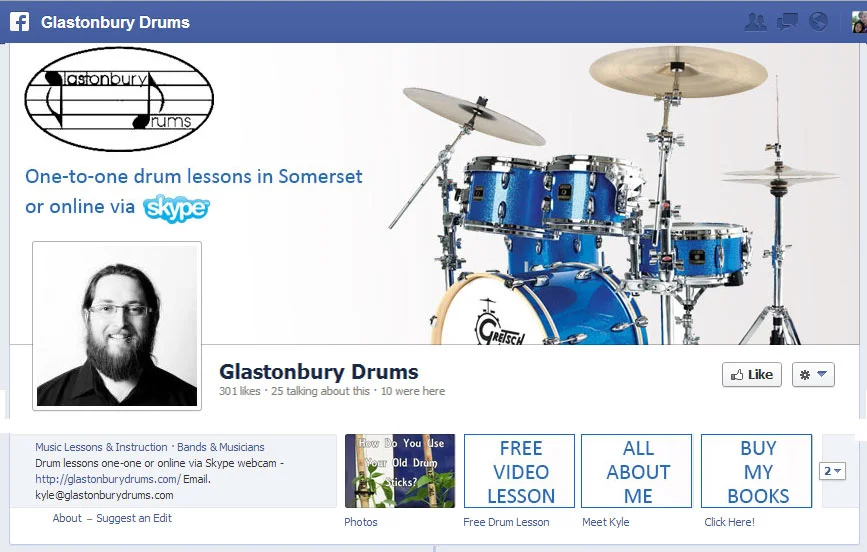
Here is a mock-up of a potential new look for Glastonbury Drums' Facebook cover photo and profile photo. The design is bright and simple, and more fully reflects the fun that people will have learning to play drums with the company. The big image of a drum kit instantly communicate what the page is all about, and we've got the company logo (now black instead of white) above a clear snippet of text to let users know what Kyle offers - "One-to-one lessons in Somerset or online via Skype). The profile photo is a close-up of a happy and smiley Kyle, which beams warmth and instantly connects with potential customers. As per Facebook recommendations, it's also a square that fits the profile perfectly. I used my Facebook Cover Photo Template to line up and design everything as nicely as possible.

About Section

There are a lot of great details on Glastonbury Drums' About page - most notably, a working map with phone, e-mail, and company website, which help people find the business easily, and also optimise the Page for Facebook mobile users, allowing them to Check In and leave Recommendations. Here are some suggestions for what I would change: 

  • I would amend the synopsis of the page slightly, to mirror the cover photo, telling users that drum lessons are offered one-on-one in Glastonbury, or online via Skype.
  • I would suggest using the Description section as a way to more fully introduce people to Kyle and Glastonbury Drums, similar to the About Me page on the Glastonbury Drums website, but would leave out any links to your books for the Product section.  You could also include some basic pricing information here.
  • I would include some detail about the types of drum lessons offered, and the pricing. 
  • Don't forget to include all relevant information in Contact Info section.  Fill out as much of the about section as possible for SEO purposes.

Here's an example of how the Description of the About section could read: 

I’m Kyle Cullen, a CRB checked and accredited Drumsense tutor and author, based in Glastonbury, Somerset.

I teach a variety of styles and techniques and will have you playing a beat in your first lesson.

I also run a recording studio and rehearsal studio in Glastonbury for more details check out www.chickenshedstudio.co.uk

My students range from complete beginners to experienced musicians.

Custom Tabs

custom-tabs.PNG

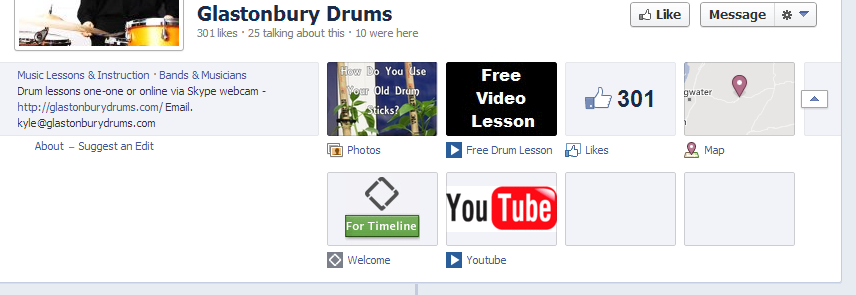
Kyle has made a good start with his Facebook Page's custom tabs, but I think there is a really good opportunity to use them more powerfully, both to tell people more about him and advertise his wares. At present, not all of the tabs are branded with custom images, and others do not appear to work at all.

freevideolesson2.PNG

Here is the 'Free Drum Lesson' tab. I really like the idea of asking people to sign up via e-mail to gain access to the lesson, but I don't think the tab is really dynamic or persuasive enough to make people want to subscribe. With a more detailed design, Kyle could explain what the Free Drum Lesson included, and even a video to introduce potential customers to what they will be getting.

metab.PNG

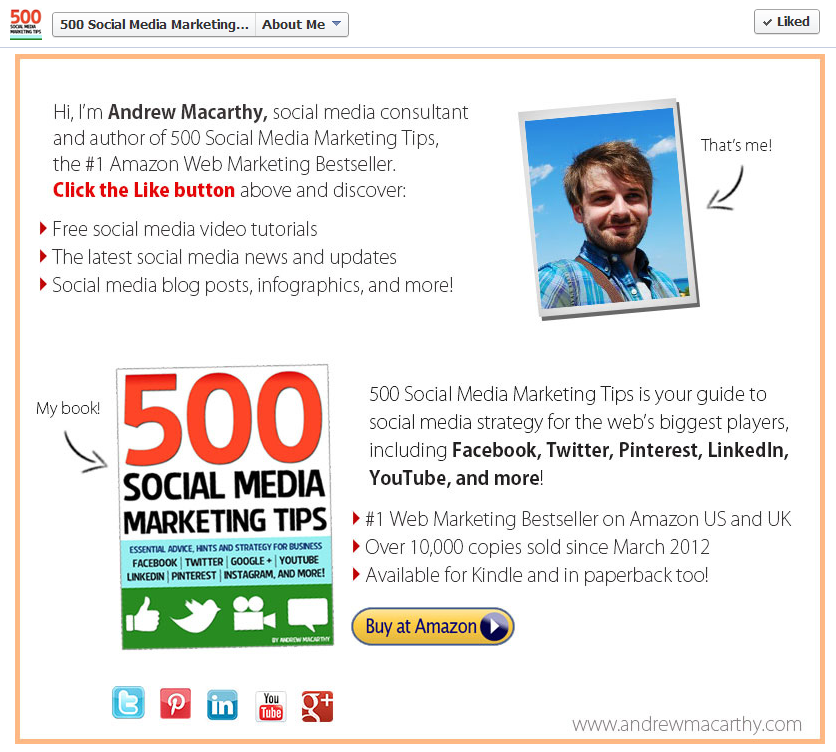
Similarly, Kyle could use other custom tabs to tell people about himself, his products and pricing, and also promote his Page and books like I have done for my page in the example above. 

full-mockup.jpg

Here's a rough mock-up of how the Page would look with new custom tabs, complete with custom images and custom tab titles. They're all big, bright, and clear, and match the branding of the cover photo too.

Types of Posts and Frequency

sticks.PNG

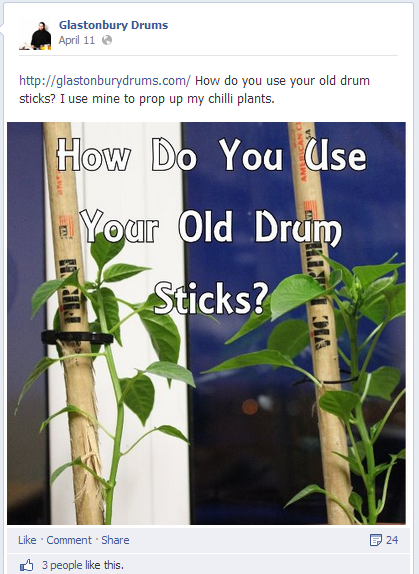
Posting a variety of content on a regular basis is so important to keep your fans engaged and give potential new fans the impression that your Page is active with great posts, encouraging them to stick around with a 'Like', some kind of interaction, or even turn into a new lead. 

Kyle's posts are a good mix of free drum lesson content, videos, images, and interesting links, all delivered with good humour and charm. And pleasingly, there's the odd sprinkle of promotional material in there too, but as it should, these are kept to a minimum. Here are a couple of ideas to enhance the Page's posts:

  • My main suggestion would be to up the consistency of posting to at least once or twice per day, and perhaps to also include more content specifically about the drum lessons and studio. If they were willing,
  • To encourage his current pupils to visit the Page often, he could post photos and multiple choice questions up about drum or music theory. At the end of the week or a month, he could select a winner to receive a little prize.
  • Kyle could post photos or short video clips of his pupils. This would give customers a glimpse into his studio setting and seeing other people enjoying his lessons would help convince them to sign up for some too.
  • I think a really interesting feature could be 'Before' and 'After' clips to show just how much pupils are able to develop their drumming technique under Kyle's guidance. Kyle could also feature the odd customer testimonial on his Facebook Page, as he has already done on his website.

Basic Competitor Analysis

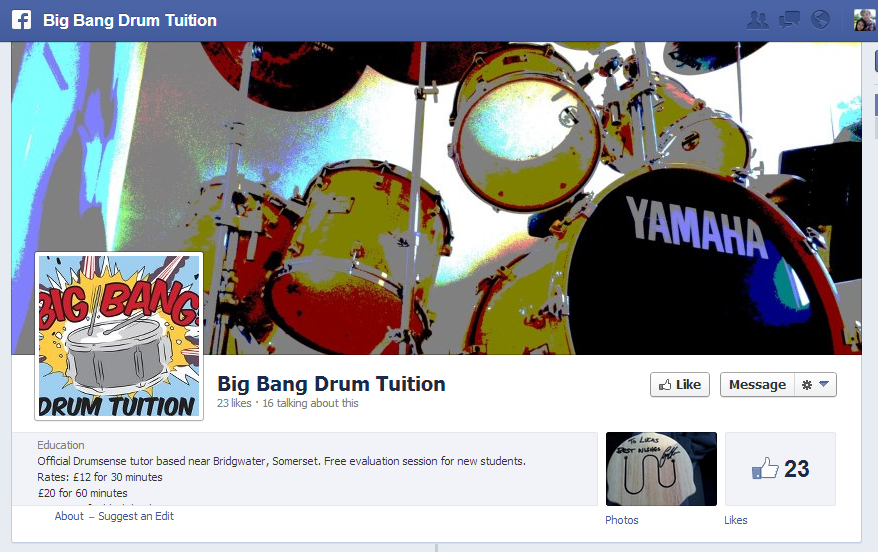
bigbang.PNG

Big Bang Drum Tuition (https://www.facebook.com/Bigbangdrumtuition)
This company appears to be Glastonbury Drums' closest (and only?) rival in the nearby vicinity. However, their Facebook Page branding is not terrific,  they have an inconsistent posting schedule, no custom tabs, and the About section lacking.

Conclusion

All in all, I believe Glastonbury Drums, with a few changes to its Facebook Page design and content, has a fantastic opportunity to become a hub for would-be drummers in the area, and in terms of a well-run, professional-looking Facebook Page, blow its main competitor out of the water! As I imagine a lot of Kyle's students are young people, they are the perfect audience to encourage to interact with the page, help spread the word, and attract new custom. 

For more information about Kyle and the drum lessons he offers, check out his Facebook Page and website at the following links: 

https://www.facebook.com/GlastonburyDrums
http://www.glastonburydrums.com/

 Want A Facebook Page Review?

If you'd like me to help you with your Facebook Page, and want a customised review similar to the one above, check out the Facebook Page Review Service section of my website for full details and to purchase for a launch price of only $49.