How to Use Hashtags on Facebook Pages for Business Marketing

 
how-to-use-hashtags-on-facebook-pages-marketing-business.jpg

Hashtags finally rolled out to Facebook

Facebook - after a long period of expectation from many quarters - has rolled out the use of hashtags in posts that appear on Pages and in the news feed. At the time of writing, hashtags will only be clickable by desktop users on the site, although Facebook hints strongly that this will extend to mobiles and ads sometime in the future.

How Hashtags work on Facebook

FathersDayHashtagfacebook.png

If you are familiar with Twitter, Google+, Instagram, or Pinterest, you'll know that hashtags are a method used to group similar types of content together, and can be created by typing a hash or pound symbol directly before a word while composing a status update on your Page, personal profile, or in of a comment, like this: "What do you love about your local #kohls?" or "It's Gap's summer sale, with up to 50% off! Come take a look... #targetsale" where "#kohls" and "#targetsale" are clickable. 

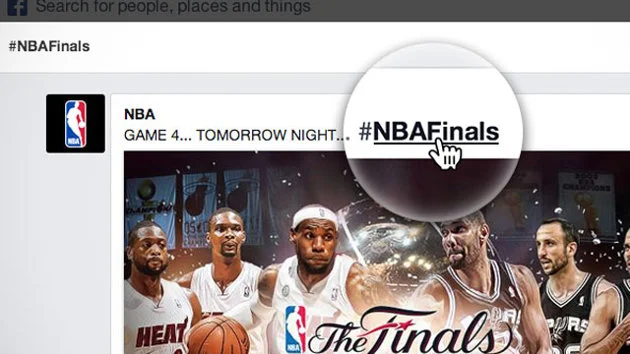
On Facebook specifically, clicking a hashtag will open up a feed where you’ll see stories from the Pages and people who have posted with the same hashtag. People can use hashtags in Facebook search to find posts related to specific topics or interests. Billions of pieces of content are shared on Facebook every day - peaking in the 8-11pm primetime slot - so hashtags provide a huge opportunity for brands and marketers to participate in conversations in a meaningful, relevant and timely way. 

Tips for Using hashtags for business on Facebook
hashtagsfacebooknba.jpg
  • Use hashtags related to your brand or industry in your Facebook posts - either general ones, e.g. #beauty or ones you create that are specific to your business, e.g. #denverburgerbar

  • Every Facebook has its own unique URL, so think about driving traffic to that URL from other locations, e.g. your blog, other social networks, business cards, instore marketing materials, etc. to encourage conversation. Use a URL shortener like bit.ly to make the link small and memorable.

  •  Discover new Pages and partners by searching for hashtags in Facebook search, and search your own hashtags to monitor what people are saying about you and your brand, then join the conversation.

Note: For more advice about using hashtags as effectively as possible on any social network, including the recommending formatting and amount you should use, check out the tips on hashtags in the Twitter Tips chapter of my book, 500 Social Media Marketing Tips 


ABOUT THE AUTHOR

Andrew Macarthy is the author of the #1 Amazon Web Marketing Bestseller, 500 Social Media Marketing Tips, available for Kindle and in paperback.

Buy 500 Social Media Marketing Tips
Amazon US: http://www.amazon.com/dp/B007L50HE6
Amazon UK: http://www.amazon.co.uk/dp/B007L50HE6

Follow Me:
http://www.facebook.com/500socialmediatips/
https://pinterest.com/500socialmedia/
http://www.twitter.com/500socialmedia
http://www.youtube.com/500socialmediatips

portrait-blog.jpg

Facebook Cover and Profile Photo Template for Desktop AND Mobile App

Not so long ago, I published a blog post containing a free template to help you design a really great-looking profile and cover photo for your desktop-viewed Facebook Page. The thing is, the way your Page design displays on desktops is not the same as on mobiles...

And as the latest figures show that of the 1.11 billion monthly active Facebook users, 751 million of them access the site via their mobile devices, that's a huge and ever-increasing group of people you should take into consideration. The key, then, is to optimise your cover photo design for viewing on desktop and mobile devices.

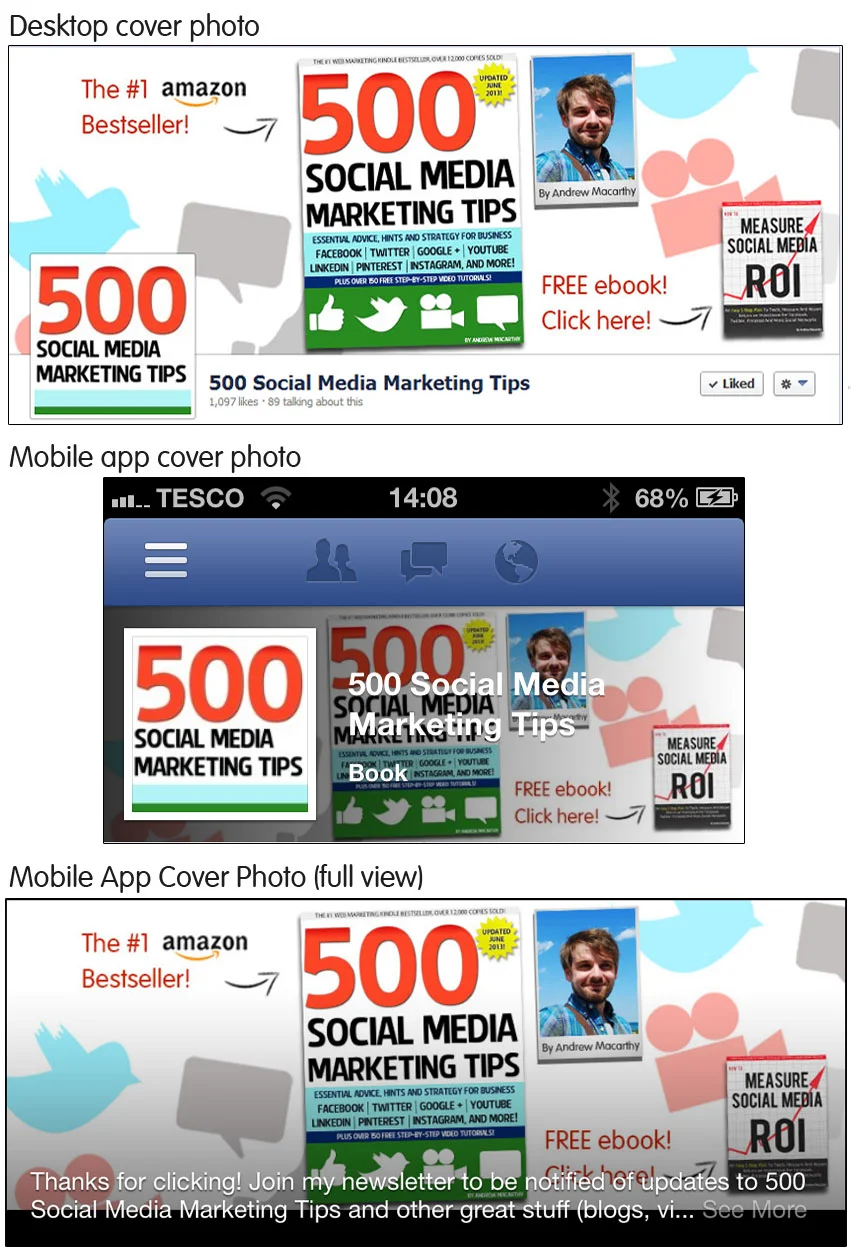
A Comparison of Facebook desktop and mobile cover photos

views.jpg

As you can see in the image above, there is a distinct difference between the desktop and mobile (iPhone app) view of the profile and cover photos of a Facebook Page. On the mobile app:

  • The profile photo takes centre stage, relegating the cover to the background
  • The profile photo spans almost the whole height of the cover photo, and over a quarter of its width from the left-hand edge. 
  • The cover photo is obscured by the Page name and category, as well as a dark gradient overlay that begins from the left-hand edge. 
  • To see the cover photo in full and read its description, a mobile viewer must tap on it. 

How to optimise your Facebook profile and cover photos for desktop and mobile

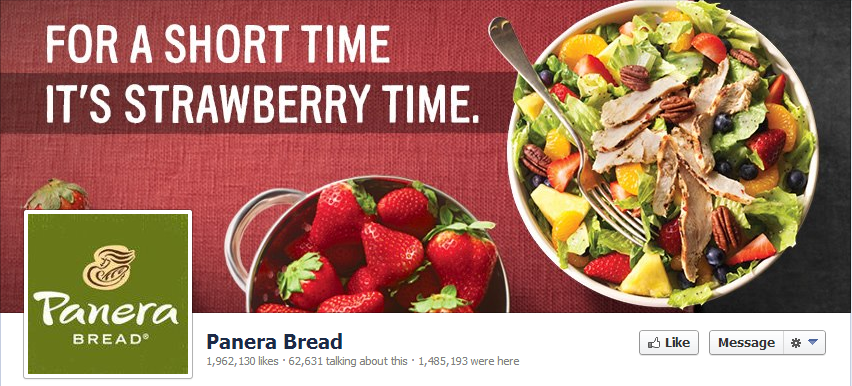
panera-desktop.PNG

With so many people accessing Facebook Pages on mobile, it is more important than ever to cater to their needs and encourage them to engage with your content - and an optimised cover and profile photo can go a long way to make that happen. 

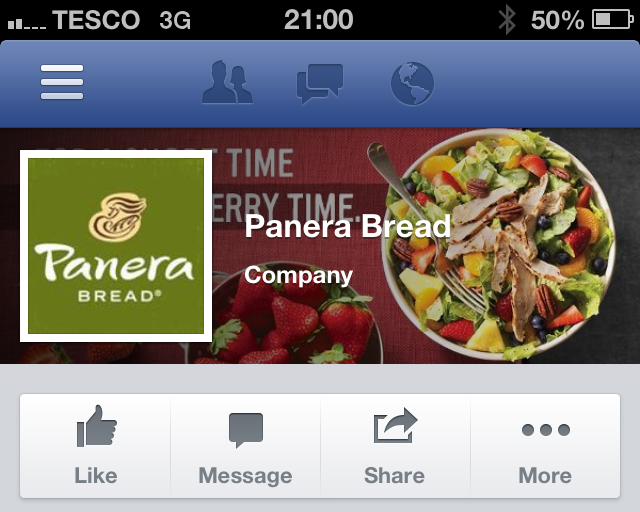
panera.PNG

And now you know how the mobile view affects the appearance of the profile and cover photo, you can work within these parameters. In the example above, Panera Bread has not taken mobile users into account, so their "For a short time, it's strawberry time" slogan is lost on what is probably hundreds of thousands of customers.

My Facebook cover and profile photo template for desktop and mobile users

facebook-cover-photo-template-desktop-and-mob-v3.jpg

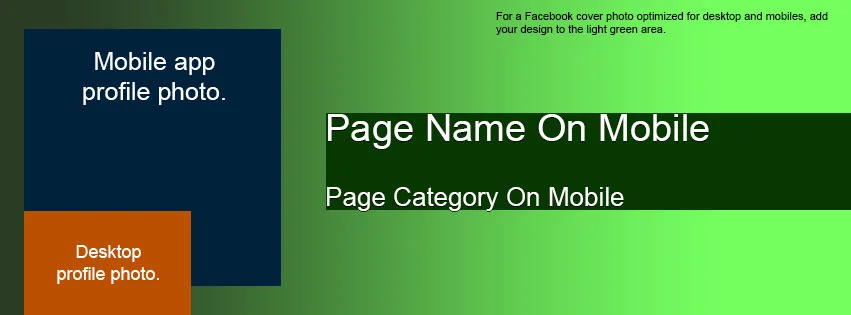
Here it is, my template to help you create a Facebook profile and cover photo that is optimised for both desktop and mobile views:

  • The orange box represents the space covered by the desktop profile photo.
  • The blue box represents the space covered b the mobile profile photo.
  • The dark green box represents the general area covered by your Page's name and category on the mobile view.
  • The gradient emerging from the left represents the same gradient seen on mobile devices
  • The light green area represents the space where your design will be unobstructed

Examples of Facebook profile and cover photos optimised for desktop and mobile

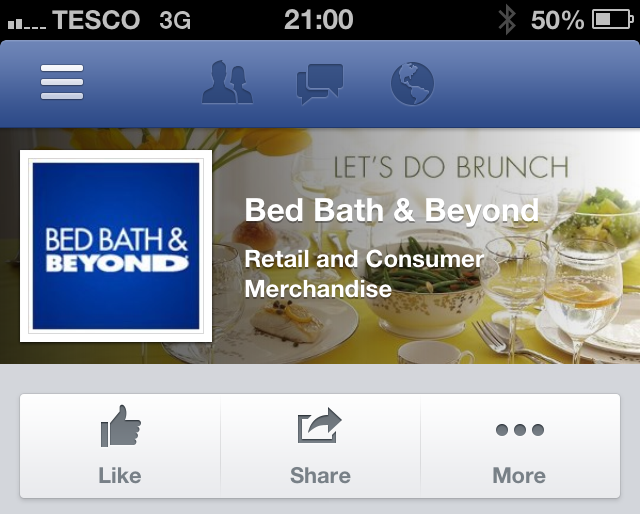
bedbath.PNG

Taking both desktop and mobile views into consideration means that quite a lot of the cover photo's space is obstructed, but that does not mean you can't still have a great design, as long as you are creative. In the above example, Bed Bath & Beyond's cover and profile photo looks great on mobile, and its "Let's do brunch" slogan is unobstructed by any of the elements on the page.

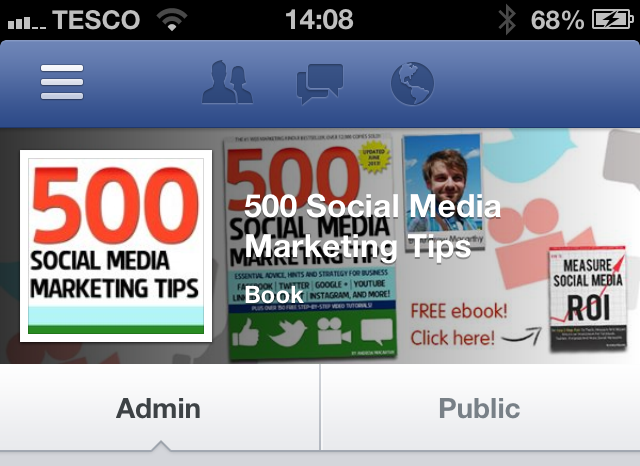
photo (2).PNG

And here's my new cover and profile photo for mobile viewers. Using the template, I have made sure that my free ebook call to action is visible, and that nothing crucially important is behind where the huge square profile photo sits.

I think one of the most important points to make is that even though much of your cover photo is covered up - fully or partially - that doesn't mean that it still can't be visually appealing.

Download the template


This Facebook cover photo template (and several others for all the biggest social networks - expertly measured, simple to use, and up-to-date) is available instantly as a downloadable zip file via the purchase link above. For more information on all my social media templates, click here.

Note: Payment is fast and secure via PayPal, but you do not need a PayPal account to buy and download. 

Simply work around the template layers to add your design, save it as a .png file and upload it via the desktop Facebook site. Check how it looks on mobile, then tweak and re-upload if necessary. 


ABOUT THE AUTHOR
Andrew Macarthy is the author of the #1 Amazon Web Marketing Bestseller, 500 Social Media Marketing Tips, available for Kindle and in paperback.

Buy 500 Social Media Marketing Tips
Amazon US: http://www.amazon.com/dp/B007L50HE6
Amazon UK: http://www.amazon.co.uk/dp/B007L50HE6

Follow Me:
http://www.facebook.com/500socialmediatips/
https://pinterest.com/500socialmedia/
http://www.twitter.com/500socialmedia
http://www.youtube.com/500socialmediatips
 

How to Get A Verified Facebook Page or Profile

What are Facebook Verified Pages and Profiles? 

In a roll out that will make it easier for people to find the authentic presence of a personal profile or Facebook Page and help to create a better user experience and increased authentic engagement with high profile people like celebrities, journalists, and popular brands, verified Pages were introduced at the end of May 2013. 

veriied-facebook-page-how-to-example.PNG

How do people know my Page or Profile is Facebook Verified? 

selena-gomez-verified-facebook-profile.PNG

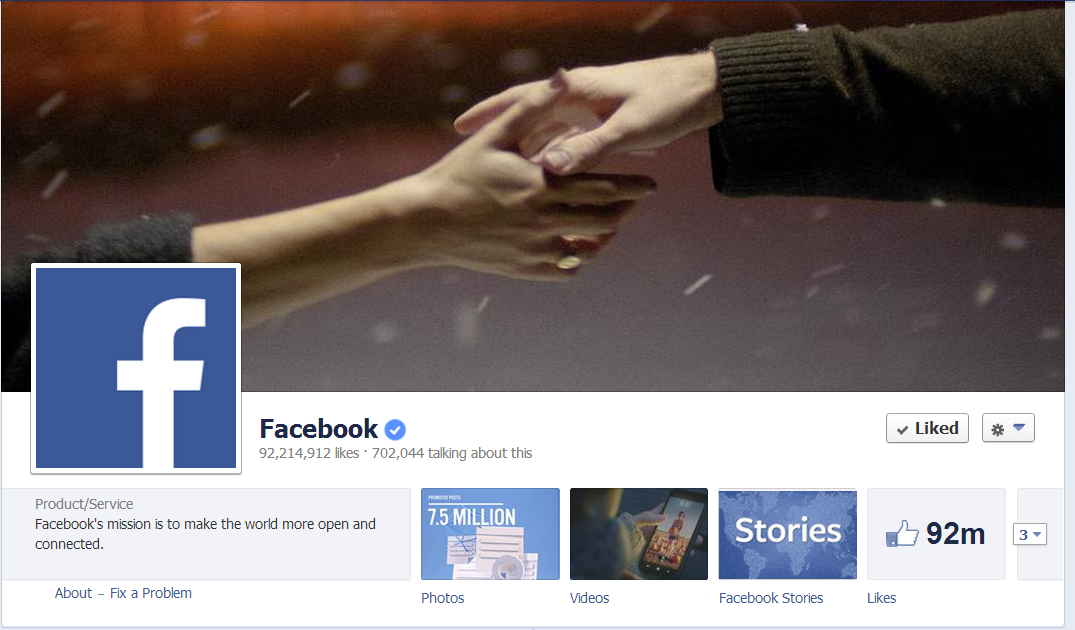
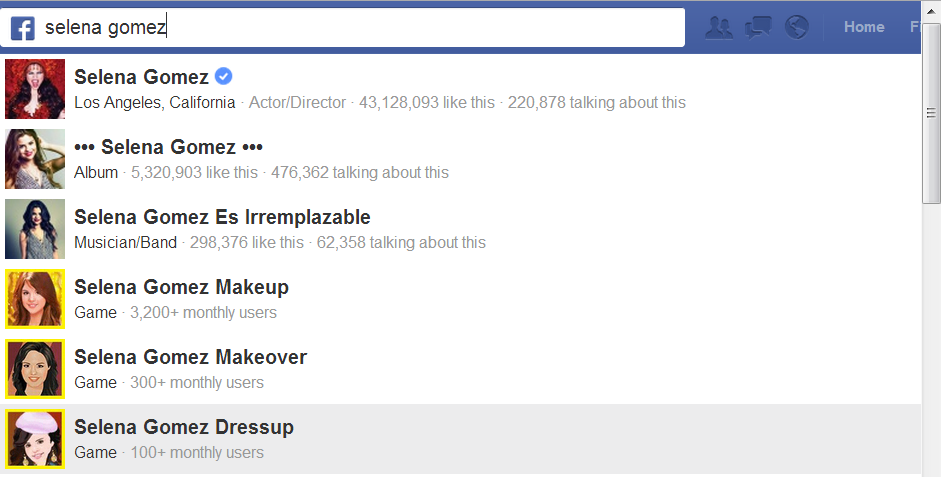
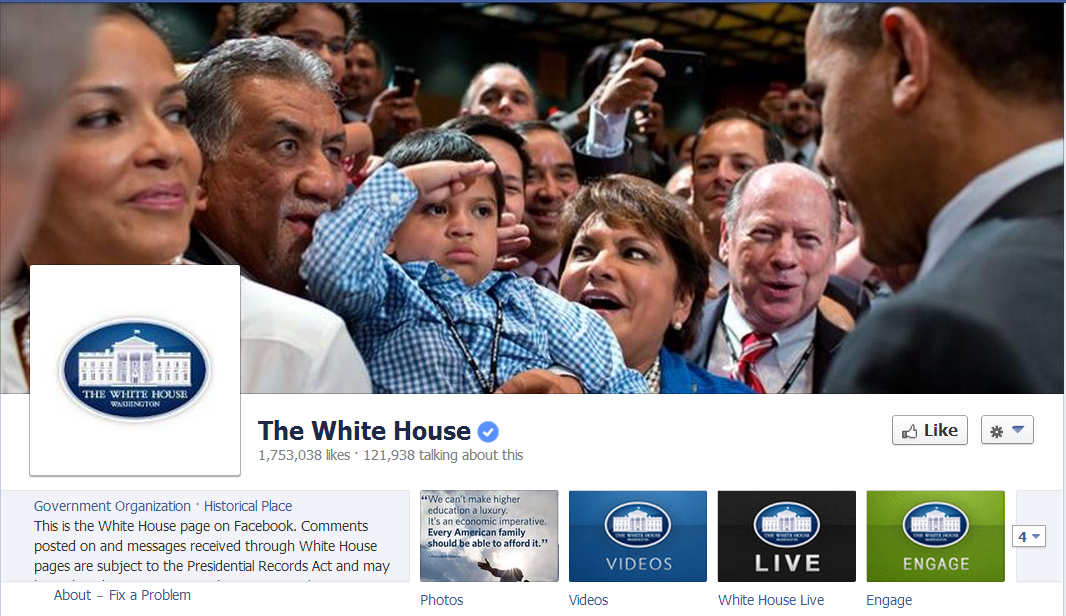
Once a Page is verified, it will be adorned with a "verification badge" - a check mark in a blue circle, as in the example of Facebook's official page above. To make it as easy as possible to identify which Pages are authentic, verification badges will appear in a number of other places:

  • Next to the name of the Page
  • When hovering over the name of a Page
  • In Graph Search queries
  • In stories about people liking a Page
  • In News Feed ads for your Page

How do I get a Verified Page or Profile on Facebook? 

      white-house-verified-facebook-page.PNG

      At the moment, the short answer to this question is you don't have to do anything. Facebook will automatically be adding verification badges to the Pages and personal profiles that are at greatest risk of duplication, and it won't, at present, accept requests for verification from other Pages. 

      What do I do if someone is pretending to be me or my company? 

      report-a-fake-facebook-page-profile.png

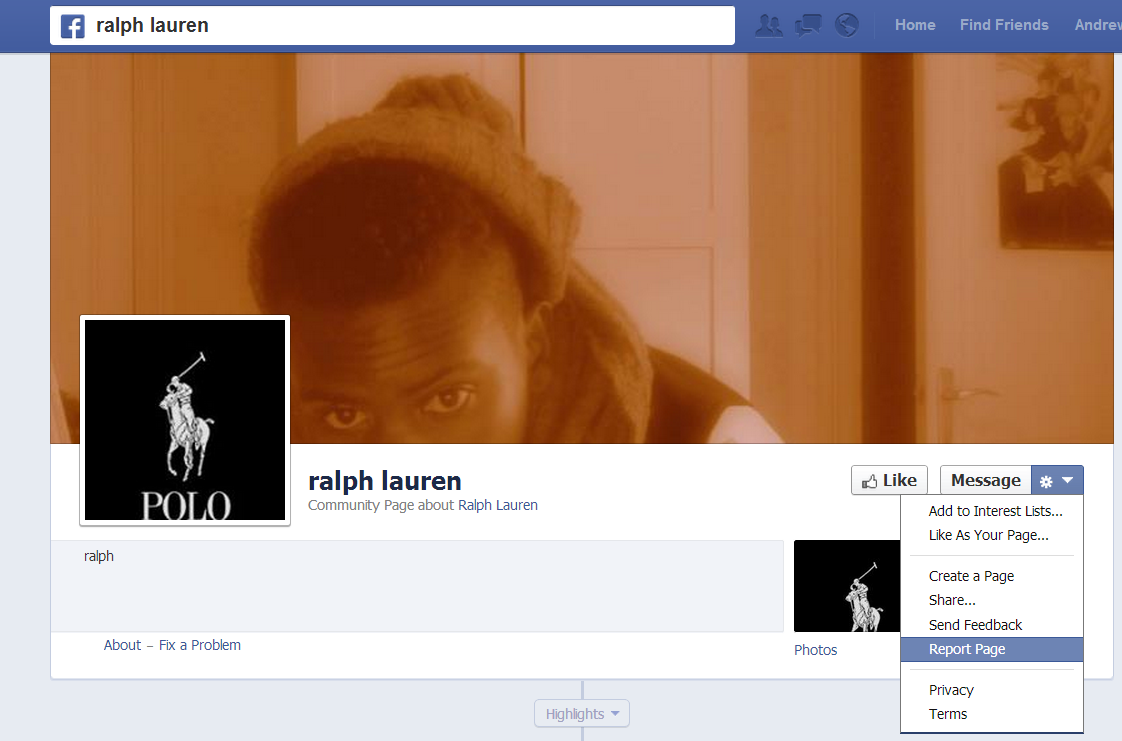
      If you want to report an account that is fake or a duplication of your Page or personal profile, click the cog icon on its timeline, select Report/Block and follow the on-screen instructions to file a report.


      ABOUT THE AUTHOR
      Andrew Macarthy is the author of the #1 Amazon Web Marketing Bestseller, 500 Social Media Marketing Tips, available for Kindle and in paperback.

      Buy 500 Social Media Marketing Tips
      Amazon US: http://www.amazon.com/dp/B007L50HE6
      Amazon UK: http://www.amazon.co.uk/dp/B007L50HE6

      Follow Me:
      http://www.facebook.com/500socialmediatips/
      https://pinterest.com/500socialmedia/
      http://www.twitter.com/500socialmedia
      http://www.youtube.com/500socialmediatips
      Facebook Page Review: Munchkin Photos

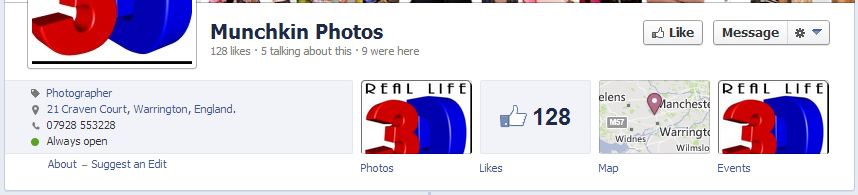
      Munchkin Photos

      As part of my Free Facebook Page Review promotion over at the 500 Social Media Marketing Tips Facebook Page, I selected Munchkin Photos, a photography studio by husband and wife team Andrew and Jo based in Warrington, England, as the third and final free review. Here's my analysis of his current Facebook Page - the things that are done well, along with tips and recommendations for how I think it could be improved.

      Page Name and URL

      page-name.JPG

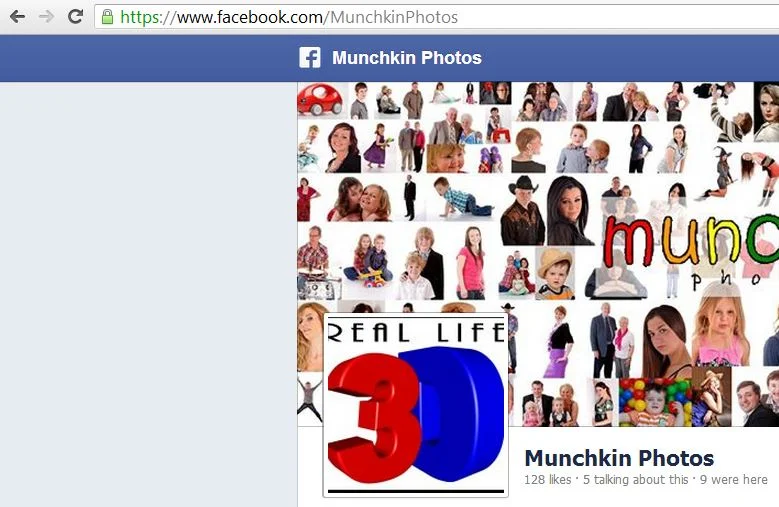
      Munchkin Photos has got his Page name and URL spot on. The name is nice and short so that it appears optimally both on web and mobile devices and its vanity URL (https://www.facebook.com/MunchkinPhotos) mirrors the page name too, making it easy and memorable when communicating it in person and on marketing material. 

      Cover Photo

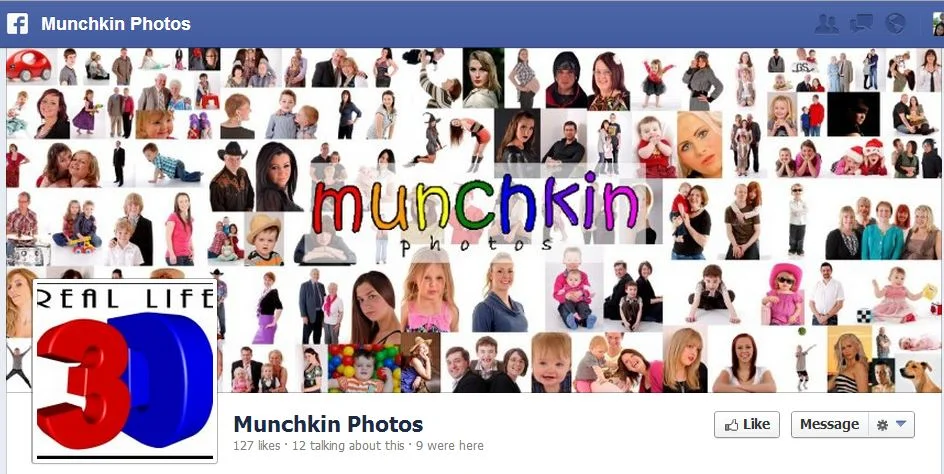
      coverphoto.JPG

      Munchkin Photos has used a collage of a wide selection of its customers for its Facebook cover photo. While I am generally a fan of this approach, I feel this example is a bit too crowded.

      Cover photos are a prime space for brands to communicate who they are and what they do to viewers, and I think Munchkin Photos could do this more powerfully with a focus on just a collage of just a few photos in its cover image, or (my preference) just a single photo at a time. As well as a more lucid brand message, this would also allow them to tag the cover photos to feature different customers on a regular basis - encouraging likes and shares that will promote the business - as well as leaving space to feature details about promotions, offers, etc.

      Profile Photo

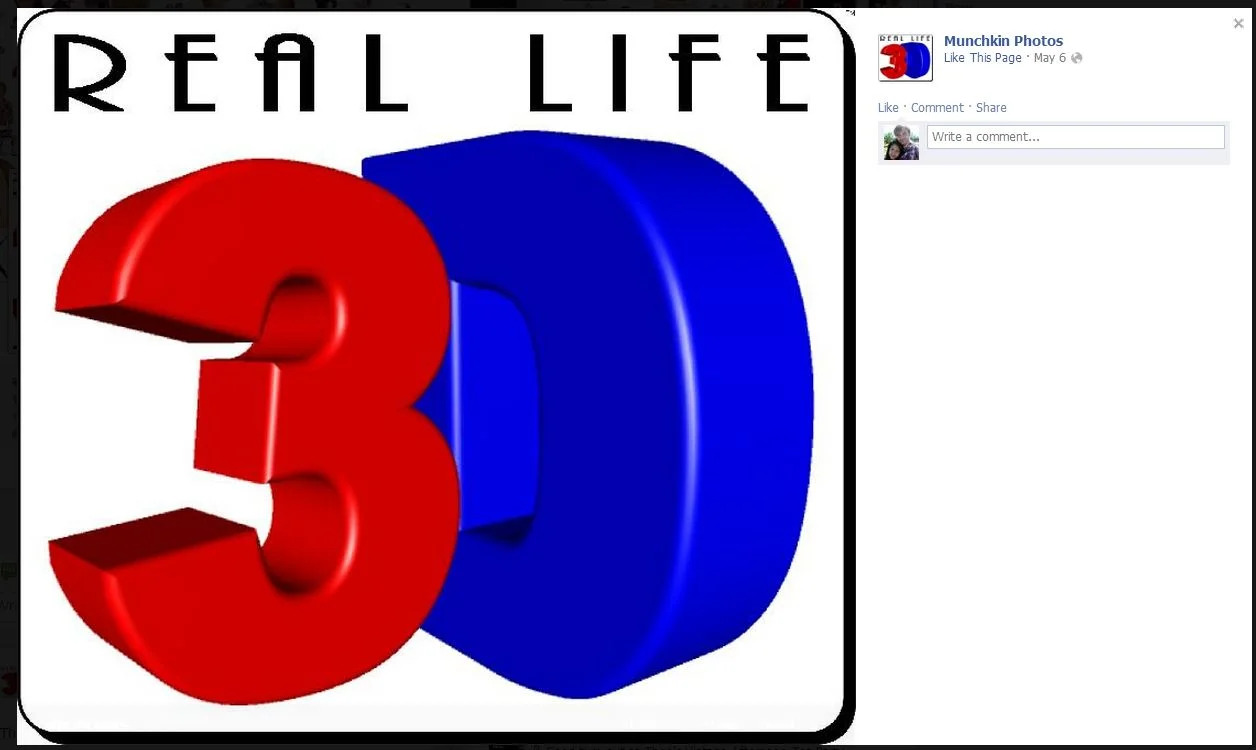
      3d.JPG

      Munchkin Photos' profile photo is currently used to highlight one of the business' latest offering - 3D photos. As this photo will represent the company around Facebook and beyond, my preference is for it to be a square image of a company's logo. A more effective way to promote the 3D photos would be using the cover photo, as described above. Whatever profile photo is used, I encourage my clients to add a description featuring a few lines about the company, a URL, and a call to action.

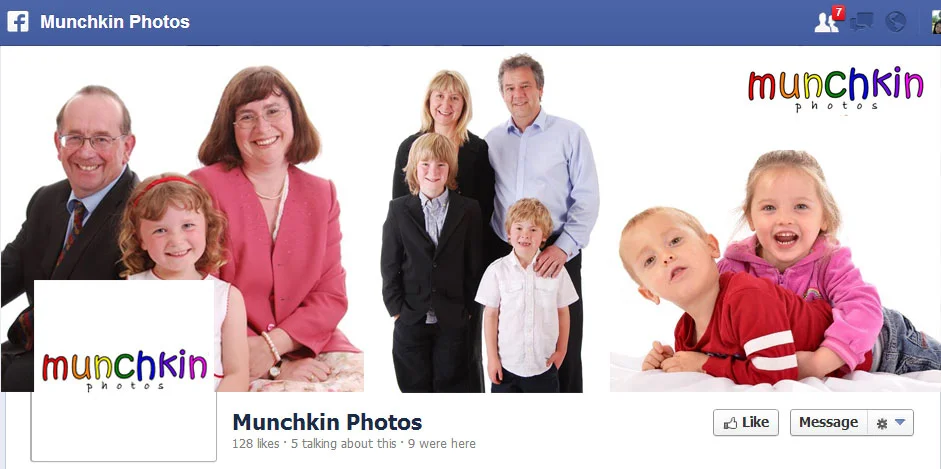
      mock-cover.jpg

      Here is a quick mock-up of how I feel the cover photo and profile photo for Munchkin Photos could be used more effectively - preferably without a little girl's neck being severed by the profile pic! If a single image is used, it could be tastefully annotated with the family name and/or price of the shoot as a nice, big advert.

      About Section 

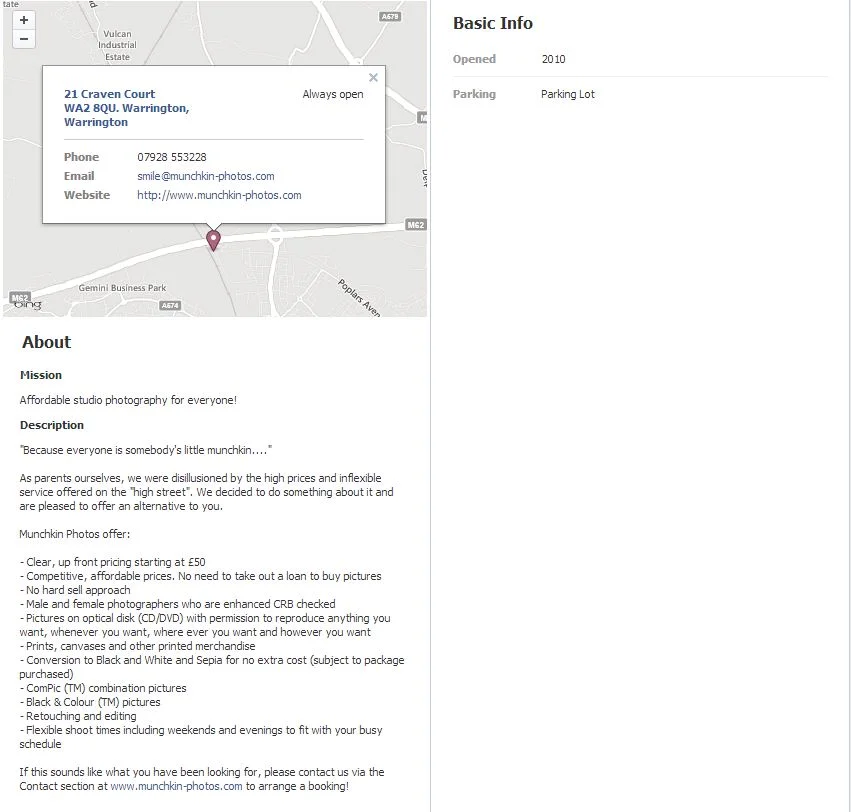
      about.JPG

      On the whole, Munchkin Photos has done a great job with its About section. It features a map with contact details, Mission, and a Description detailing information about the company and the products it offers. As well as a reminder to make sure the About section is filled out 100% (or as close to as possible), I have just one more suggestion here: I would be tempted to move the product information to its own section, just to make for slightly easier reading.  

      Custom Tabs

      tabs.JPG

      At present, Munchkin Photos does not make use of any custom tabs or apps. Not only can custom tabs help enhance the branding of your Facebook Page, but can also be used to house more information about the company, what they do, and any offers they have running.

      As Andrew is the only photographer, I think a custom tab to let customers get to know him would be a really great idea - a nice portrait pic and welcome message or even a short video to show off his personality, which is so important for a photographer, and to a customer who might be nervous or shy of what to expect, or being in front of camera.

      Another tab could feature information about pricing and gift certificates. And, as families in particular may want to visit the studio for several photo shoots over the years, creating a tab with a sign-up form to an e-mail list could be really beneficial. With the e-mails Munchkin Photos gathers, they can send details of offers and promotions, and perhaps even a gentle reminder to families about visiting the studio for an updated group photo! 

      Types of Posts and Frequency

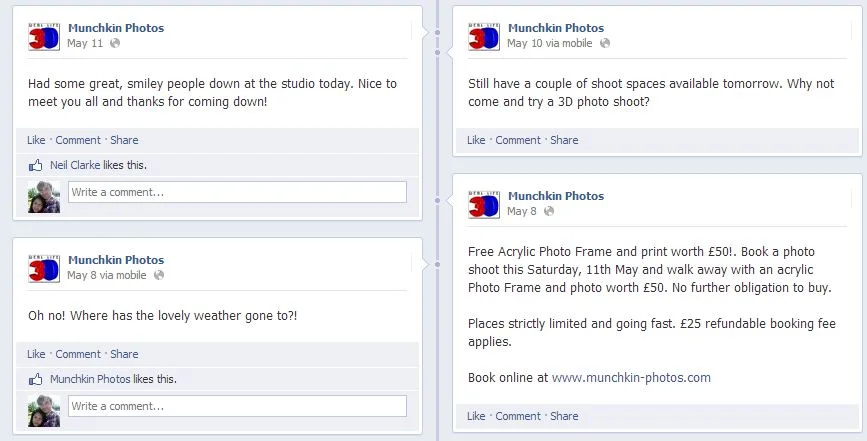
      posts.JPG

      Munchkin Photos posts status updates regularly, and they're short and snappy on the whole too, which is fantastic. However, there's one crucial detail missing... photos! Unless the status update is a video or a link, I always recommend adding a photo as they draw people's attention in news feeds and receive considerably more engagement. And working in such a happy and dynamic space, Munchkin Photos has a perfect opportunity to show off to current and potential customers what goes on. Examples might include photos of the studio being prepared for the day's events, shots of Andrew snapping happy families (with their permission, of course), the odd post of products such as frames and canvases, and Andrew's tools of the trade - especially for the 3D photo effect.

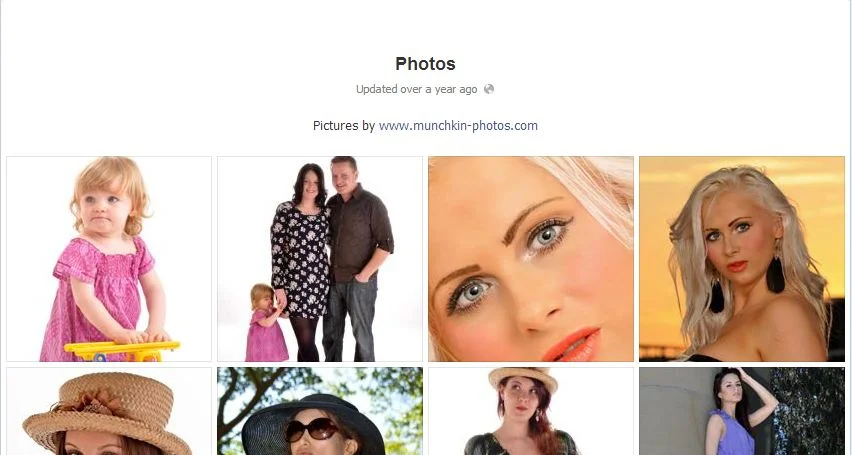
      year.JPG

      And of course, the Page's timeline and Photos section could feature regular albums of snaps of happy customers to show off the company's work to potential customers. A quick look at the Photos section shows that no new albums have been added since 2011! As a potential customer checking the studio out, that's like walking past a clothes store still advertising its Spring/Summer ranges from a few years ago... eek!

      Basic Competitor Analysis

      As you might imagine, there are plenty of photographers vying for attention in the same market as Munchkin Photos. These are just a few in the local area, and a very basic look at how their Facebook Page's operate. 

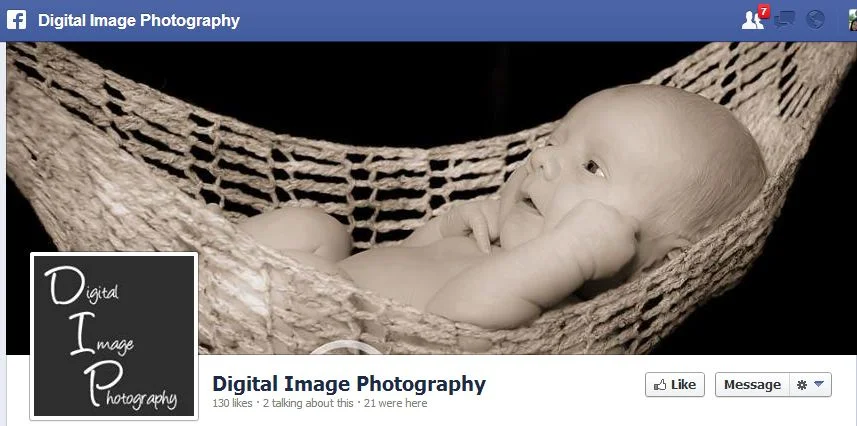
      dim.JPG

      Digital Image Photography: Decent cover photo, but infrequent, boring, and "moany" updates.

      julie.JPG

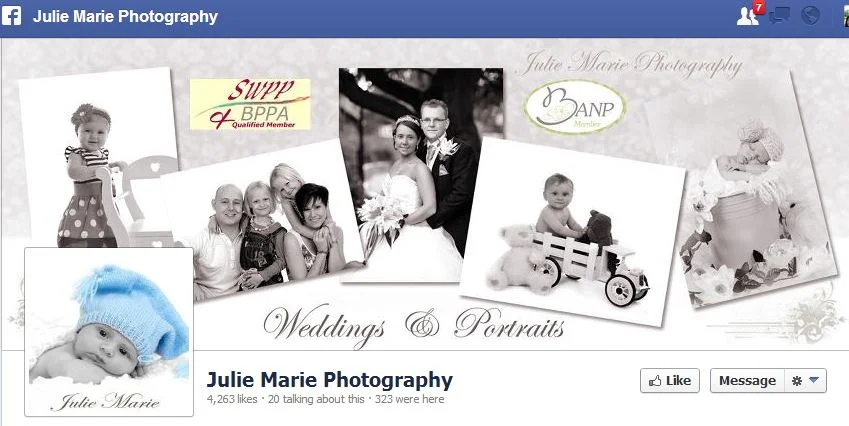
      Julie Marie Photography: Large fan base (over 4,000 likes) and overall, a well-run Page with semi-regular updates and lots of engagement with customers.  Good competition here!

      clarity.JPG

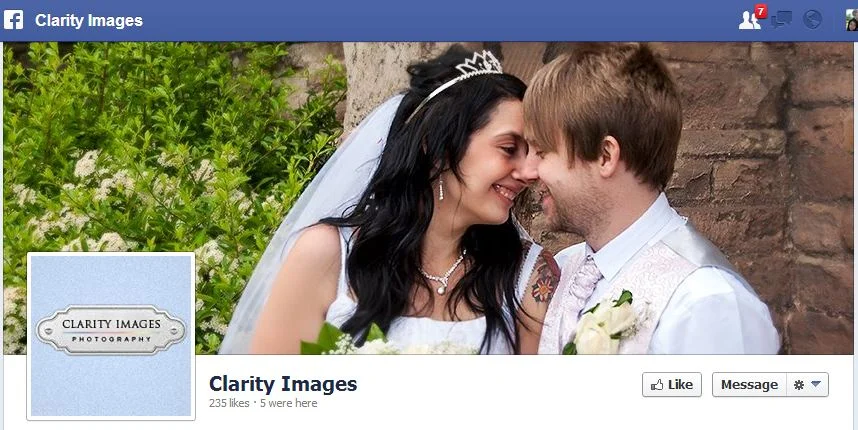
      Clarity Images: Nice cover, profile pic, and About section, but very infrequent posting schedule. Most photo posts that are there are without any written context, or solely promotional. 

      Conclusion

      All in all, I believe Munchkin Photos has the makings to foster a really effective Facebook presence in several ways, especially as it differentiates itself from the competition with a child-friendly focus:

      • Posting customer snaps and encouraging them to tag, like, and share to spread the word. This can be done in person on marketing material and just before they leave the studio. People (especially parents, love  to share photos and show off to their friends on Facebook!)
      • Tweaking the cover photo and profile image to show off the brand and its offerings in a more impacting manner.
      • Building custom tabs to enhance branding of the Page and to tell people about the business and its offers.
      • Continued regular posting schedule, but including images!

      For more information about Munchkin Photos, visit http://www.munchkin-photos.com.

      Want A Facebook Page Review? 

      If you'd like me to help you with your Facebook Page, and want a customised review similar to the one above, check out the Facebook Page Review Service section of my website for full details and to purchase for a launch price of only $49

      .


      Facebook Cover Photo Ideas For Business and Marketing

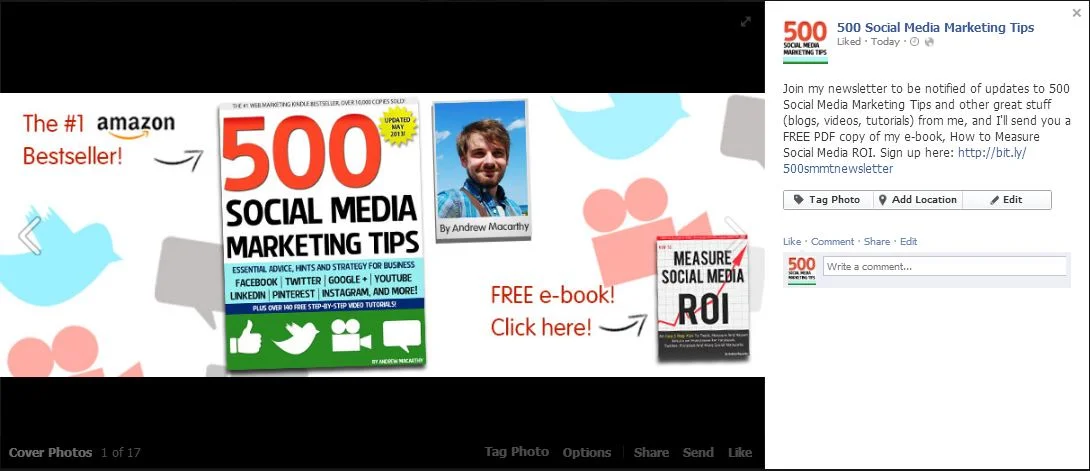
      The relaxing of Facebook's cover photo rules a couple of months ago means that marketers now have a lot more freedom in the type of stuff they can add to the design of them - calls to action, contact details, asking people to like your Page, etc.... as long as the total amount of text does not make up more than 20% of the image.

      The Facebook cover photo is a hugely powerful piece of prime real state for your Page, and people love  to get free stuff - so I have combined the two in my newest one, as you can see above, asking viewers to click to receive a free copy of my e-book, How to Measure Social Media ROI. 

      fb.JPG

      Of course, clicking on a Facebook cover image only enlarges the photo and does not load a new web page, but the action does  make the photo's description visible, and it's here that I have added the actual newsletter sign-up URL.

      I hope this has given you some inspiration for your own Facebook Page cover photo! 


      ABOUT THE AUTHOR
      Andrew Macarthy is the author of the #1 Amazon Bestseller, 500 Social Media Marketing Tips.

      Buy 500 Social Media Marketing Tips (Kindle or Paperback)
      Amazon US: http://www.amazon.com/dp/B007L50HE6
      Amazon UK: http://www.amazon.co.uk/dp/B007L50HE6

      Follow Me:
      http://www.facebook.com/500socialmediatips/
      https://pinterest.com/500socialmedia/
      http://www.twitter.com/500socialmedia
      http://www.youtube.com/500socialmediatips