
Facebook Cover Photo Template PSD 2013 | Facebook Cover Image Template Photoshop

I don't know what it is about finding an easy-to-use Facebook cover photo template online, but none of the ones I was finding in Google's most popular search results were hitting the spot for me. So here's my offering; a super simple PSD template to help you design an image that will perfectly represent your brand on the site - no blurry photos or dubious cropping in sight.

Want me to design and build your social media layouts?

Even with the templates below, I understand that designing and building great social media branding can be tricky, especially if you have never used Photoshop or don't have the time to do the work due to a busy schedule... that's where I can help!

If you'd like me to create your social media branding for Facebook, Twitter, YouTube, and more, please get in touch via the Contact Me page today with your requirements, and I'll get back to you shortly afterwards. 
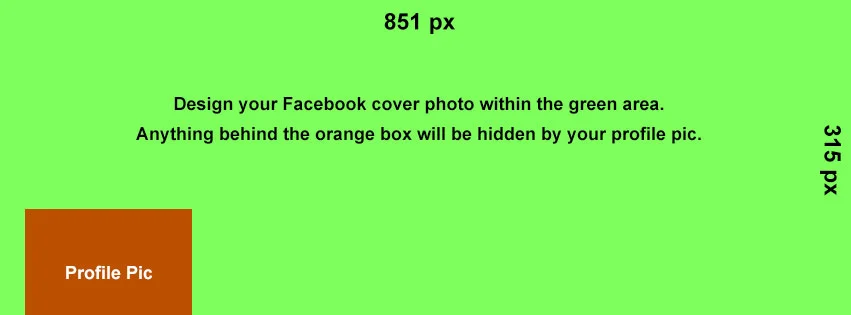
facebook-cover-photo-template.jpg

Facebook cover images are 851 pixels wide and 315 pixels tall. The template's green layer is this size. Just work above it in a new layer and delete the green rectangle when you are finished. Beware, however, of the orange square. Facebook profile photos noticeably iminge on the 851 x 315 px rectangle, so you'll have to work around it and make sure nothing too crucial image-wise is sitting behind it. 
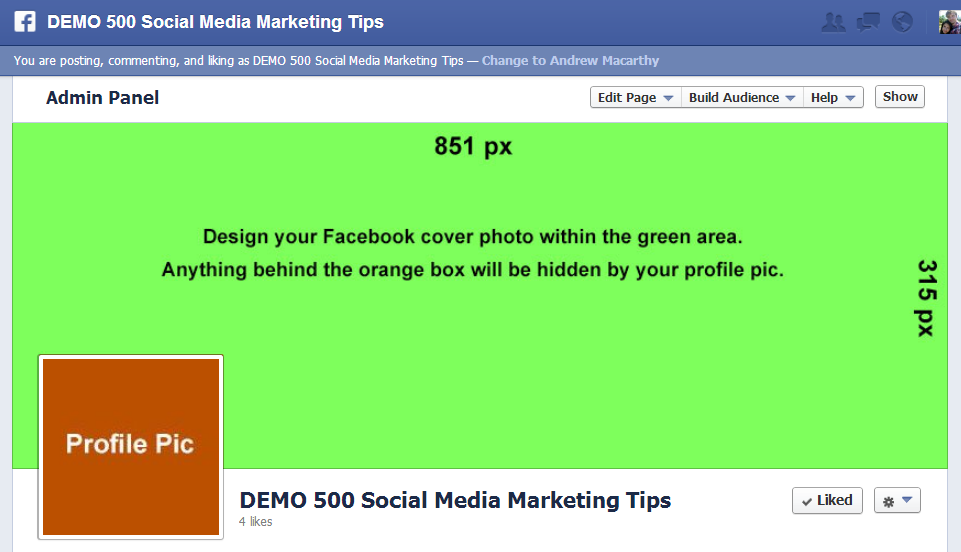
facebook-cover-image-photo-template-psd.PNG

When you're all done desiging, delete every layer except your new cover design, then save it as a .png or .jpg file to upload to Facebook.  As you can see from the example above, the green cover photo rectangle fits perfectly, and the Profile Pic square is hidden behind the actual (overlaid) profile photo square.
minus-dl.jpg

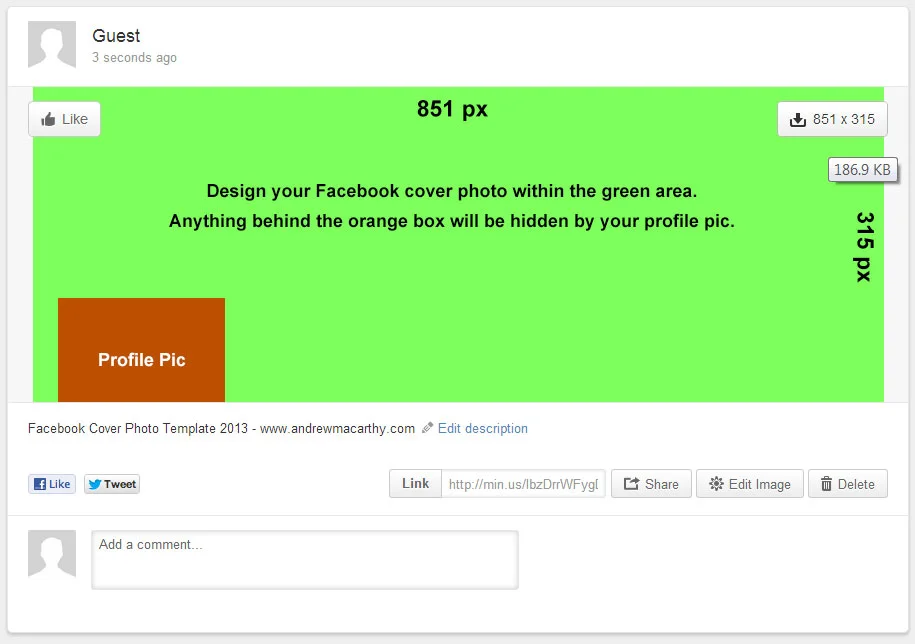
Download the Facebook Cover Photo Template


This Facebook cover photo template (and several others for all the biggest social networks - expertly measured, simple to use, and up-to-date) is available instantly as a downloadable zip file via the purchase link above. For more information on all my social media templates, click here.

Note: Payment is fast and secure via PayPal, but you do not need a PayPal account to buy and download. 

Alternatively, buy a copy of my #1 Web Marketing Bestselling book500 Social Media Marketing Tips,  on Kindle or in paperback, and receive a link to download them all for free - you'll find it located in the Social Media Templates chapter. 


ABOUT THE AUTHOR

Andrew Macarthy is the author of the #1 Amazon Kindle Bestseller, 500 Social Media Marketing Tips.

Buy 500 Social Media Marketing Tips
Amazon US: http://www.amazon.com/dp/B007L50HE6
Amazon UK: http://www.amazon.co.uk/dp/B007L50HE6

Follow Me:
http://www.facebook.com/500socialmediatips/
https://pinterest.com/500socialmedia/
http://www.twitter.com/500socialmedia
http://www.youtube.com/500socialmediatips
How to Promote Facebook Page on Personal Profile (April 2013)


One of the easiest ways to give your Facebook Page a small boost in exposure is to include it as your place of work on your personal Facebook profile. I created a tutorial to show how to do this a long while back, but some people were not able to make it work for them. 

The issue seemed to be affecting Page owners with few likes, or a Page name that was very common. I explain a little about all of this and how to work around the problem in the video above. 


ABOUT THE AUTHOR

Andrew Macarthy is the author of the #1 Amazon Kindle Bestseller, 500 Social Media Marketing Tips.

Buy 500 Social Media Marketing Tips
Amazon US: http://www.amazon.com/dp/B007L50HE6
Amazon UK: http://www.amazon.co.uk/dp/B007L50HE6

Follow Me:
http://www.facebook.com/500socialmediatips/
https://pinterest.com/500socialmedia/
http://www.twitter.com/500socialmedia
http://www.youtube.com/500socialmediatips
How to Target Page Fans ONLY in Facebook Promoted Posts (Not Friends of Fans Too)

 
how-to-target-fans-only-facebook-promoted-posts-not-friends-of-fans.jpg

Facebook Promoted Posts provide a quick and easy way for Page owners to get their content in front of the eyes of more of their fans than the site's EdgeRank algorithm might naturally allow, but a recent change to the function has removed the option to promote your content to fans only , replacing it with a default option that forces you to promote your post to fans and  their friends.

In terms of marketing to the most relevant users, you might want to keep your promoted posts going to fans only, but now can't. Luckily, there is a way around this, by making a few quick changes in the Facebook Ads manager. I show you how in the above video.


ABOUT THE AUTHOR

Andrew Macarthy is the author of the #1 Amazon Kindle Bestseller, 500 Social Media Marketing Tips.

Buy 500 Social Media Marketing Tips
Amazon US: http://www.amazon.com/dp/B007L50HE6
Amazon UK: http://www.amazon.co.uk/dp/B007L50HE6

Follow Me:
http://www.facebook.com/500socialmediatips/
https://pinterest.com/500socialmedia/
http://www.twitter.com/500socialmedia
http://www.youtube.com/500socialmediatips
 

Facebook Page Cover Photo Rules March 2013 - Update

 
fb-cover-march-2013.jpg

Facebook has updated its guidelines for Pages' cover photos, removing rules against including calls to action, contact info, or references to price or purchase information. However, the proportion of your cover photo made up of text should still not exceed 20%. The new rules read:

All covers are public. This means that anyone who visits your Page will be able to see your cover. Covers can’t be deceptive, misleading, or infringe on anyone else’s copyright. You may not encourage people to upload your cover to their personal timelines. Covers may not include images with more than 20% text.
— https://www.facebook.com/page_guidelines.php

The new rules were rolled out on March 6 but were only spotted by marketers recently. So, if you're planning to update your Page's cover photo soon, perhaps you will want to re-consider your design to take advantage of the revised guidelines - I know I will!


ABOUT THE AUTHOR

Andrew Macarthy is the author of the #1 Amazon Kindle Bestseller, 500 Social Media Marketing Tips. 

Buy 500 Social Media Marketing Tips
Amazon US: http://www.amazon.com/dp/B007L50HE6
Amazon UK: http://www.amazon.co.uk/dp/B007L50HE6

Follow Me:
http://www.facebook.com/500socialmediatips/
https://pinterest.com/500socialmedia/
http://www.twitter.com/500socialmedia/
http://www.youtube.com/500socialmediatips

How to Change Facebook Cover Photo on iPhone App

Facebook has updated its iPhone app to allow users to change their personal profile's cover photo from within the app itself. I'd hope they'll do the same for Pages soon, but if you're a business person with a big 'Follow' following on your personal profile, this feature could be handy for you. Here's how: 

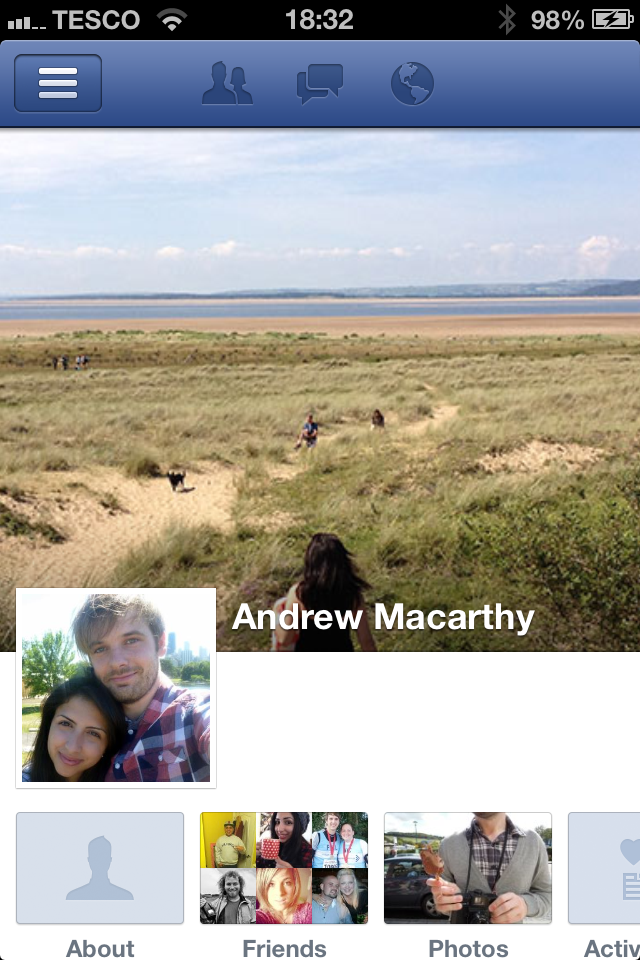
change-facebook-cover-image-iphone-app-1

1. Run the iPhone app and visit your personal profile.

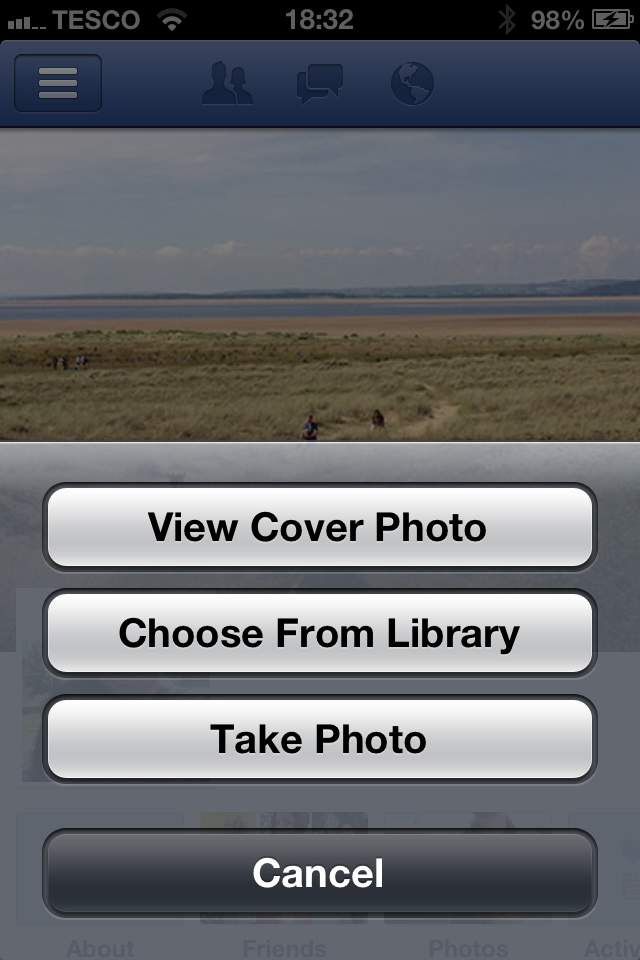
change-facebook-cover-photo-iphone-app-2

2. Tap your existing cover image and you'll see this menu, allowing you to choose a new photo from your Library or to snap a photo that you want to use instead. That's it!


ABOUT THE AUTHOR

Andrew Macarthy is the author of the #1 Amazon Kindle Bestseller, 500 Social Media Marketing Tips. 

Buy 500 Social Media Marketing Tips
Amazon US: http://www.amazon.com/dp/B007L50HE6
Amazon UK: http://www.amazon.co.uk/dp/B007L50HE6

Follow Me:
http://www.facebook.com/500socialmediatips/
https://pinterest.com/500socialmedia/
http://www.twitter.com/500socialmedia/
http://www.youtube.com/500socialmediatips