5 Things Every Brand Should Do NOW to Prepare For The New Facebook News Feed

 
facebook-new-feed-page-owners-business-brands-marketers.jpg

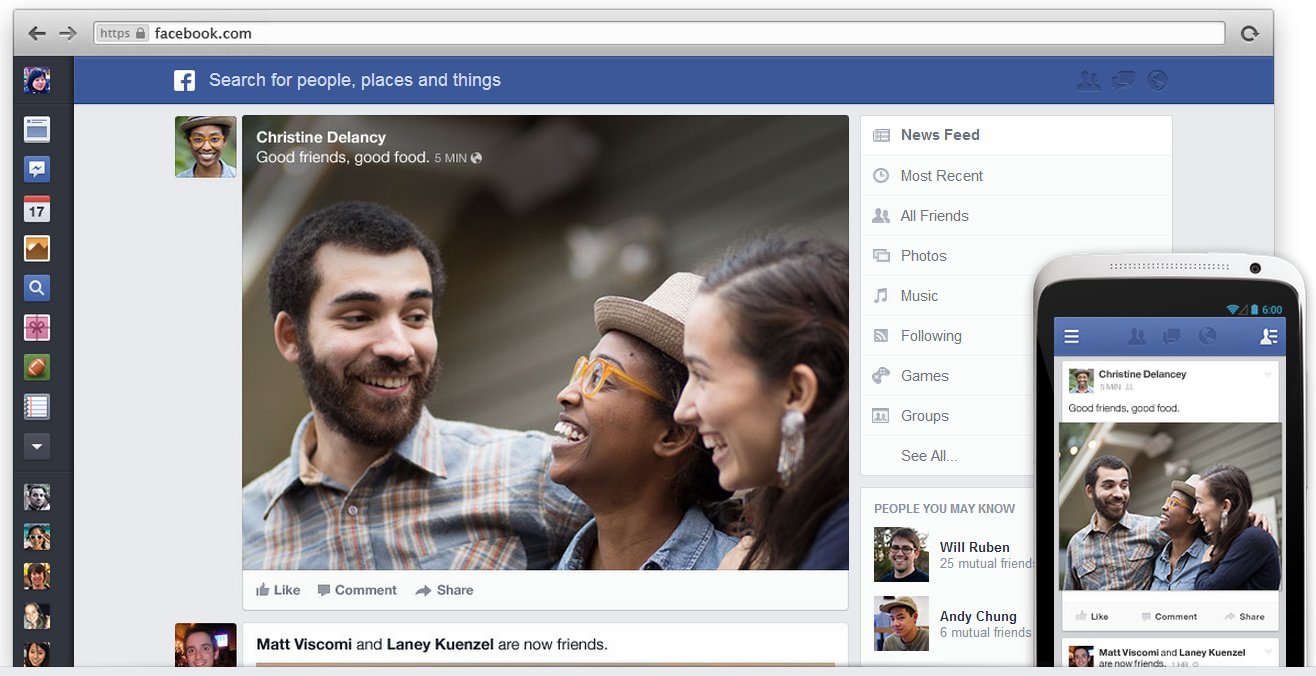
Facebook announced a brand new look and feel for the site's News Feed yesterday; one that de-clutters the available space, works to give users easy access to the stories they find most interesting, and puts even greater emphasis on visuals such as images and videos. Plenty of other blogs (not to mention Facebook's own) have explained all of the nitty gritty about the new design, so I'll not regurgitate that here. Instead, I'm going to highlight what the new News Feed means for brands and marketers, and 5 ways that they must prepare their strategy as it rolls out over the coming weeks.

Be Even More Visual
bigger-photos.PNG

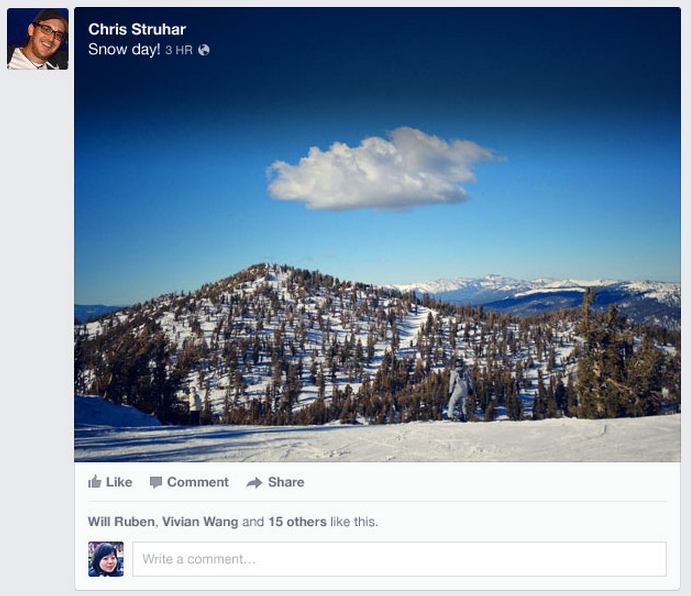
Any marketer will tell you that posts that include videos and photos receive more engagement from fans on Facebook, and with the new design this message is even more important. To take advantage of the new News Feed design, Facebook encourages brands to optimize for high-resolution feed stories on both web and mobile by providing 600 X 600 pixel images (minimum 200 X 200 pixels).

Maintain (Or Increase) Posting Consistency
following-facebook.PNG

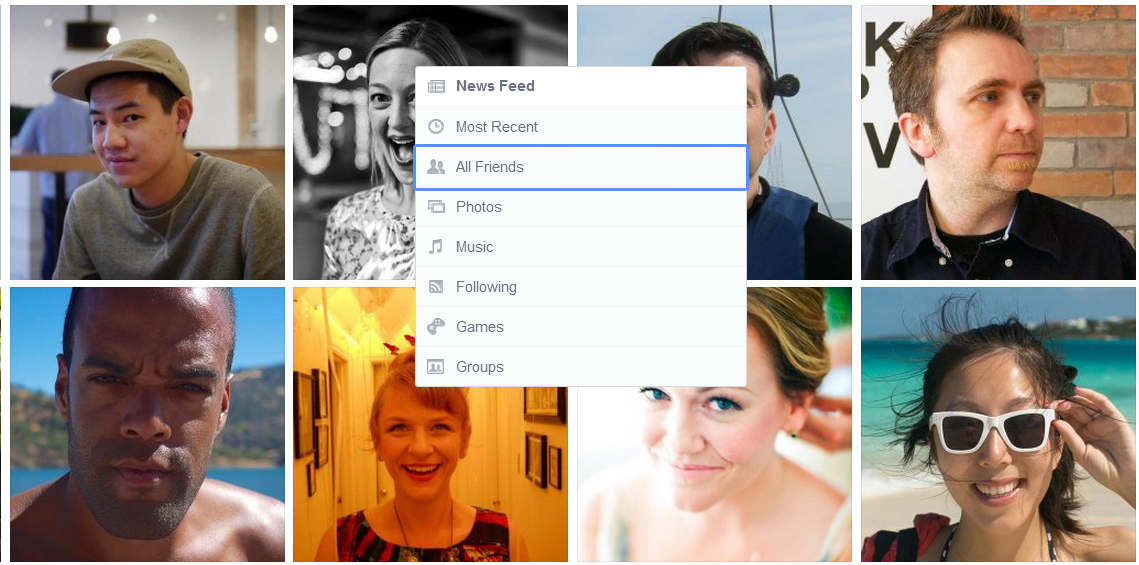
The new Facebook News Feed allows users to filter the stories they see by category, from Most Recent, to Friends-Only, to Photos, Games, and Following (the latter which is similar to the current Pages feed) - that's all the brand pages and public figures, including yours. When a user chooses the Following option, the stories will display on their News Feed in chronological order. With all that competition (not to mention that your posts can be completely filtered out), it is imperative that you continue to post engaging and shareable content on your page on a regular basis, both to encourage fan interaction and to make sure that your content is near the top of a user's Following feed when they look at it.

Analyse Your Cover and Profile Photos
fuki.PNG

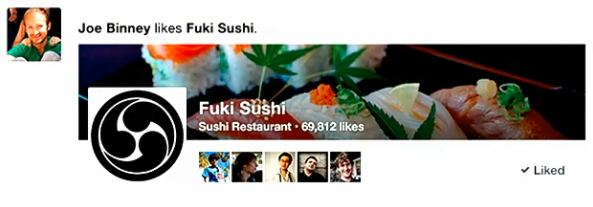
As the above image shows, when a Facebook likes your page in the updated News Feed, the story that gets published to the News Feeds of their friends features a portion of your page's cover image and your profile photo too. Their friends also have the opportunity to like your page direct from the news feed, so make sure that your cover photo and profile image is as representative and compelling a reflection of your brand as possible, to encourage more people to check you out.

 Claim Your Facebook Places Page
places.PNG

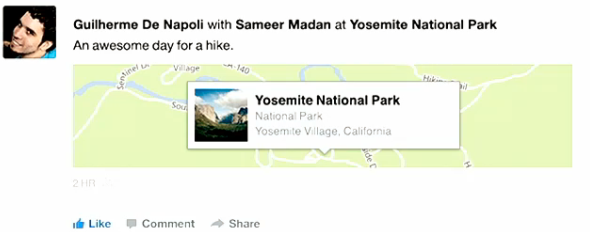
This pointer applies most to businesses with physical locations. If you haven't already claimed your Facebook Places page, now it is even more important to do so than ever. When a user checks in at your location, the story that hits their friends' News Feed features a map with your profile photo and business name pinned to it. To boot, there are options to Like, Comment, and Share the status. Find out how to claim your Facebook Places page here.

Share and Promote Your Best Content
cnn.PNG

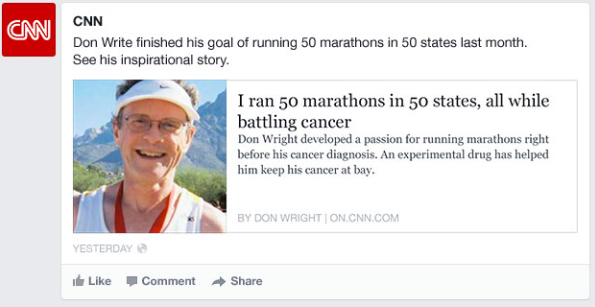
It appears that Facebook is putting more emphasis on giving a spotlight to top-shared articles around the web. If you're not doing so already, now is a better time than ever to use the social network as a way to promote your own content - blog posts, infographics, etc. - to try to bestow as much virality upon it as possible.

Conclusion
new-fb.PNG

It remains to be seen whether brands on Facebook will see a real benefit from the updated News Feed, or if greater filtering options for users means that content from Pages is pushed further to the sidelines. Either way, the best thing you can do right now is arm yourself with the knowledge you need to adapt, and start putting some of the information above into practice. 


ABOUT THE AUTHOR

Andrew Macarthy is the author of the #1 Amazon Kindle Bestseller, 500 Social Media Marketing Tips. 

Buy 500 Social Media Marketing Tips
Amazon US: http://www.amazon.com/dp/B007L50HE6
Amazon UK: http://www.amazon.co.uk/dp/B007L50HE6

Follow Me:
http://www.facebook.com/500socialmediatips/
https://pinterest.com/500socialmedia/
http://www.twitter.com/500socialmedia/
http://www.youtube.com/500socialmediatips
How to Promote A Facebook Contest - Page Design Strategy


Facebook contests can be a fun and relatively easy way to help promote your business and grab yourself a bunch of new fans in the process. There are plenty of strategies you can use to get the maximum amount of people interested in possible; this post focuses specifically on promoting the campaign via the design of your Facebook page. 

In this video tutorial, I show you how to (and hownot to) advertise your contest or sweepstake through a tweaking of your Facebook cover image and custom tab design.


ABOUT THE AUTHOR

Andrew Macarthy is the author of the #1 Amazon Kindle Bestseller, 500 Social Media Marketing Tips. 

Buy 500 Social Media Marketing Tips
Amazon US: http://www.amazon.com/dp/B007L50HE6
Amazon UK: http://www.amazon.co.uk/dp/B007L50HE6

Follow Me:
http://www.facebook.com/500socialmediatips/
https://pinterest.com/500socialmedia/
http://www.twitter.com/500socialmedia/
http://www.youtube.com/500socialmediatips
How to Optimize Facebook 'About' Section For Mobile Users

 
fb-optimize-about-section.jpg

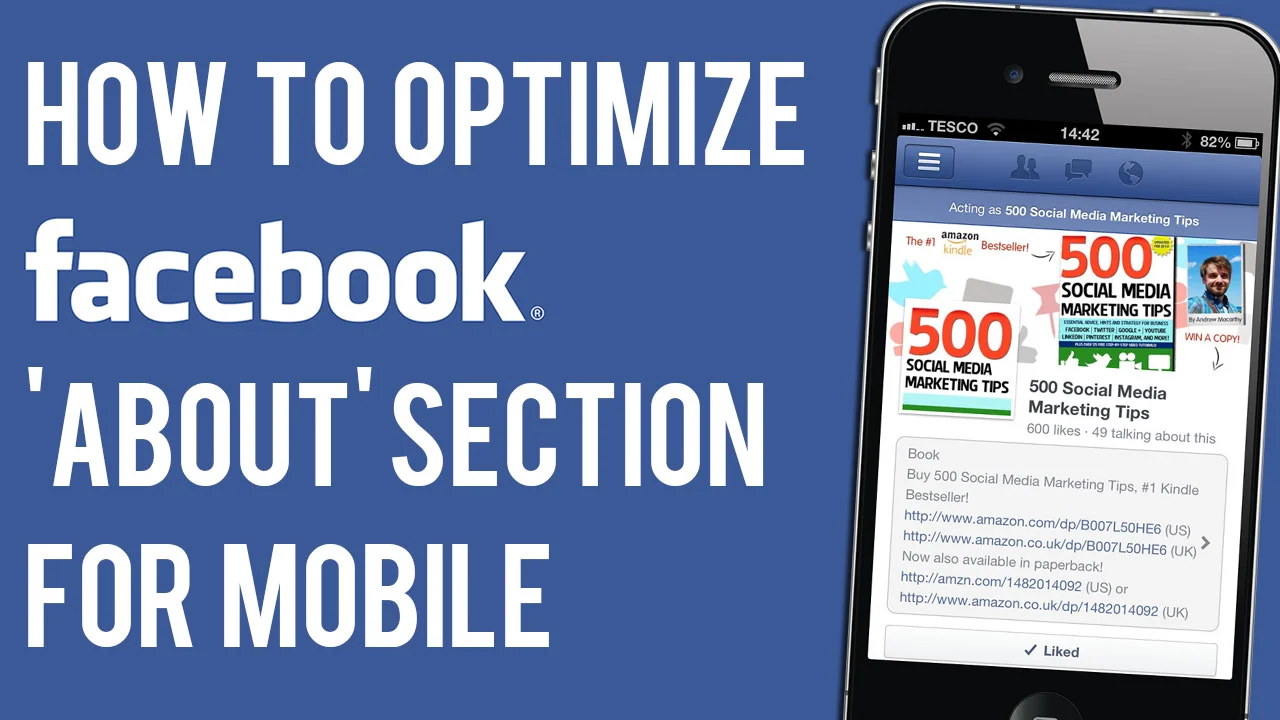
In my book, 500 Social Media Marketing Tips, I suggest that brands who have set up a page that is not  categorized their page as a Local Business, should include clickable links and a call to action in the 'About' section of their Facebook page, as it appears front and centre for all visitors to their page to see - and hopefully click on! 

Then, the other day I noticed a curious difference between the way that the Facebook 'About' section displays on desktop compared to its mobile app. 

fb-about-section-1.png

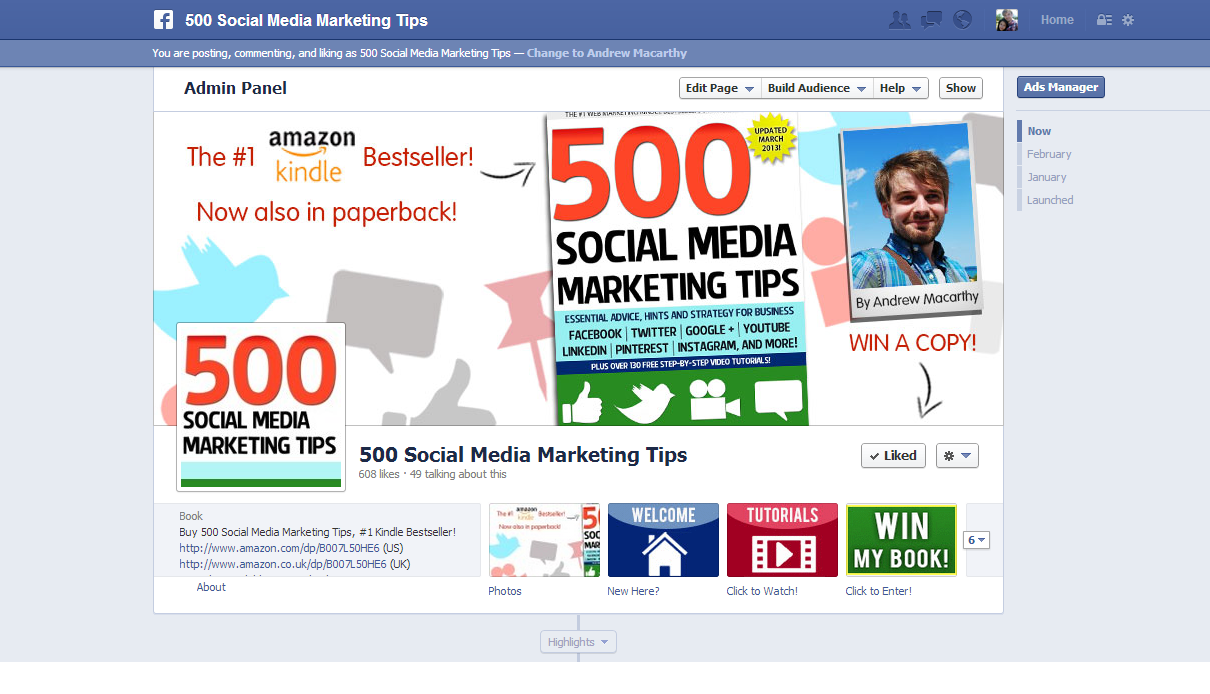
Here's the 'About' section on Facebook for desktop. There's three lines of text on display, and I've squeezed in two clickable URLS to purchase my book on Amazon.com and Amazon.co.uk. 

fb-about-section-2.png

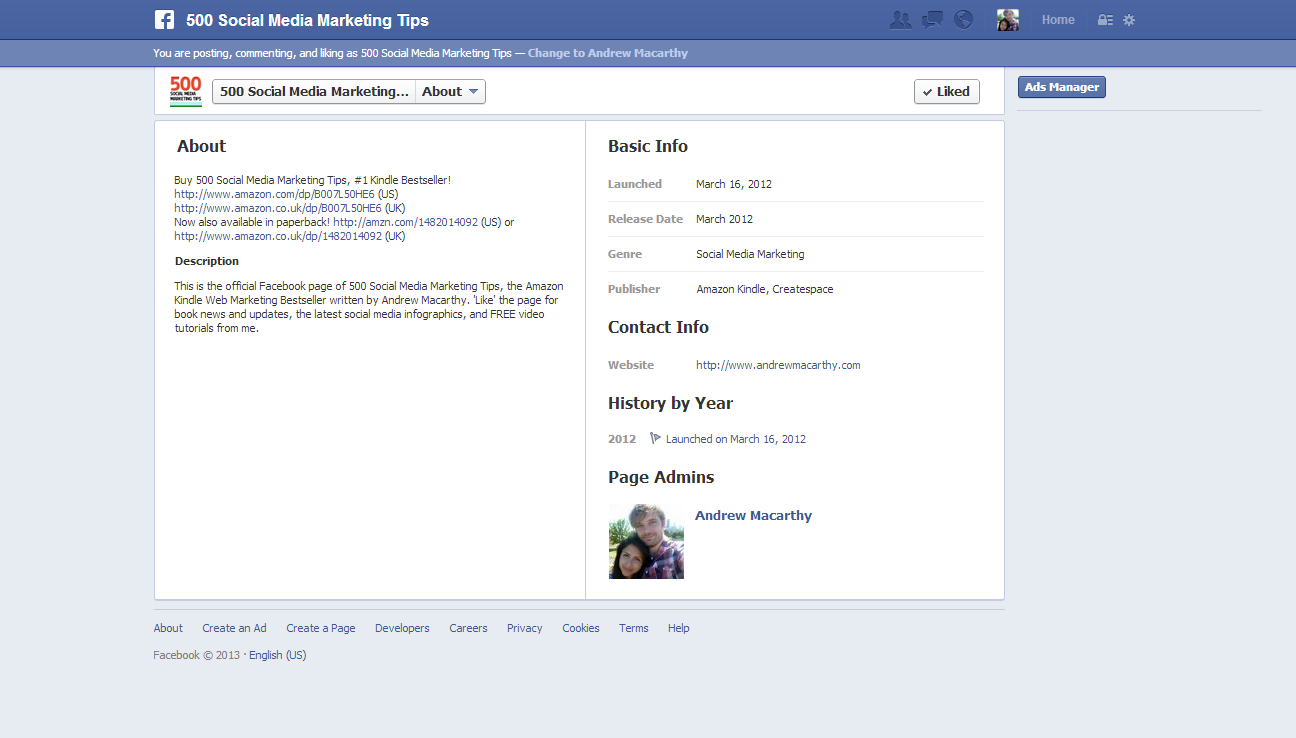
To see the full 'About' section, a user must click through. As you can see, there are a further two lines here, with clickable links to the paperback version of my book. 

mobabout.PNG

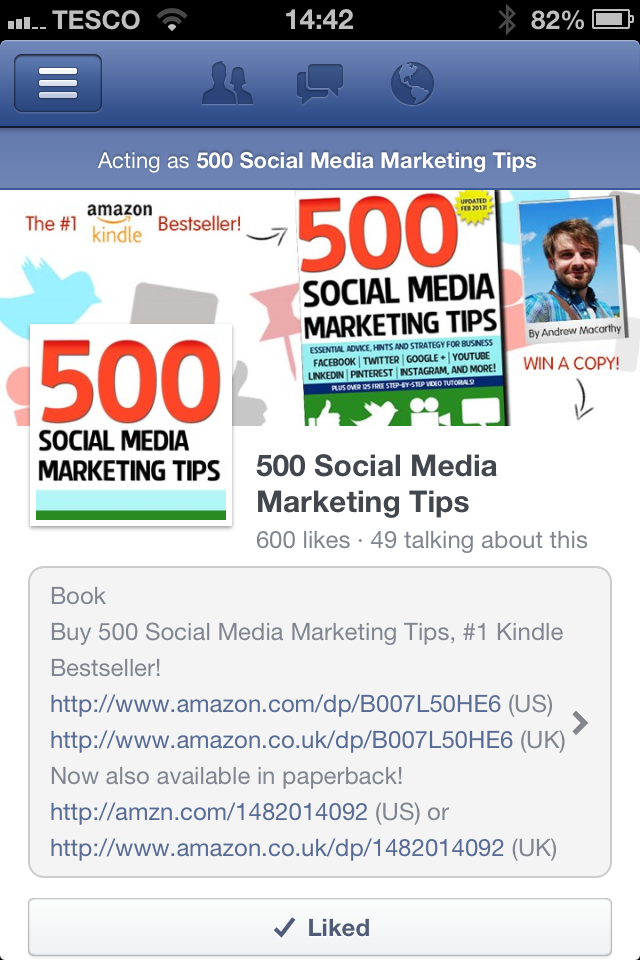
Now, here's the mobile version of my page. As you can see, unlike the desktop version of Facebook, the About section displays in its entirety. On the iPhone 4S, this works out at about six lines of text - although I'm sure there is an exact character limit. I did try to add even more text, but this is the maximum that Facebook would allow. 

The benefits here are obvious - everything you want to say about your business in the About section will be seen my mobile viewers, whether that be a blurb about you, or multiple links to products and offerings.  And with the number of people access Facebook via mobile skyrocketing, I'd urge you to make the most of all this space has to offer you!


ABOUT THE AUTHOR

Andrew Macarthy is the author of the #1 Amazon Kindle Bestseller, 500 Social Media Marketing Tips. 

Buy 500 Social Media Marketing Tips
Amazon US: http://www.amazon.com/dp/B007L50HE6
Amazon UK: http://www.amazon.co.uk/dp/B007L50HE6

Follow Me:
http://www.facebook.com/500socialmediatips/
https://pinterest.com/500socialmedia/
http://www.twitter.com/500socialmedia/
http://www.youtube.com/500socialmediatips
 

How to Claim A Facebook Places Page | How to Allow Check-Ins on Facebook Place Page

If you're a business owner with a physical location, claiming your Facebook Places page is essential for boosting SEO with check-ins, especially with Graph Search on the horizon for all users. In my latest video tutorial, I show you how to do it.


ABOUT THE AUTHOR

Andrew Macarthy is the author of the #1 Amazon Kindle Bestseller, 500 Social Media Marketing Tips. 

Buy 500 Social Media Marketing Tips
Amazon US: http://www.amazon.com/dp/B007L50HE6
Amazon UK: http://www.amazon.co.uk/dp/B007L50HE6

Follow Me:
http://www.facebook.com/500socialmediatips/
https://pinterest.com/500socialmedia/
http://www.twitter.com/500socialmedia/
http://www.youtube.com/500socialmediatips
 

Facebook Contest Strategy - Custom Tab Images for Sweepstakes

 
fb-contest-tabs.jpg

Holding competitions and sweepstakes on Facebook is one of the most popular ways for brands to increase likes and attract potential new customers with relative ease and expense. I recently launched my first Facebook contest, with a prize of 5 paperback copies of 500 Social Media Marketing Tips.

As per Facebook's contest rules, I used an exernal app, Woobox, to help manage entries and choose a winner. Woobox installs a custom tab on your Facebook page to host the contest, and allows you to create a custom tab image to represent it. It's these 111 x 74 pixel images that I want to discuss in this blog post. I'll show real examples of what I consider to be bad and good examples, and how the latter can help boost the visibility of your contest and heighten the number of entries you receive.

Disclaimer: I am aware that there are plenty of ways to drive people to a contest tab via external links, but I am focusing solely on visits to the Facebook page itself.

The Bad - Buyagift

Buyagift's contest gives fans the chance to win a romantic meal for two as part of a Valentine's Day promotion, but visitors to the page would hardly know it! First of all, the contest tab is hidden "below the fold" of the four tabs that appear by default on all Facebook pages, meaning that users must go exploring to even find it.

Secondly, the custom tab image itself does reflect connotations of love and Valentine's Day with its pink colour, hearts, and wispy font, but no one will know what the prize is without clicking - and most people probably won't even do that to find out. Lastly, the text underneath the custom tab is poor. "Valentine's" doesn't really compel anyone to click on the tab to find out more - this is a perfect place to add a call to action or other powerful message.

The Good - Lowcostholdidays

In this example, lowcostholidays has done a great job of publicising its contest to over 100,000 fans and every potential new one who visits their Facebook page. First off, the contest tab is placed prominently "above the fold" where everybody can see it. Second, the custom tab image not only tells people what they can win, but the prize is with a very tempting image of a sunny vacation destination, in keeping with the visual branding style on the rest of their page too. Lastly, the custom tab text is a call to action telling users what they have to do to - "Take Our Quiz" - to enter.

The Mine - 500 Social Media Marketing Tips

winmybook.PNG

Here's the custom tab image I designed for my competition. Unlike lowcostholidays, I have decided to give the whole tab image over to the text 'WIN MY BOOK!', as my page is all about one product - rather than the innumerate number of vacations that lowcostholidays sells - and there is a huge photo of the book in the page's cover image.

I used contrasting colours of white, green, and yellow to help the tab stand out on the page, but still keep it in line with the page's visual branding. And lastly, my call to action reads "Click to Enter!", a clear direction to anybody who sees it. I would have liked the arguably more clear "Click Here to Enter!" but that won't fit without being cut off and damaging the call to action altogether. 

Conclusion

While many brands will rely on non-Facebook sources to help drive users direct to their contest apps, there is certainly something to be said for giving the promotion the best chance of succeeding as possible - and this includes using a great custom tab to market the event direct on your Facebook page.


ABOUT THE AUTHOR
Andrew Macarthy is the author of the #1 Amazon Kindle Bestseller, 500 Social Media Marketing Tips.

Buy 500 Social Media Marketing Tips
Amazon US: http://www.amazon.com/dp/B007L50HE6
Amazon UK: http://www.amazon.co.uk/dp/B007L50HE6

Follow Me:
http://www.facebook.com/500socialmediatips/
https://pinterest.com/500socialmedia/
http://www.twitter.com/500socialmedia/

http://www.youtube.com/500socialmediatips