FREE YouTube Subscribe Button PSD 2013 - Large Size Download

 
youtube-subscribe-button-download-2013-free-large.jpg

For some time now, YouTube has been sporting a new "Subscribe"  button on the site. Gone is the bright yellow, and in is a more stylish grey and red design that more closely matches the site's design.
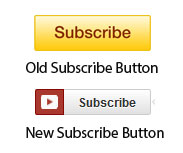
old-new.jpg

A lot of people (including myself) place a Subscribe button at the end screen of their videos, and overlay it with a spotlight annotation to encourage viewers to subscribe to their channel. Only problem is, there didn't seem to be a nice, big version of the new Subscribe button design around to use. So with the tiny "Subscribe" button from a YouTube video page and a little Photoshop magic, I designed one myself - a large YouTube Subscribe button for 2013. 

Here's the original (120 x 26 pixels):  

 

youtube-subscribe-button-original.png

And here's my copycat attempt (2496 x 530 pixels): 

I'll be the first to admit that the image isn't an exact  copy... unfortunately my Photoshop skills don't extend that far at present, but it's pretty similar, and certainly better than the big ol' yellow monstrosity I'm using at the moment! Feel free to right-click and Save this image for use in your own YouTube videos or download the transparent PSD file from the following link:

http://min.us/lbcP6SNiSAQeNW  - hover your mouse over the image and click the 'Download' icon.  Link down? Tweet me @500socialmedia and I'll upload a new one!

If you know someone else who might benefit from this button, please share it with them. 

Example


Here's how the Subscribe button looks on my current YouTube end-screen. I hope you'll use it on yours too! 


ABOUT THE AUTHOR

Andrew Macarthy is the author of the #1 Amazon Bestseller, 500 Social Media Marketing Tips.

Buy 500 Social Media Marketing Tips (Kindle or Paperback)
Amazon US: http://www.amazon.com/dp/B007L50HE6
Amazon UK: http://www.amazon.co.uk/dp/B007L50HE6

Follow Me:
http://www.facebook.com/500socialmediatips/
https://pinterest.com/500socialmedia/
http://www.twitter.com/500socialmedia
http://www.youtube.com/500socialmediatips
How to Use Photos of You on Instagram For Business Marketing

Instagram has rolled out a new feature called "Photos of You," a way for users - businesses included - to tag people, businesses, and products in their photos on the app very similar to how tagging works on Facebook.

​Nike tags a photo on Instagram using the Photos of You feature.

For example, when Nike posts a photo of an athlete to its Instagram account, it can tag the photo so that the athlete can (if they wish) also add the photo to their stream, engaging the followers on Nike and of the athelete, and increasing the total amount of photo views. Individuals can tag their favourite brands in their own photos, and these could be picked up and shared on a brand's own feed.

Photos Of You gives brands a new level of consumer reach on Instagram,  driving them to interact directly with the brands and businesses they follow.

Will you be using Photos Of You on your own Instagram account? Let me know in the comments below!


ABOUT THE AUTHOR

Andrew Macarthy is the author of the #1 Amazon Bestseller, 500 Social Media Marketing Tips.

Buy 500 Social Media Marketing Tips (Kindle or Paperback)
Amazon US: http://www.amazon.com/dp/B007L50HE6
Amazon UK: http://www.amazon.co.uk/dp/B007L50HE6

Follow Me:
http://www.facebook.com/500socialmediatips/
https://pinterest.com/500socialmedia/
http://www.twitter.com/500socialmedia
http://www.youtube.com/500socialmediatips
 

10 Amazing LinkedIn Statistics For 2013 [INFOGRAPHIC]

May 5th, 2013 marks the 10th anniversary of LinkedIn's official launch. Since then, the social network has grown to become the  place for professionals around the world to gather online. It's changed the face of business - and job hunting - forever. To celebrate this birthday milestone, check out this infographic that highlights 10 Amazing LinkedIn Statistics For 2013.

Has LinkedIn changed the way you and your company do business over the years? Let me know in the comments below, and don't forget to share and pin this infographic with your friends! 


ABOUT THE AUTHOR

Andrew Macarthy is the author of the #1 Amazon Bestseller, 500 Social Media Marketing Tips.

Buy 500 Social Media Marketing Tips (Kindle or Paperback)
Amazon US: http://www.amazon.com/dp/B007L50HE6
Amazon UK: http://www.amazon.co.uk/dp/B007L50HE6

Follow Me:
http://www.facebook.com/500socialmediatips/
https://pinterest.com/500socialmedia/
http://www.twitter.com/500socialmedia
http://www.youtube.com/500socialmediatips
How to Optimize Pinterest Board Names For SEO

 
how-to-optimise-board-names-on-pinterest.jpg

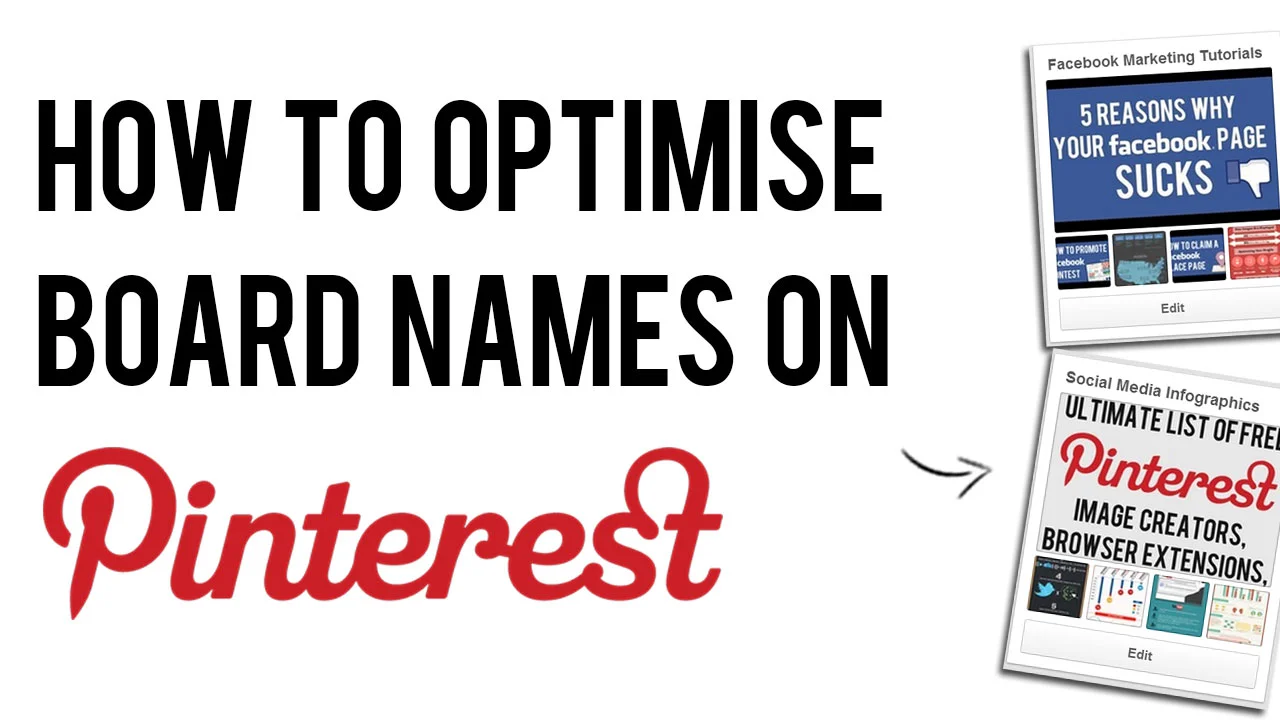
There are plenty of benefits in taking a few minutes to optimise your Pinterest board names, both in terms of the aesthetics of your profile and - more crucially - for search engine optimisation on the site.  

Use the tips detailed in the video above to help boost the visibility of your Pinterest boards to gain more viewers, likes, repins followers, and leads. And if you enjoy the video, don't forget to subscribe for regular social media tutorials!


ABOUT THE AUTHOR
Andrew Macarthy is the author of the #1 Amazon Bestseller, 500 Social Media Marketing Tips.

Buy 500 Social Media Marketing Tips (Kindle or Paperback)
Amazon US: http://www.amazon.com/dp/B007L50HE6
Amazon UK: http://www.amazon.co.uk/dp/B007L50HE6

Follow Me:
http://www.facebook.com/500socialmediatips/
https://pinterest.com/500socialmedia/
http://www.twitter.com/500socialmedia
http://www.youtube.com/500socialmediatips


Pinterest New Design Updates: Search, @Mentions, And More

 
new-pinterest-updates-april-2013.jpg

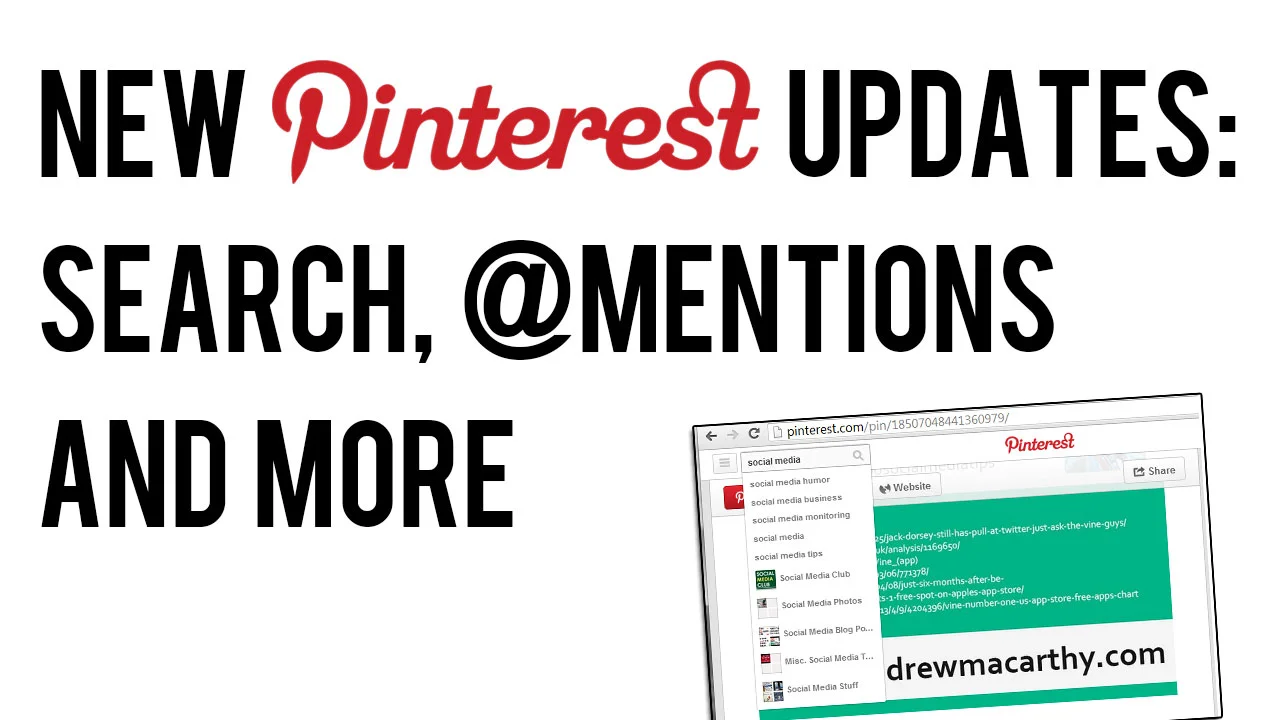
Pinterest has rolled out a few tweaks and changes to the new look website it introduced a couple of months ago, including several re-introduced features following user demand. Here's an overview of what's new and what's changed: 

'Pinned By' Is Back

pinned-by.PNG

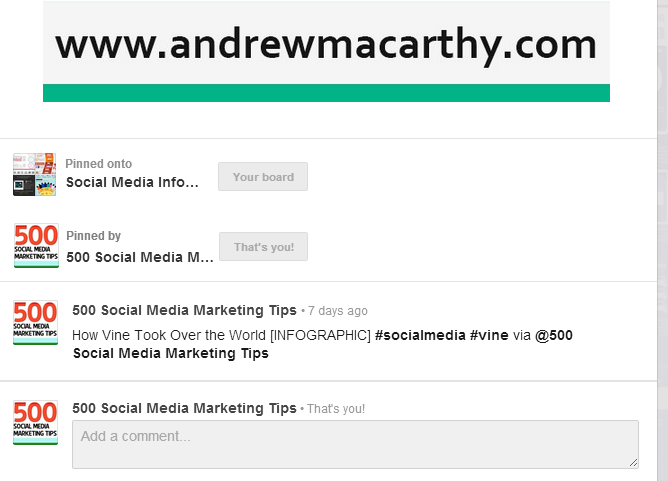
 'Pinned By', the feature that allows users to see who originally pinned an image is back. It's a great way of discovering new people to follow, and to credit them for content.

@Mentions Return

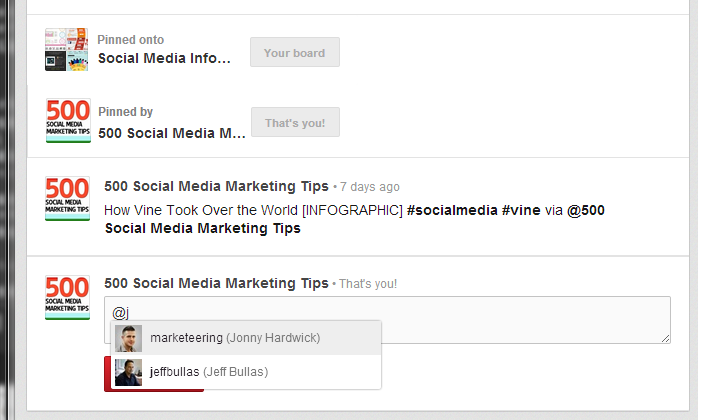
pinterest-mentions-comments.png

Another good way to find people to follow, and to tag them in posts was the @mention feature used in comments. You can see it in action in the image above. Also back, says Pinterest, is the ability to find friends from Twitter and Facebook that are already using the site.

Auto-Suggest Search

pinterest-search-auto-suggest.png

To help Pinterest users find pins and boards that they are interested in, the site's search function now supports an auto-suggest feature. Start typing a keyword or phrase in and a drop-down will appear with plenty of search terms or board suggestions.

Over to You

Are you in favour of the new features on Pinterest? Let me know in the comments below! 


ABOUT THE AUTHOR

Andrew Macarthy is the author of the #1 Amazon Bestseller, 500 Social Media Marketing Tips.

Buy 500 Social Media Marketing Tips (Kindle or Paperback)
Amazon US: http://www.amazon.com/dp/B007L50HE6
Amazon UK: http://www.amazon.co.uk/dp/B007L50HE6

Follow Me:
http://www.facebook.com/500socialmediatips/
https://pinterest.com/500socialmedia/
http://www.twitter.com/500socialmedia
http://www.youtube.com/500socialmediatips