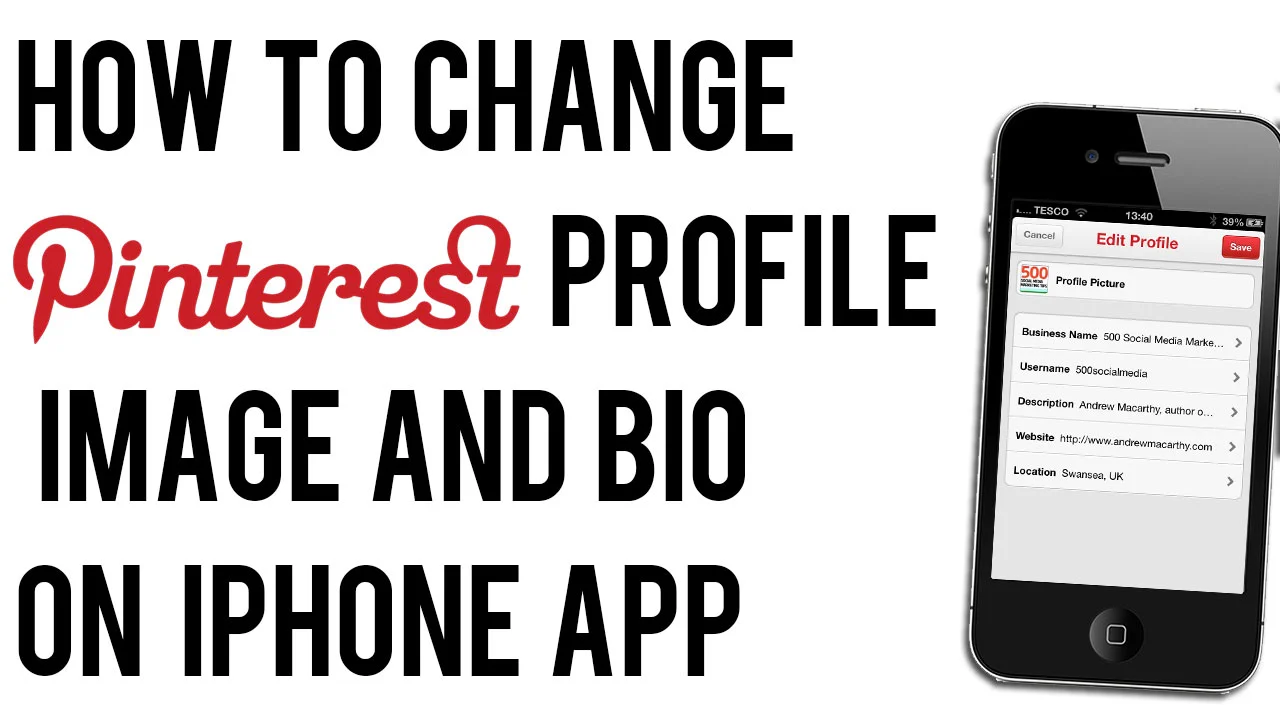
How to Change Pinterest Profile Photo or Bio on iPhone | Edit Pinterest Profile on App

 
how-to-change-pinterest-profile-image-on-phone.jpg

Pinterest has recently updated its iPhone app to allow users to update their profile photo and bio direct from their phones or tablets. If Pinterest is important to your business and you need to be able to edit these details on the fly, here's how: 
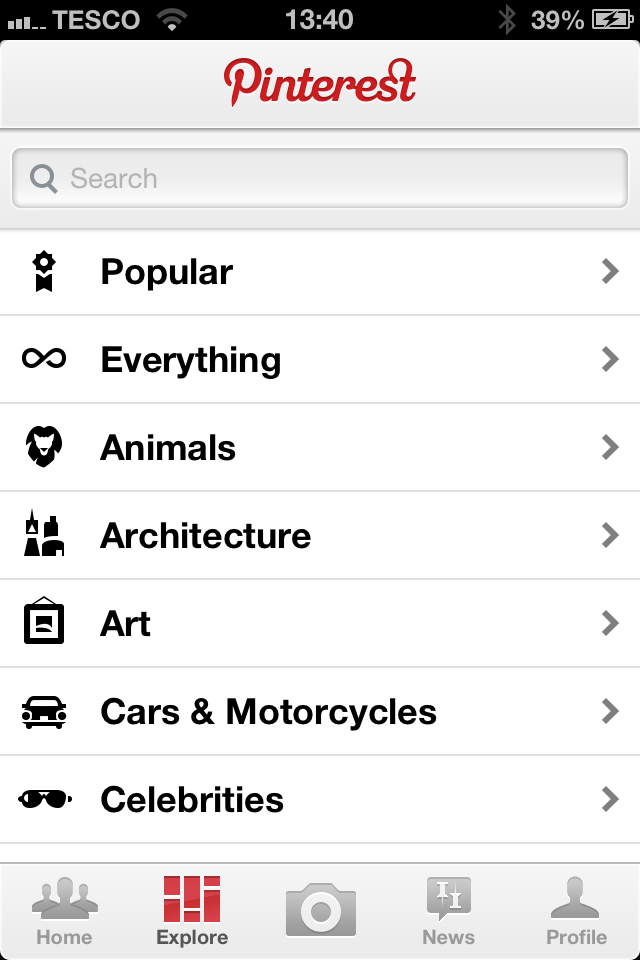
change-pinterest-profile-photo-iphone-app.PNG

1. Load up the Pinterest iPhone app and tab the Profile tab. 
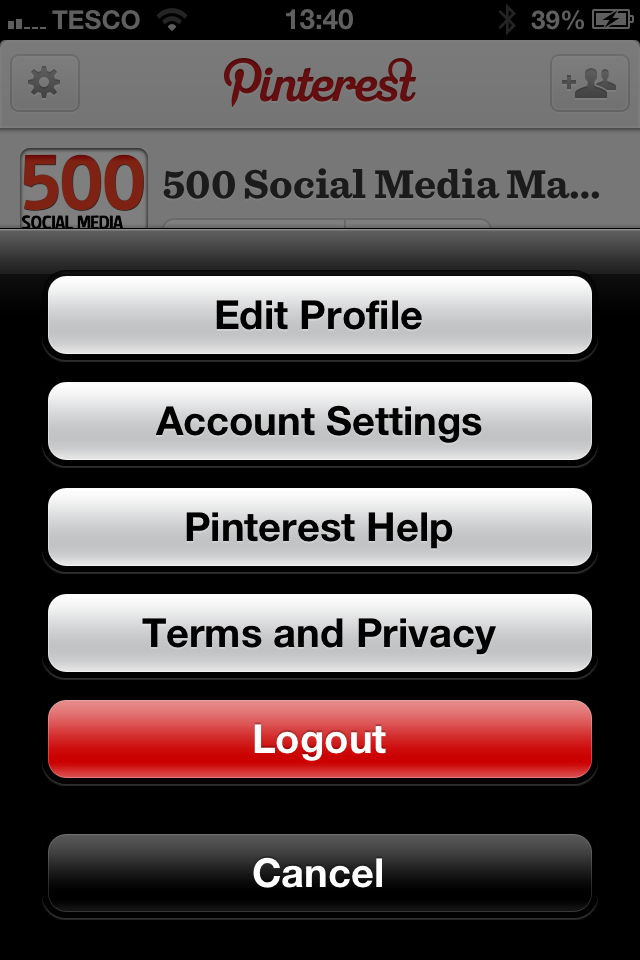
change-pinterest-profile-photo-iphone-app-2.PNG

2. From your Profile, tap on the cog icon in the top-left corner and choose 'Edit Profile' from the menu that appears. 
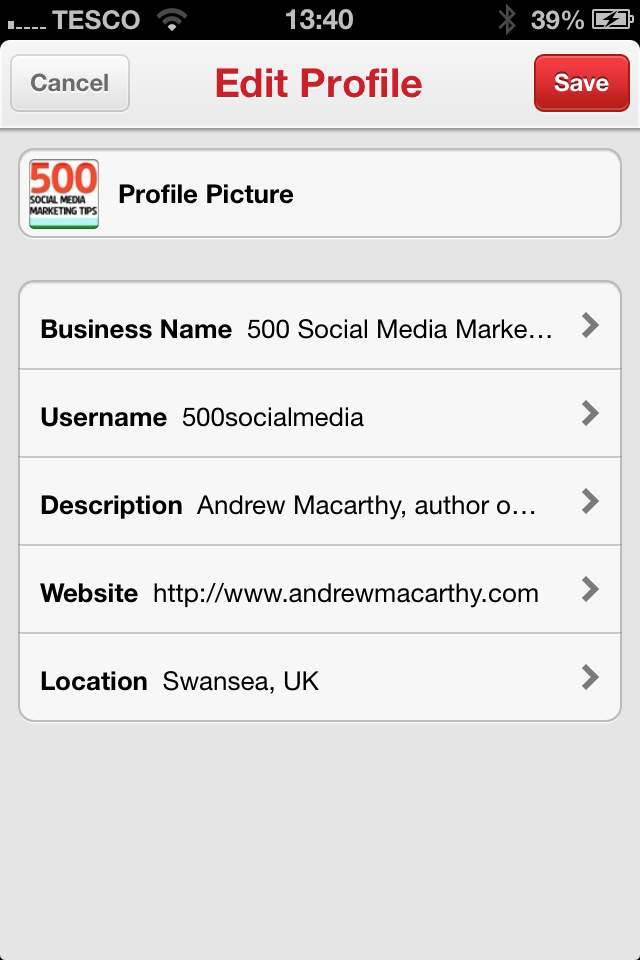
change-pinterest-profile-photo-iphone-app-3.PNG

3. Tap on the different sections of the profile to edit them as you wish, and click Save to confirm. That's it! 


ABOUT THE AUTHOR

Andrew Macarthy is the author of the #1 Amazon Kindle Bestseller, 500 Social Media Marketing Tips. 

Buy 500 Social Media Marketing Tips
Amazon US: http://www.amazon.com/dp/B007L50HE6
Amazon UK: http://www.amazon.co.uk/dp/B007L50HE6

Follow Me:
http://www.facebook.com/500socialmediatips/
https://pinterest.com/500socialmedia/
http://www.twitter.com/500socialmedia/
http://www.youtube.com/500socialmediatips
Facebook Page Cover Photo Rules March 2013 - Update

 
fb-cover-march-2013.jpg

Facebook has updated its guidelines for Pages' cover photos, removing rules against including calls to action, contact info, or references to price or purchase information. However, the proportion of your cover photo made up of text should still not exceed 20%. The new rules read:

All covers are public. This means that anyone who visits your Page will be able to see your cover. Covers can’t be deceptive, misleading, or infringe on anyone else’s copyright. You may not encourage people to upload your cover to their personal timelines. Covers may not include images with more than 20% text.
— https://www.facebook.com/page_guidelines.php

The new rules were rolled out on March 6 but were only spotted by marketers recently. So, if you're planning to update your Page's cover photo soon, perhaps you will want to re-consider your design to take advantage of the revised guidelines - I know I will!


ABOUT THE AUTHOR

Andrew Macarthy is the author of the #1 Amazon Kindle Bestseller, 500 Social Media Marketing Tips. 

Buy 500 Social Media Marketing Tips
Amazon US: http://www.amazon.com/dp/B007L50HE6
Amazon UK: http://www.amazon.co.uk/dp/B007L50HE6

Follow Me:
http://www.facebook.com/500socialmediatips/
https://pinterest.com/500socialmedia/
http://www.twitter.com/500socialmedia/
http://www.youtube.com/500socialmediatips
How to Change Facebook Cover Photo on iPhone App

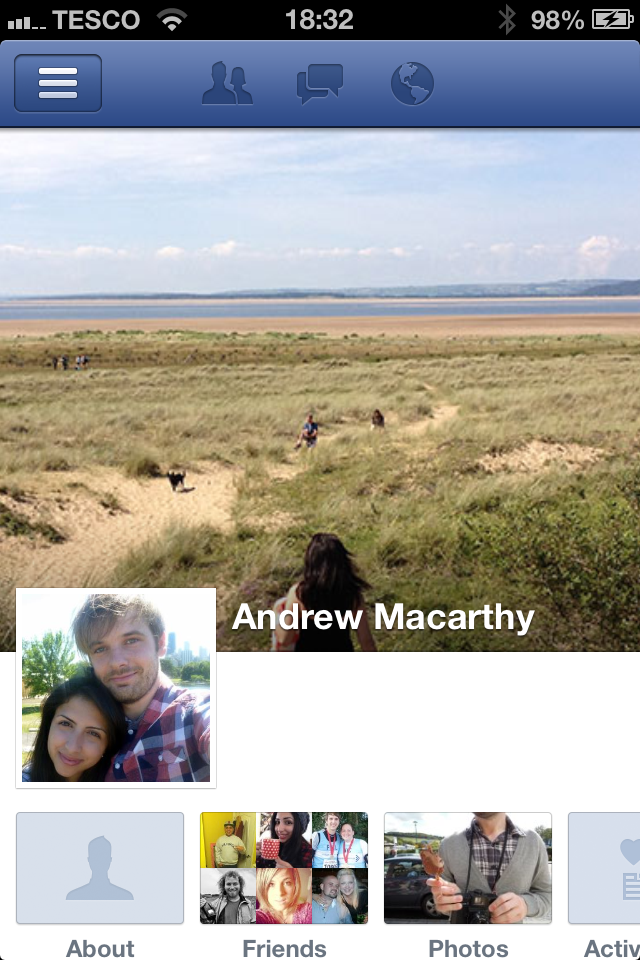
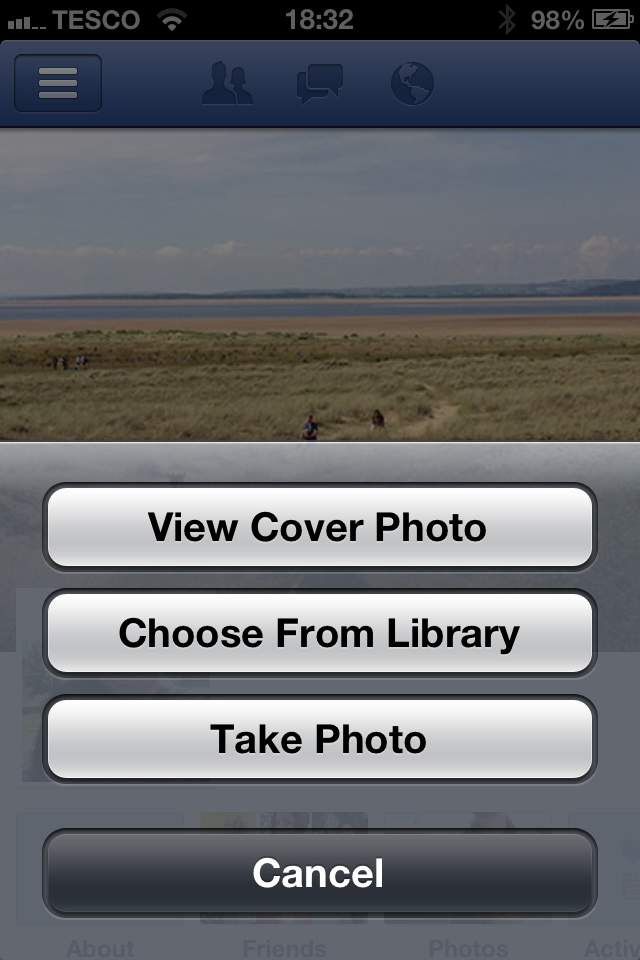
Facebook has updated its iPhone app to allow users to change their personal profile's cover photo from within the app itself. I'd hope they'll do the same for Pages soon, but if you're a business person with a big 'Follow' following on your personal profile, this feature could be handy for you. Here's how: 

change-facebook-cover-image-iphone-app-1

1. Run the iPhone app and visit your personal profile.

change-facebook-cover-photo-iphone-app-2

2. Tap your existing cover image and you'll see this menu, allowing you to choose a new photo from your Library or to snap a photo that you want to use instead. That's it!


ABOUT THE AUTHOR

Andrew Macarthy is the author of the #1 Amazon Kindle Bestseller, 500 Social Media Marketing Tips. 

Buy 500 Social Media Marketing Tips
Amazon US: http://www.amazon.com/dp/B007L50HE6
Amazon UK: http://www.amazon.co.uk/dp/B007L50HE6

Follow Me:
http://www.facebook.com/500socialmediatips/
https://pinterest.com/500socialmedia/
http://www.twitter.com/500socialmedia/
http://www.youtube.com/500socialmediatips

How to Create A Great YouTube Channel Trailer

There's always reluctance when sites like YouTube make major changes to their layouts, forcing millions of users to adapt or get left behind, but the reasons for change often become apparent after a short period of adjustment. In the case of the YouTube One Channel layout, I think the option to have a 'trailer' for your channel autoplay to all unsubscribed viewers who land on your channel page is a brilliant idea.

In my newest video tutorial, I show how to create a great little channel trailer, and how to optimize it to entice the most subscribers as possible. 


ABOUT THE AUTHOR

Andrew Macarthy is the author of the #1 Amazon Kindle Bestseller, 500 Social Media Marketing Tips. 

Buy 500 Social Media Marketing Tips
Amazon US: http://www.amazon.com/dp/B007L50HE6
Amazon UK: http://www.amazon.co.uk/dp/B007L50HE6

Follow Me:
http://www.facebook.com/500socialmediatips/
https://pinterest.com/500socialmedia/
http://www.twitter.com/500socialmedia/
http://www.youtube.com/500socialmediatips


My YouTube One Channel Trailer: A YouTube Trailer Example

One of the coolest parts of the new YouTube One Channel design is the ability to add a 'trailer' to your channel page. This video will play to unsubscribed viewers when they land on your profile, and can be used as a way to entice them to subscribe.

Best practices for this kind of video include keeping it short and sweet (around 30 seconds max), showing your audience what your channel can offer them, and giving them a call to action at the end. 

Check out my channel trailer above. My video editing skills don't go far beyond Camtasia's basic editor, so I used Animoto.com to create something a lot snazzier with relative ease. 

Have you created a trailer for your YouTube channel? Post a link below so I can check it out!


ABOUT THE AUTHOR

Andrew Macarthy is the author of the #1 Amazon Kindle Bestseller, 500 Social Media Marketing Tips. 

Buy 500 Social Media Marketing Tips
Amazon US: http://www.amazon.com/dp/B007L50HE6
Amazon UK: http://www.amazon.co.uk/dp/B007L50HE6

Follow Me:
http://www.facebook.com/500socialmediatips/
https://pinterest.com/500socialmedia/
http://www.twitter.com/500socialmedia/
http://www.youtube.com/500socialmediatips